BuildIcon – Construction Company WordPress Theme
Antivirus scan
Powered by ClamAV
✅ Verified clean
This product file has passed our security filters.
Want to run a fresh ClamAV scan right now? Takes a few seconds and shows scanner version, signature DB and live result.
This can take 5 to 30 seconds.
Clean file Threat detected
No threats detected in this file.
- File
- Size
- Scanned
- ClamAV
- Signature database
⚡ Powered by ClamAV
Scan could not be completed
Report product
If you detected an issue (broken file, malware, inappropriate content, etc.) let us know and we'll review it ASAP.
Sign in to report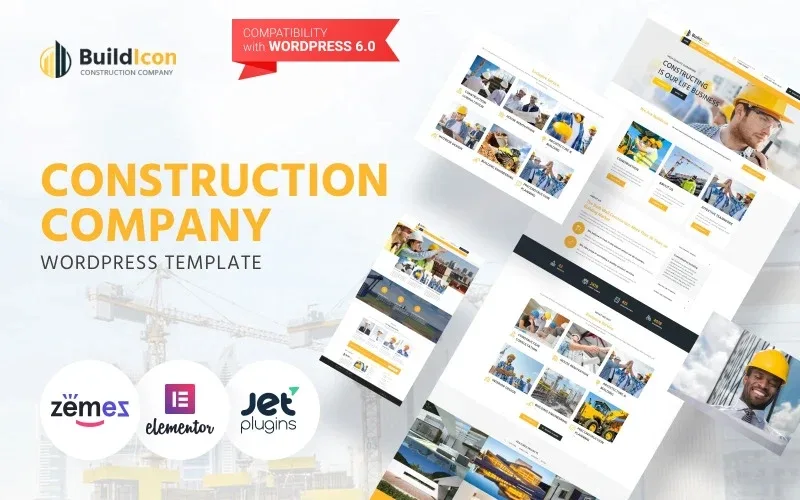
About BuildIcon – Construction Company WordPress Theme
A construction company is judged by its work, not its slogan
Anyone looking for a builder or a renovation company rarely trusts a nice-sounding text: they want to see finished projects, know which services are offered and have a clear way to ask for a quote at hand. A theme for this sector has to put all that up front, and BuildIcon is designed exactly that way.
Its website is visited before the phone call, and the client compares three sites in a row with a single question: have these people built something like what I need? That is why how projects are presented matters more than any design effect.
What visitors see on the BuildIcon homepage
The demo homepage follows the path of a construction business:
- A header with contact details and hours, with a phone number, working days and an always-visible quote request button.
- Services in separate blocks: construction consultation, house renovation, architecture and building, interior design, building engineering and preconstruction planning.
- Company introduction with mission, values and number blocks.
- Featured projects in a grid with category filters (building, consulting, interior, office).
- News and a client testimonials section.
The number blocks in the demo are a visual device: use them only with figures you can back up, because in construction an exaggerated number is spotted right away.
Projects, services and news: how to make the most of them
The filterable project grid is the most useful piece of the theme. It lets someone looking for a renovation see renovations and someone looking for an office build see offices, without browsing everything. For it to work, each project needs good photos and a concrete text: location, type of work and what was done. The demo texts repeat across projects, so they are no model: you have to write your own.
The news section is useful for publishing case studies, site safety milestones or finished projects, and gives movement to a site that would otherwise stay static.
Elementor, texts and photos: what decides whether BuildIcon works for you
Before choosing it, be clear about what each part of the demo provides and what is left to you. A theme does not generate the content that convinces a construction client.
Is it suitable for a small company or a freelance renovator?
Yes, if you adapt the structure: you can remove blocks such as the company figures or the branches and keep services, projects and quote requests.
Does it include a working quote form?
The demo shows quote request buttons and a contact page. Check beforehand which form it uses and whether you need a separate plugin to receive submissions.
Do the real texts and images come with it?
No: the demo texts are samples and they repeat. You will have to replace them with your projects, your services and your testimonials.
Is it available in Spanish?
The demo is in English. If your site will be in Spanish, prepare the translation of the texts and of the theme labels.
Topics
Version history
-
v
1.0.4 Current 13 Jun 2024
Customer reviews
Sign in to leave a review. Only people who have the product can review it.
No reviews for this product yet.
Frequently asked questions
-
GPL (General Public License) is the license under which WordPress and most premium plugins/themes are distributed. It grants you the right to use, modify and redistribute the software in as many projects as you want, with no domain restrictions.
-
Yes. With membership you get automatic updates via our GPLClub Updater plugin (installed on your WP, detects new versions and applies them). With individual purchase, you get one year of manual updates from your account.
-
Depends on the plan. Monthly: 3 domains. Semi-annual: 7. Annual and Lifetime: 15. Individual purchase: 1 domain.
-
GPLClub offers its own support for installation, configuration and compatibility. For direct support from the original author (feature requests, product-specific bugs), a license purchased from the author is required.