ChinaDS – WooCommerce Tmall-Taobao Dropshipping
Antivirus scan
Powered by ClamAV
✅ Verified clean
This product file has passed our security filters.
Want to run a fresh ClamAV scan right now? Takes a few seconds and shows scanner version, signature DB and live result.
This can take 5 to 30 seconds.
Clean file Threat detected
No threats detected in this file.
- File
- Size
- Scanned
- ClamAV
- Signature database
⚡ Powered by ClamAV
Scan could not be completed
Report product
If you detected an issue (broken file, malware, inappropriate content, etc.) let us know and we'll review it ASAP.
Sign in to report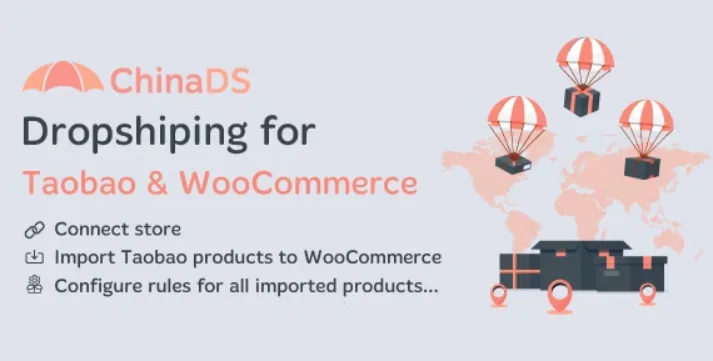
About ChinaDS – WooCommerce Tmall-Taobao Dropshipping
For sellers who know dropshipping with AliExpress and want Chinese suppliers at the source
Copying product listings by hand, recalculating prices every time the yuan moves and passing every order to another website is what usually kills dropshipping with Chinese suppliers before it leaves any margin. ChinaDS – WooCommerce Tmall-Taobao Dropshipping automates that part for WooCommerce stores that want to source from Taobao and Tmall.
It suits you if you already have a WooCommerce store, want to bring in catalogue from these two marketplaces, adjust prices with rules and manage orders from your dashboard. It does not suit you if you work on a platform other than WooCommerce, or if you expect a ready-loaded catalogue: you choose the products yourself on Taobao and Tmall. And if you have never done dropshipping, think separately about international shipping, delivery times and returns before you open sales, because they are part of the business.
ChinaDS imports from the listing, from the category or in bulk
You can import a product from its own page on Taobao or Tmall, import products from a category page or bring in every product in that category at once. Before reaching the store, products go through an import list where you review them, and afterwards they sit in an imported section.
- Initial status: choose whether imported items are published, pending or draft. Draft gives you time to review before showing them.
- SKU: with the shortcode {taobao_product_id}, the product ID on Taobao becomes its SKU. If it already exists, the plugin can generate a unique one by adding a number.
- Global attributes: variations arrive as custom attributes, and you can convert them into global attributes.
- Simple product: if it has only one variation, or you pick one, you can import it as a simple product. You can also split a variable product into simple products; the unique SKU avoids clashes in that case.
Price rules and exchange rate: your margin is decided in yuan
Source prices are in yuan (CNY), so a margin that looks good today may stop being good after an exchange rate shift. The plugin includes an exchange rate function to convert to your currency and global price rules that raise the value by a multiplier, a percentage or a fixed amount. Rules apply in bulk, and you can also customize actions for a single product or a group.
It also translates the content of the Taobao or Tmall page into your site language, which you pick from a list. Automatically translated product listings are worth reading before publishing, so check in the demo how the text turns out. If you already have products in WooCommerce, you can override and map them to Taobao or Tmall products instead of duplicating them.
Taobao versus Tmall: two types of seller
Taobao mainly brings together individual sellers and small businesses, with plenty of variety, unique or handmade items and competitive prices. Tmall is aimed at companies and large retailers, with recognized brands and stricter quality standards. Choosing where to import from means choosing between variety and price, or brands and quality control.
The plugin works with both platforms.
Orders: review them in WooCommerce before fulfilling them on Taobao
When a sale comes in, the plugin takes the order information from WooCommerce to carry it over to Taobao or Tmall. You get global settings for fulfilling orders and a Taobao orders section inside WooCommerce, where you preview them before handling them on the source platform.
Frequently asked questions about ChinaDS
Does it work without WooCommerce?
No. It is a plugin for WooCommerce stores, and the whole flow, for importing and for orders, relies on it.
Can I review products before they show in my store?
Yes. They go through an import list and you can set the initial status to draft or pending.
Does it convert prices from yuan to my currency?
Yes, with its exchange rate function, and you can add your margin with multiplier, percentage or fixed amount rules.
Does it work with products I already have in the store?
Yes, it lets you override and map existing WooCommerce products to Taobao or Tmall products.
Topics
Version history
-
v
1.0.3 Current 8 Jan 2025
Customer reviews
Sign in to leave a review. Only people who have the product can review it.
No reviews for this product yet.
Frequently asked questions
-
GPL (General Public License) is the license under which WordPress and most premium plugins/themes are distributed. It grants you the right to use, modify and redistribute the software in as many projects as you want, with no domain restrictions.
-
Yes. With membership you get automatic updates via our GPLClub Updater plugin (installed on your WP, detects new versions and applies them). With individual purchase, you get one year of manual updates from your account.
-
Depends on the plan. Monthly: 3 domains. Semi-annual: 7. Annual and Lifetime: 15. Individual purchase: 1 domain.
-
GPLClub offers its own support for installation, configuration and compatibility. For direct support from the original author (feature requests, product-specific bugs), a license purchased from the author is required.