Cornerstone – The WordPress Page Builder
Antivirus scan
Powered by ClamAV
✅ Verified clean
This product file has passed our security filters.
Want to run a fresh ClamAV scan right now? Takes a few seconds and shows scanner version, signature DB and live result.
This can take 5 to 30 seconds.
Clean file Threat detected
No threats detected in this file.
- File
- Size
- Scanned
- ClamAV
- Signature database
⚡ Powered by ClamAV
Scan could not be completed
Report product
If you detected an issue (broken file, malware, inappropriate content, etc.) let us know and we'll review it ASAP.
Sign in to report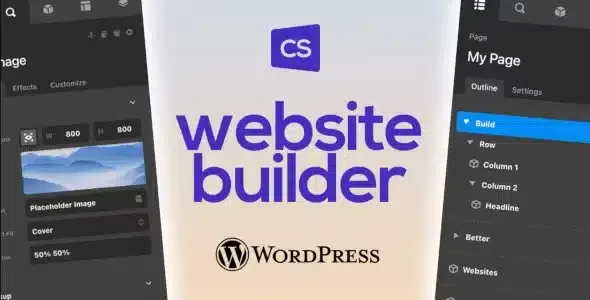
About Cornerstone – The WordPress Page Builder
Rebuilding the same header on every project eats your margin
Anyone who builds websites for clients knows the drain: the header, the service card and the post listing get rebuilt on every project, and the unbilled time comes out of your profit. Cornerstone aims for the opposite: build your own pieces once and reuse them.
This is the edition for use on top of another WordPress theme. The full builder comes included with Themeco's X theme, so if you already work with X you don't need this one.
Cornerstone designs headers, archives and product pages, not just pages
With Cornerstone you can create, edit and assign:
- Headers and footers.
- Pages.
- Archives and single posts.
- The WooCommerce shop archive and product pages.
To build them you start from more than 100 prefab, customizable elements in four families: layout, standard, dynamic content and Woo. The Woo elements only make sense if your project uses WooCommerce.
One limit to keep in mind: it doesn't bring the X theme or ready-made designs for your current theme. You build the headers, footers and templates yourself, and it is a professional-grade tool, so set aside time to learn it before a project with a delivery date.
Component Builder and Loopers: data from across the whole site inside your designs
If a prefab element doesn't fit, the Component Builder lets you create your own elements from scratch and save them in your Element Library to use on other projects.
Those components can read data from across the site: post meta, user meta, Advanced Custom Fields and data from other plugins. Loopers go through that data.
Effects are controlled per element: filters, transforms, interactions, positional effects, masks and layer blending, all native. You can also connect third-party APIs through the External REST API.
Common questions before choosing Cornerstone
Does it work with any theme? This edition is meant to be used with other WordPress themes. Test in your theme how its own headers and footers coexist with the ones you design.
Is it good for a store? It includes Woo elements and lets you design the shop archive and product pages, but you need WooCommerce installed.
Can I display Advanced Custom Fields data? Yes, it can read that data and data from other plugins.
Can I connect an external service? Yes, through the External REST API.
Start with one header and one custom component, not the whole site
The most sensible way to try it is to start small:
- Design a header and assign it to the site.
- Create a component you repeat often, such as a service card, and save it in your library.
- Test it with a Looper on data you already have before jumping into an archive template.
If you get stuck, Themeco has forums and a Facebook group with other builders who share questions and client work.
Version history
-
v
7.9.8 Current 29 Oct 2026
-
v
7.9.7 14 Oct 2026
-
v
7.9.6 30 Sep 2026
-
v
7.9.4 15 Sep 2026
-
v
7.9.3 5 Sep 2026
-
v
7.9.1 11 Aug 2026
-
v
7.8.7 5 May 2026
Customer reviews
Sign in to leave a review. Only people who have the product can review it.
No reviews for this product yet.
Frequently asked questions
-
GPL (General Public License) is the license under which WordPress and most premium plugins/themes are distributed. It grants you the right to use, modify and redistribute the software in as many projects as you want, with no domain restrictions.
-
Yes. With membership you get automatic updates via our GPLClub Updater plugin (installed on your WP, detects new versions and applies them). With individual purchase, you get one year of manual updates from your account.
-
Depends on the plan. Monthly: 3 domains. Semi-annual: 7. Annual and Lifetime: 15. Individual purchase: 1 domain.
-
GPLClub offers its own support for installation, configuration and compatibility. For direct support from the original author (feature requests, product-specific bugs), a license purchased from the author is required.