Custom User Registration Fields for WooCommerce
Antivirus scan
Powered by ClamAV
✅ Verified clean
This product file has passed our security filters.
Want to run a fresh ClamAV scan right now? Takes a few seconds and shows scanner version, signature DB and live result.
This can take 5 to 30 seconds.
Clean file Threat detected
No threats detected in this file.
- File
- Size
- Scanned
- ClamAV
- Signature database
⚡ Powered by ClamAV
Scan could not be completed
Report product
If you detected an issue (broken file, malware, inappropriate content, etc.) let us know and we'll review it ASAP.
Sign in to report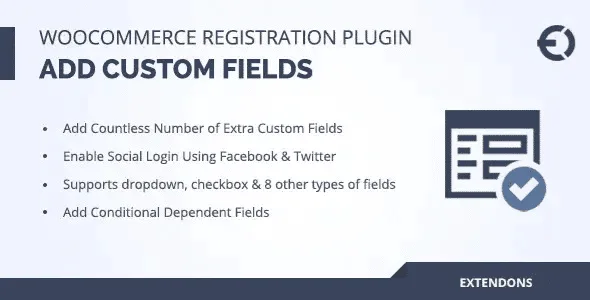
About Custom User Registration Fields for WooCommerce
The WooCommerce registration form asks for an email and a password, and little else. If you sell to professionals, resellers or customers you need to know before selling to them, that form falls short: you end up requesting data by email, by hand, and any sign-up gets full access to the shop.
Custom User Registration Fields for WooCommerce: registration as a customer filter
That is why it pays to decide what to ask at sign-up and what to leave for later.
The field types that replace the "send me your details" email
You can create as many fields as you need and drag them to add or reorder them, without touching code or design. The available types are:
- Text area and text box
- Select box and multi-select box
- Checkbox and radio button
- Date picker and time picker
- Password
- File or image upload
- Color picker and numeric field
- Google ReCaptcha
You can also disable or edit the fields WooCommerce includes by default, useful if you want a shorter form than usual.
Conditional fields
A field can appear only if a condition is met. The classic example: if the person says they are a doctor, they are asked for their specialization. That way the form is not filled with questions that do not apply to most people.
Roles and approval: from sign-up to controlled access
You can let customers choose a role when registering (if you have enabled it), create your own roles with their capabilities and decide whether approval is automatic or manual. While you wait to approve someone, they can have limited access, and you can set different actions for each role.
From the dashboard you can approve or reject accounts, change roles, and block or delete users. Blocked users and those awaiting approval can see a custom message, and each role status supports its own custom email.
What the customer sees after signing up
The additional fields are also shown at checkout, within account creation, with one exception: the file upload field does not appear there. In addition, customers can view and edit that extra information from "My Account". The plugin includes social login with Google, and is compatible with the WooCommerce User Dashboard plugin.
Document verification and privacy are handled on your own
- Already solved by the plugin: custom fields, conditional fields, custom roles, manual or automatic approval, messages and emails per status, user management.
- On you: checking yourself whether an uploaded document is valid (the plugin collects the file, it does not verify it), deciding which prices or products each role sees with your own shop rules, and writing the privacy texts if you request personal data.
- With a professional: any functionality not in the list, which will have to be commissioned separately.
If you collect sensitive data, think about what you really need: asking for too much at registration has data protection implications.
Frequently asked questions
Can I remove fields from the standard WooCommerce registration?
Yes, you can enable, disable or edit them.
Do the fields also appear at checkout?
Yes, in the create account section, except the file upload one.
Can I approve customers by hand?
Yes. You can also automate approval or give limited access until you review it.
Can I use Google login?
Yes, the plugin includes social login with Google.
Can customers correct their details later?
Yes, from "My Account" they can view and edit the additional information.
Topics
Version history
-
v
2.2.5 Current 7 Oct 2026
-
v
2.2.4 8 Aug 2026
-
v
2.2.0 4 Dec 2025
Customer reviews
Sign in to leave a review. Only people who have the product can review it.
No reviews for this product yet.
Frequently asked questions
-
GPL (General Public License) is the license under which WordPress and most premium plugins/themes are distributed. It grants you the right to use, modify and redistribute the software in as many projects as you want, with no domain restrictions.
-
Yes. With membership you get automatic updates via our GPLClub Updater plugin (installed on your WP, detects new versions and applies them). With individual purchase, you get one year of manual updates from your account.
-
Depends on the plan. Monthly: 3 domains. Semi-annual: 7. Annual and Lifetime: 15. Individual purchase: 1 domain.
-
GPLClub offers its own support for installation, configuration and compatibility. For direct support from the original author (feature requests, product-specific bugs), a license purchased from the author is required.