Directories Pro - Directory plugin for WordPress
Antivirus scan
Powered by ClamAV
✅ Verified clean
This product file has passed our security filters.
Want to run a fresh ClamAV scan right now? Takes a few seconds and shows scanner version, signature DB and live result.
This can take 5 to 30 seconds.
Clean file Threat detected
No threats detected in this file.
- File
- Size
- Scanned
- ClamAV
- Signature database
⚡ Powered by ClamAV
Scan could not be completed
Report product
If you detected an issue (broken file, malware, inappropriate content, etc.) let us know and we'll review it ASAP.
Sign in to report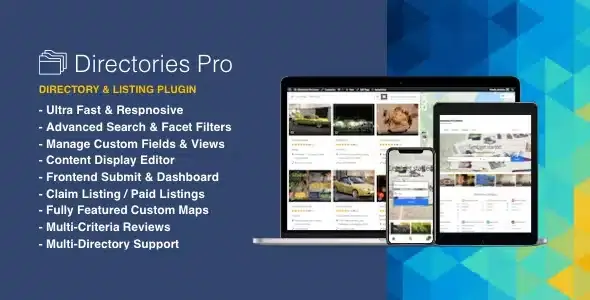
About Directories Pro - Directory plugin for WordPress
An empty directory attracts nobody, and filling it by hand does not scale
Building a directory in WordPress often ends up as a custom post type, several separate plugins for searching, rating, charging and showing maps, and a problem that only shows up at launch: nobody visits a listing with three entries, and nobody submits to a site with no visitors. Also, a directory's money does not come from those who search, it comes from those who want to appear. Your first job is to get listings, not traffic.
Directories Pro is built for that journey. It lets you create as many directories as you want (local businesses, users, websites, properties) and enable or disable categories, tags, locations, reviews, claims and payments for each directory.
Directories Pro step by step: preparing the directory before it opens
1. Define what data each listing holds
You create the directory and add custom fields to it, also to reviews, categories or locations, with conditional fields and repeatable groups. The display editor changes how each piece of data is shown without touching code, and if you want more control you can create full or partial templates.
2. Load the first listings yourself
You can import and export the content of any directory and generate sample content to see the result before publishing. This step decides whether the project takes off: a directory with real listings from your area looks alive from day one.
Once the directory is open: claims, payments and search
3. Let owners claim their listing and submit their own
Listings can be claimed, and users can submit listings and reviews from the frontend, even without registering. Each person manages their own content from a frontend dashboard, and there is social login and two-factor login with WP-2FA. To stop spam there is reCAPTCHA (v2 and v3), hCaptcha, Cloudflare Turnstile and email verification. Limits appear here: integration with BuddyPress, Ultimate Member or PeepSo profiles requires having that plugin, and the contact form relies on Contact Form 7, WPForms, Gravity Forms or HappyForms, which are installed separately.
4. Charge for publishing or for standing out
It includes its own monetization system, without depending on WooCommerce: paid plans, subscriptions, discounts, fees for switching plans or reactivating, and add-on plans for extra revenue. If you already sell with WooCommerce, it works with it too, including WooCommerce Subscriptions. Limiting submissions by membership is only possible with WooCommerce Memberships. Listings can expire, which helps advertisers renew.
5. Let visitors find, compare and rate
Search suggests results as you type, filters update the count live, and you can filter by custom fields or by current location. Reviews support several criteria with a five-star rating, and you can sort listings by rating. There is a listing comparison feature and bookmarks. For maps you choose between Google Maps and OpenStreetMap with Leaflet.js, which is free.
Frequently asked questions about Directories Pro
Do I need WooCommerce to charge?
No. The plugin comes with its own payment and subscription system, although it also supports WooCommerce if you already use it.
Can I have several directories on the same WordPress site?
Yes, there is no limit on directories, and each one has its own taxonomy, review and payment settings.
Does it work for a multilingual site?
It is compatible with WPML and Polylang. There are also translations, including Spanish, French, German, Italian, Brazilian Portuguese, Polish and Turkish.
Does it help with search rankings?
It lets you set custom permalinks, generate schema.org structured data in JSON-LD and OpenGraph tags, and it is compatible with Yoast SEO and Rank Math. That makes the work easier, but traffic depends on your content.
Does it include bookings?
It includes calendar and booking features. If your business depends on them, check in the demo that they cover your case before deciding.
Topics
Version history
-
v
2.2.0 Current 2 Nov 2026
-
v
2.1.10 28 Oct 2026
-
v
2.1.9 24 Oct 2026
-
v
2.1.3 30 Sep 2026
-
v
2.0.29 5 Sep 2026
-
v
2.0.16 6 Jul 2026
-
v
2.0.6 16 Apr 2026
Customer reviews
Sign in to leave a review. Only people who have the product can review it.
No reviews for this product yet.
Frequently asked questions
-
GPL (General Public License) is the license under which WordPress and most premium plugins/themes are distributed. It grants you the right to use, modify and redistribute the software in as many projects as you want, with no domain restrictions.
-
Yes. With membership you get automatic updates via our GPLClub Updater plugin (installed on your WP, detects new versions and applies them). With individual purchase, you get one year of manual updates from your account.
-
Depends on the plan. Monthly: 3 domains. Semi-annual: 7. Annual and Lifetime: 15. Individual purchase: 1 domain.
-
GPLClub offers its own support for installation, configuration and compatibility. For direct support from the original author (feature requests, product-specific bugs), a license purchased from the author is required.