Directorist Google reCAPTCHA
Antivirus scan
Powered by ClamAV
✅ Verified clean
This product file has passed our security filters.
Want to run a fresh ClamAV scan right now? Takes a few seconds and shows scanner version, signature DB and live result.
This can take 5 to 30 seconds.
Clean file Threat detected
No threats detected in this file.
- File
- Size
- Scanned
- ClamAV
- Signature database
⚡ Powered by ClamAV
Scan could not be completed
Report product
If you detected an issue (broken file, malware, inappropriate content, etc.) let us know and we'll review it ASAP.
Sign in to report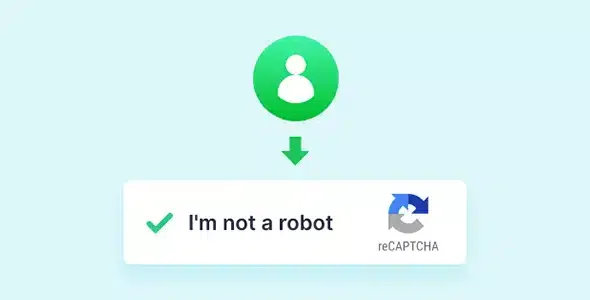
About Directorist Google reCAPTCHA
An open public directory has a problem a blog doesn't: anyone can publish in it. Bots know this, and the first things they find are the registration form and the add listing form. By the time you notice the spam, you already have fake listings, invented users and hours of manual cleanup.
Directorist Google reCAPTCHA: the path of a bot that never gets to publish
This plugin is an extension of Directorist (it needs Directorist installed and doesn't work on its own). The best way to understand it is to follow, step by step, what happens in your directory.
Step 1: the bot reaches registration
Automated software tries to create accounts in bulk. The extension shows a reCAPTCHA challenge on the registration form, so fake or spam registrations are stopped there, before the user even exists.
Step 2: the bot looks for the add listing form
If the bot tries to submit fake listings, it meets a reCAPTCHA challenge on the add listing form. This piece protects the most valuable part of the directory: its content.
Step 3: you decide who gets asked
You can show or hide the challenge depending on user role. That way you don't bother people you already know, such as your own editors or collaborators, and you ask it of those arriving from outside.
Settings you can see on the site: theme, label and weight
- Light or dark theme: you can choose between two themes, light and dark.
- Customizable label: you can change the text that goes with the challenge so it fits the tone of your directory.
- Lightweight: the extension is very lightweight.
- Simple settings: the extension has a simple interface for its settings.
Frequently asked questions before installing
Does it work without Directorist?
No. It is an extension of Directorist and needs that plugin to be active.
Does it protect every form on my site?
No. The challenges appear on Directorist's registration form and add listing form. Contact forms from other plugins or blog comments are left out.
Can I keep a certain type of user from seeing it?
Yes, it can be shown or hidden depending on user roles.
Does it help if a real person writes the spam?
A reCAPTCHA tells people apart from automated software. If someone manually posts junk content, the challenge won't stop them; for that you need to moderate listings.
What to know about reCAPTCHA in a directory
It is a Google service. Also, a CAPTCHA adds a step for the legitimate user: in a directory where you want many people to register, use roles so you don't slow down those who don't need it. And if your site collects data from EU visitors, check how you disclose the use of third-party services like Google in your privacy and cookie policy.
Which directories it makes sense for
If your directory allows open registration or public listing submissions (local businesses, real estate, classified ads), this extension is a basic layer that saves you moderation work. If only you publish listings, it adds almost nothing.
Topics
Version history
-
v
2.2.1 Current 26 Aug 2025
Customer reviews
Sign in to leave a review. Only people who have the product can review it.
No reviews for this product yet.
Frequently asked questions
-
GPL (General Public License) is the license under which WordPress and most premium plugins/themes are distributed. It grants you the right to use, modify and redistribute the software in as many projects as you want, with no domain restrictions.
-
Yes. With membership you get automatic updates via our GPLClub Updater plugin (installed on your WP, detects new versions and applies them). With individual purchase, you get one year of manual updates from your account.
-
Depends on the plan. Monthly: 3 domains. Semi-annual: 7. Annual and Lifetime: 15. Individual purchase: 1 domain.
-
GPLClub offers its own support for installation, configuration and compatibility. For direct support from the original author (feature requests, product-specific bugs), a license purchased from the author is required.