Divi Page Builder Everywhere
Antivirus scan
Powered by ClamAV
✅ Verified clean
This product file has passed our security filters.
Want to run a fresh ClamAV scan right now? Takes a few seconds and shows scanner version, signature DB and live result.
This can take 5 to 30 seconds.
Clean file Threat detected
No threats detected in this file.
- File
- Size
- Scanned
- ClamAV
- Signature database
⚡ Powered by ClamAV
Scan could not be completed
Report product
If you detected an issue (broken file, malware, inappropriate content, etc.) let us know and we'll review it ASAP.
Sign in to report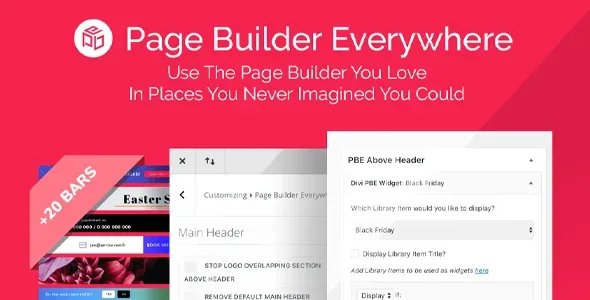
About Divi Page Builder Everywhere
The 80% of your site Divi won't let you design
You spend hours perfecting your pages with Divi, and then you open the footer, the 404 page, the search results or a sidebar and find the theme's default design, with little room to change it without writing code. Divi Page Builder Everywhere exists for those areas that sit outside the editor.
How Divi Page Builder Everywhere inserts your library layouts
The plugin takes the layouts you already saved in the Divi library and places them in new spots. It is managed from the WordPress widgets interface: choose the layout, choose where it goes, and you're done. If you have used widgets before, there is nothing new to learn.
- Main area: add a layout above or below the content on all pages, use the builder on archive pages, before and after the content, and use it anywhere that supports rich text, even inside Divi modules.
- Footer: replace the whole footer or just the bottom strip with your own layout.
- Header: replace the default header, add a second header above or below the existing one, or put promo bars above Divi's own.
- Other pages and areas: sidebars and 404, category, search, archive and WooCommerce pages.
Rules so each layout appears only where it should
This is the most useful part for a shop or a site with several types of visitor. A rules engine, with dozens of built-in conditions, decides what is shown and when. You can set a different footer on shop pages or a different header for logged-in users.
It comes with 20 predesigned notification and promo bars, made for announcements, offers, discounts, new releases or collecting emails. They are a good starting point: you adapt them with the builder like any other layout.
If you develop plugins or child themes, it works automatically with products that support widgets or rich text editing.
What to decide before buying Divi Page Builder Everywhere (and common questions)
It is a Divi add-on: it needs Divi to make sense. It is compatible with Divi 4, and Divi 5 is listed as coming soon, so if you already work with Divi 5, check how it behaves in the demo before committing.
Nor is it a build-from-scratch layout tool: whatever you insert must already exist as a saved layout in the library. If you haven't created any, you'll need to design one first.
Can I use it for a different footer in each section?
Yes, thanks to the rules engine you can choose which layout is shown depending on the condition you define, for example on shop pages.
Do I need to know how to code?
Not for the usual tasks: you work with widgets and library layouts.
Does it work with other plugins?
With those that support widgets or rich text, yes. For the rest, check in the demo whether the area you care about allows it.
Can I use it for a promo bar?
Yes, it includes 20 predesigned bars that you can customize with the builder.
Topics
Version history
-
v
3.1.13 Current 8 May 2024
Customer reviews
Sign in to leave a review. Only people who have the product can review it.
No reviews for this product yet.
Frequently asked questions
-
GPL (General Public License) is the license under which WordPress and most premium plugins/themes are distributed. It grants you the right to use, modify and redistribute the software in as many projects as you want, with no domain restrictions.
-
Yes. With membership you get automatic updates via our GPLClub Updater plugin (installed on your WP, detects new versions and applies them). With individual purchase, you get one year of manual updates from your account.
-
Depends on the plan. Monthly: 3 domains. Semi-annual: 7. Annual and Lifetime: 15. Individual purchase: 1 domain.
-
GPLClub offers its own support for installation, configuration and compatibility. For direct support from the original author (feature requests, product-specific bugs), a license purchased from the author is required.