Divi Widget Builder
Antivirus scan
Powered by ClamAV
✅ Verified clean
This product file has passed our security filters.
Want to run a fresh ClamAV scan right now? Takes a few seconds and shows scanner version, signature DB and live result.
This can take 5 to 30 seconds.
Clean file Threat detected
No threats detected in this file.
- File
- Size
- Scanned
- ClamAV
- Signature database
⚡ Powered by ClamAV
Scan could not be completed
Report product
If you detected an issue (broken file, malware, inappropriate content, etc.) let us know and we'll review it ASAP.
Sign in to report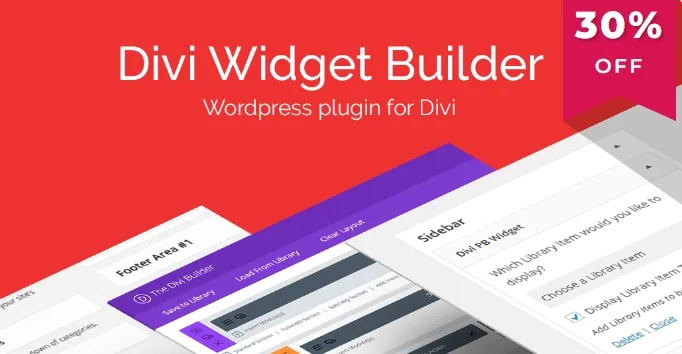
About Divi Widget Builder
Divi Widget Builder: keep the sidebar and footer in line with the rest of the design
On a site built with Divi, the pages look polished because they are designed with the builder, but widget areas (sidebar, footer) often end up with the dull look of WordPress text widgets. Fixing them with code in child theme files is the kind of task nobody wants to inherit.
Divi Widget Builder tackles exactly that: it adds a widget that displays content designed with Divi inside a widget area.
How Divi Widget Builder works in Appearance > Widgets
When you activate the plugin, an item called Divi PB Widget appears among the available widgets. The process is short: you create a widget area, name it, drag the Divi PB Widget into it and choose the content you have already saved in your Divi Library. It can be a module or a page.
Widget areas age first
Widget areas are usually the last thing to be designed and the first to get outdated: an offer in the sidebar, a contact block in the footer, a call to action that no longer applies. If every change means opening theme files, it ends up left as it is.
You must save the design in the Divi Library first
The plugin is small and does one thing. Here is what it covers and what is left to you:
- Already solved: creating a widget area and placing the Divi widget in it.
- Already solved: displaying modules or pages saved in the Divi Library.
- Already solved: avoiding edits to several child theme files to achieve it.
- Up to you: designing and saving in the Library, beforehand, the module or page you want to show. The plugin ships no designs of its own.
- Up to you: having Divi on the site. It is an add-on for Divi and does not work on its own.
- Up to you: checking how the design looks at the width of a side column and on mobile, and making sure the area appears where you want it in your template.
Questions before using Divi Widget Builder
Does it work without Divi?
No. It is designed for sites with Divi, because the content it displays comes from the modules and pages saved in the Divi Library.
Where do I find it after activating it?
In Appearance > Widgets, among the available widgets, under the name Divi PB Widget.
Can I display a full page?
Yes, you can choose saved modules or pages. In a narrow sidebar, a small module is usually a better fit than a whole page.
Do I have to write code?
Not to create the widget and fill it: you do it by dragging and choosing content from the Library.
Topics
Version history
-
v
1.0.4 Current 4 May 2026
Customer reviews
Sign in to leave a review. Only people who have the product can review it.
No reviews for this product yet.
Frequently asked questions
-
GPL (General Public License) is the license under which WordPress and most premium plugins/themes are distributed. It grants you the right to use, modify and redistribute the software in as many projects as you want, with no domain restrictions.
-
Yes. With membership you get automatic updates via our GPLClub Updater plugin (installed on your WP, detects new versions and applies them). With individual purchase, you get one year of manual updates from your account.
-
Depends on the plan. Monthly: 3 domains. Semi-annual: 7. Annual and Lifetime: 15. Individual purchase: 1 domain.
-
GPLClub offers its own support for installation, configuration and compatibility. For direct support from the original author (feature requests, product-specific bugs), a license purchased from the author is required.