Echo RSS Feed Post Generator
Antivirus scan
Powered by ClamAV
✅ Verified clean
This product file has passed our security filters.
Want to run a fresh ClamAV scan right now? Takes a few seconds and shows scanner version, signature DB and live result.
This can take 5 to 30 seconds.
Clean file Threat detected
No threats detected in this file.
- File
- Size
- Scanned
- ClamAV
- Signature database
⚡ Powered by ClamAV
Scan could not be completed
Report product
If you detected an issue (broken file, malware, inappropriate content, etc.) let us know and we'll review it ASAP.
Sign in to report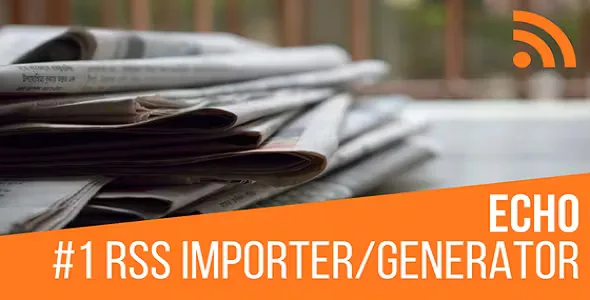
About Echo RSS Feed Post Generator
Keeping a blog fed with new content costs more than building it
Anyone who publishes daily knows the problem is not creating the blog but feeding it. A niche news portal, a deals aggregator or a site that gathers what other sources say about a topic needs a constant flow of posts, and copying them by hand eats up hours. Echo RSS Feed Post Generator turns the RSS feeds of other sites into posts on your WordPress automatically, and also does the reverse: it generates RSS feeds from your latest posts.
From feed to post: how Echo RSS Feed Post Generator works
You define the sources and the plugin does the rest. It supports multiple feeds, which you can enable or disable one by one, and it handles the usual RSS and Atom versions. If you don't know the exact feed address, you enter the page URL and the plugin tries to locate it.
- Default post status: published, pending, draft or private.
- Processing with a built-in pseudo cron, with no need for an external scheduler, or manual: all feeds or one by one.
- Random update intervals and a different frequency for each feed.
- A limit on posts per feed, or partial import of content based on a percentage.
- Text-only excerpts by number of words, sentences or paragraphs.
Filters so your blog doesn't fill up with junk
Importing without control is the fastest way to end up with a site full of repeated or questionable content. That is why the filters are the part worth configuring carefully:
- A list of banned words and a list of required words: if they don't appear, the post is skipped.
- Duplicate control by title, by URL or by both.
- Filters specific to each feed: all words, any word, exact phrase or none.
- Search and replace with regular expressions to rewrite words, fix broken content or change affiliate IDs.
- Truncating or discarding posts with very long titles.
Categories, tags and authors without touching each post
Each feed can be assigned to one or several categories, or you can let the plugin create new ones. It can also search the text for categories you already have and add them as categories or tags, or add a list of tags at random. For authors you choose a fixed one, a random one or the name of the original author. It can also visit the original URL to extract the full content when the feed only carries a summary, and the post templates let you vary the format of what is published. Shortcodes and Gutenberg blocks are available to display what you import.
Other people's content is not yours: quality and rights are up to you
This is the point many buyers discover too late. The plugin does not create original text: it brings in text from other sites. That has two consequences you should weigh before using it:
- What it already solves: importing, filtering, categorizing, scheduling and publishing automatically, plus generating your own RSS feeds.
- What you cover: checking that you have permission to reuse each source, reviewing the quality of what is published and adding your own value (commentary, selection, context) so the site isn't a copy of others.
Blindly publishing third-party content can cause problems with their authors and with search engines. Start with draft or pending status and review before switching to direct publishing.
Frequently asked questions
Does it work for sites other than my own blog?
Yes, it works with any site that has a public RSS feed. If you don't know which one, try the automatic detection.
Can I publish only the posts about one topic?
Yes, with the required-word or exact-phrase filters on each feed.
Does it bring the full article or only the summary?
It can import what the feed provides or visit the original page to extract the full content. It is worth testing with your sources, because not every site allows it equally.
Can I create my own RSS feed?
Yes, the plugin generates RSS feeds from your latest published posts.
Topics
Version history
-
v
5.5.2 Current 5 Sep 2026
-
v
5.5.1.2 17 Mar 2026
Customer reviews
Sign in to leave a review. Only people who have the product can review it.
No reviews for this product yet.
Frequently asked questions
-
GPL (General Public License) is the license under which WordPress and most premium plugins/themes are distributed. It grants you the right to use, modify and redistribute the software in as many projects as you want, with no domain restrictions.
-
Yes. With membership you get automatic updates via our GPLClub Updater plugin (installed on your WP, detects new versions and applies them). With individual purchase, you get one year of manual updates from your account.
-
Depends on the plan. Monthly: 3 domains. Semi-annual: 7. Annual and Lifetime: 15. Individual purchase: 1 domain.
-
GPLClub offers its own support for installation, configuration and compatibility. For direct support from the original author (feature requests, product-specific bugs), a license purchased from the author is required.