Elegant Themes Modest
Antivirus scan
Powered by ClamAV
✅ Verified clean
This product file has passed our security filters.
Want to run a fresh ClamAV scan right now? Takes a few seconds and shows scanner version, signature DB and live result.
This can take 5 to 30 seconds.
Clean file Threat detected
No threats detected in this file.
- File
- Size
- Scanned
- ClamAV
- Signature database
⚡ Powered by ClamAV
Scan could not be completed
Report product
If you detected an issue (broken file, malware, inappropriate content, etc.) let us know and we'll review it ASAP.
Sign in to report
About Elegant Themes Modest
The first paragraph of your service pages is also your home page
You sit down to write a service page and begin with a polite introduction: who you are, how long you have been around, how much you care about quality. Inside that page the text does its job. The trouble appears when that same opening rises to the home page and is all a visitor reads of your offer.
In Modest, the three service blocks under the slider come from three ordinary pages, and the "more" tag decides how far each one reads on the home page. That is why the cut matters as much as the text: whatever you leave before that tag has to explain the service without help from the rest.
Modest, by Elegant Themes, is a WordPress theme whose home page is assembled from content you already have on the site: pages and posts. It is not drawn block by block, it is fed by what you publish.
Each area of the home page draws from a different place
Before writing anything, it helps to know what feeds each part, because your task list comes from that:
- Featured slider: with the "Use Pages" option it is built from the pages you choose. Without it, it shows the posts of the category you set as featured.
- Three service blocks: you pick three pages in the Service Page 1, 2 and 3 selectors, and each is trimmed with its "more" tag.
- Small gallery: each item is a post from the category you select, and its image comes from the Thumbnail custom field.
The practical result is that you can refresh the gallery or the slider by publishing a post in the matching category, without opening the home page settings.
ePanel, ads and page templates
The theme is run from ePanel, its own options panel. These are the pieces it brings besides the home page:
- Logo: its address goes in General Settings, and the package includes starter files in the /psd/ folder.
- Ads: images and links are changed in the theme options, and the ET: Advertisement widget places 125x125 banners in a sidebar.
- Shortcodes: new buttons in the text editor insert them so you can lay out content without writing HTML.
- Page templates: chosen in the Templates dropdown and adjusted in the ET Page Templates Settings box.
- Translation: .mo and .po files in the /lang folder.
No visual builder or shop among its features
Among its features there is no visual builder: the home page is organized with selectors in ePanel, not by dragging elements onto the page. There is no shop among them either, nor bookings or quote forms for a service business. The three blocks are text that links to their pages, not a hiring system.
The home page selectors are also three: Service Page 1, 2 and 3. Keep that number in mind when arranging your offer.
Getting started with the sample data
The order that avoids redoing work is this:
- Upload the .ZIP from Appearance, Themes, and activate it.
- If you want to start from sample content, use Tools, Import with the sampledata/sample.xml file and tick the Import epanel settings box.
- Create your three service pages, insert the "more" tag in each and pick them in General Settings, Homepage.
- Decide whether the slider comes from pages or a category, and select the gallery category.
- Give each post a full-size featured image. Thumbnails adapt to what the theme asks for, so if you are coming from another theme, regenerate them with a plugin such as Regenerate Thumbnails.
Catalog themes that start from another idea
If you prefer to design by dragging elements onto the real page, Divi, from the same maker, is a theme and visual builder at once. For a business site with little CSS, ExS Business Agency sits around 80 kB. And if your thing is composing post listings from the WordPress editor, PostX Pro adds blocks and a query builder.
Questions when setting up the Modest home page
Can I fill the slider without creating pages?
Yes. Leave "Use Pages" off and choose a featured category: the slider will take its posts.
Where do the gallery images come from?
From the posts of the chosen category, through their Thumbnail custom field.
Can it be translated?
Yes, with the .mo and .po files in the theme's /lang folder.
Do I need to know HTML to lay out content?
Not for the basics: the text editor buttons insert layout shortcodes.
Topics
Version history
-
v
3.9.13 Current 12 Jun 2024
Customer reviews
Sign in to leave a review. Only people who have the product can review it.
No reviews for this product yet.
Frequently asked questions
-
GPL (General Public License) is the license under which WordPress and most premium plugins/themes are distributed. It grants you the right to use, modify and redistribute the software in as many projects as you want, with no domain restrictions.
-
Yes. With membership you get automatic updates via our GPLClub Updater plugin (installed on your WP, detects new versions and applies them). With individual purchase, you get one year of manual updates from your account.
-
Depends on the plan. Monthly: 3 domains. Semi-annual: 7. Annual and Lifetime: 15. Individual purchase: 1 domain.
-
GPLClub offers its own support for installation, configuration and compatibility. For direct support from the original author (feature requests, product-specific bugs), a license purchased from the author is required.
Related products

Umetric | WordPress Dashboard, Reporting and Infographic Theme
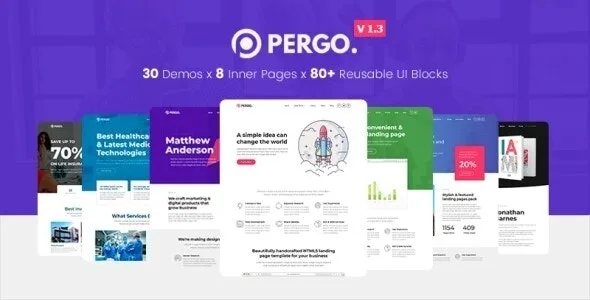
Pergo – Multipurpose Landing Page Theme for App, Product, Construction & Business Marketing Website
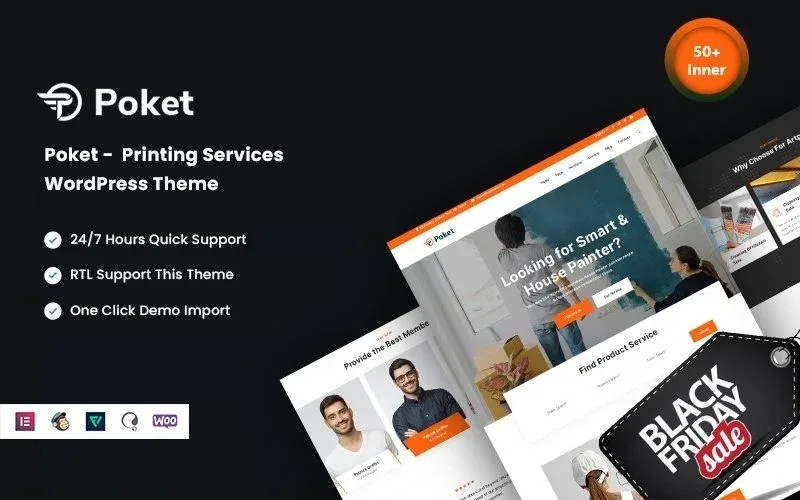
Poket – Printing Services WordPress Theme