Eventin Event Manager Plugin
Antivirus scan
Powered by ClamAV
✅ Verified clean
This product file has passed our security filters.
Want to run a fresh ClamAV scan right now? Takes a few seconds and shows scanner version, signature DB and live result.
This can take 5 to 30 seconds.
Clean file Threat detected
No threats detected in this file.
- File
- Size
- Scanned
- ClamAV
- Signature database
⚡ Powered by ClamAV
Scan could not be completed
Report product
If you detected an issue (broken file, malware, inappropriate content, etc.) let us know and we'll review it ASAP.
Sign in to report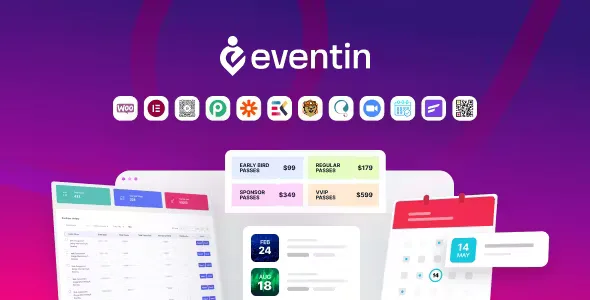
About Eventin Event Manager Plugin
Setting up an event on WordPress often ends in a patchwork of tools: one calendar here, a sign-up form there, ticket sales in a separate shop and an attendee list in a spreadsheet nobody updates. Eventin tries to bring all of that into a single plugin.
One event from start to finish with Eventin
The most useful way to see it is through a case: a one-day conference with several speakers and paid tickets. Here is what you do and what the plugin solves at each step.
- You create the event: you add a banner (with a color or your own image), unlimited FAQs and a countdown on the registration page. You can choose between several templates for the single event page.
- You add the speakers: each one has a profile, a bio, a portfolio website and a page of their own. An event supports multiple speakers.
- You build the agenda: with the schedule repeater and the schedule tabs, each talk is organized by day and time.
- You sell the tickets: payment goes through WooCommerce, so you depend on that plugin and its payment gateways. The plugin also adds its own coupon system and tax and VAT support.
- You track sales: the reports show purchase history, tickets sold and tickets remaining.
Recurring, virtual and waiting-list events
If you run classes or training sessions that repeat, recurring events save you from creating each session by hand. For online events there is Zoom integration, and Google Meet too. Keep in mind that recurring events and time zones have received frequent fixes, so test a long series thoroughly in the demo before publishing it.
Frequently asked questions about Eventin
Do I need WooCommerce?
To sell tickets, yes: payment relies on WooCommerce. For a free event with RSVP you sell nothing, but the plugin is built around that shop.
Does it work with Elementor?
Yes. It includes widgets for events, speakers, organizers, sliders, countdown and schedule (as a list or in tabs), each with several templates. If you don't use Elementor, you have shortcodes to insert the listings.
Can I export attendees?
Yes, you can view and export the attendee list for each event.
Can it be translated?
It supports right-to-left (RTL) languages and translation with WPML.
Integrations that extend Eventin
Besides the core, there are connections with MailPoet, Zoho CRM, FunnelKit, WCFM, Dokan and other services, plus WhatsApp notifications from automation flows. Each one needs its own plugin or account, and not all of them switch on by themselves: check in the demo which ones you need.
What to be clear about before choosing it
Eventin is an event manager with a shop, not an appointment booking system or a standalone ticketing service: your site, your WooCommerce and your payment gateway are what support the sales. In return, you get calendar, agenda, speakers, tickets and attendees under the same panel, which is useful if you organize conferences, training or meetups regularly.
Topics
Version history
-
v
4.1.23 Current 30 Oct 2026
-
v
4.1.22 24 Oct 2026
-
v
4.1.21 16 Oct 2026
-
v
4.1.20 7 Oct 2026
-
v
4.1.19 22 Sep 2026
-
v
4.1.18 12 Sep 2026
-
v
4.1.17 6 Aug 2026
-
v
4.1.9 28 Apr 2026
Customer reviews
Sign in to leave a review. Only people who have the product can review it.
No reviews for this product yet.
Frequently asked questions
-
GPL (General Public License) is the license under which WordPress and most premium plugins/themes are distributed. It grants you the right to use, modify and redistribute the software in as many projects as you want, with no domain restrictions.
-
Yes. With membership you get automatic updates via our GPLClub Updater plugin (installed on your WP, detects new versions and applies them). With individual purchase, you get one year of manual updates from your account.
-
Depends on the plan. Monthly: 3 domains. Semi-annual: 7. Annual and Lifetime: 15. Individual purchase: 1 domain.
-
GPLClub offers its own support for installation, configuration and compatibility. For direct support from the original author (feature requests, product-specific bugs), a license purchased from the author is required.