Everest Forms - Frontend Listing
Antivirus scan
Powered by ClamAV
✅ Verified clean
This product file has passed our security filters.
Want to run a fresh ClamAV scan right now? Takes a few seconds and shows scanner version, signature DB and live result.
This can take 5 to 30 seconds.
Clean file Threat detected
No threats detected in this file.
- File
- Size
- Scanned
- ClamAV
- Signature database
⚡ Powered by ClamAV
Scan could not be completed
Report product
If you detected an issue (broken file, malware, inappropriate content, etc.) let us know and we'll review it ASAP.
Sign in to report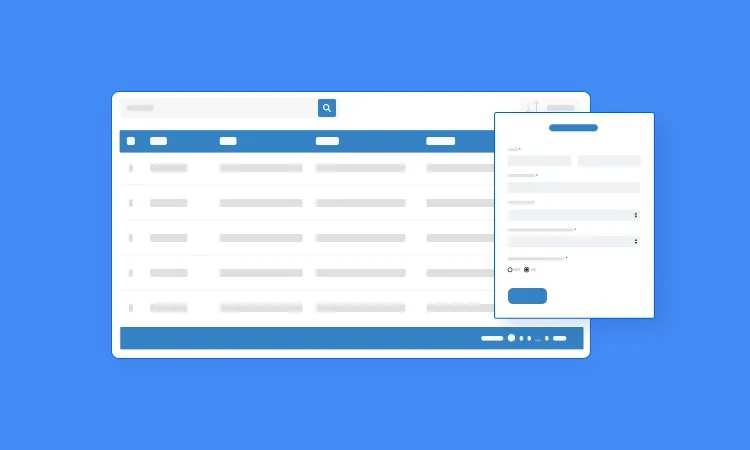
About Everest Forms - Frontend Listing
When nobody knows whether their registration went through
You set up a form for a workshop, a volunteer day or a booking, and the answers pile up in the WordPress dashboard, where only you can see them. The result is predictable: emails from people asking whether their registration arrived, lists copied by hand onto a page and data that goes stale the next day.
Everest Forms - Frontend Listing is an Everest Forms add-on that takes those entries out of the dashboard and shows them in a table on any page or post. The organizer stops acting as a secretary, and people who signed up can check for themselves.
A workshop from start to finish with Everest Forms - Frontend Listing
Imagine a workshop with limited places. Here is how the add-on fits at each step:
- The form. You build it with Everest Forms: name, date, email, phone.
- The choice. You pick the specific form whose entries you want to list.
- What shows. You keep general fields public, such as names and dates, and hide sensitive ones, such as email and phone. This step needs the most care: whatever goes into the table can be read by anyone who opens the page.
- The publishing. You place the listing on the page or post you want, in table format.
- The check. Visitors see the entries and verify them without writing to you. Check in the demo whether each person sees only their own entries or the full list, because that matters differently for a workshop than for bookings.
One limit worth being clear about: it is a listing of what has already been submitted. It does not close places or manage a calendar by itself.
It is also an add-on: without Everest Forms installed, there is nothing to list.
Questions from someone who already has the form and does not want to expose anyone
Can I show names without showing the email?
Yes. You choose which data is public and which is hidden, for example email and phone.
Does it work without Everest Forms?
No. It is an add-on and needs the base plugin with the form whose entries you want to display.
Can I use it to publish testimonials or reviews?
Yes, you can display a form's responses as testimonials or product reviews. Publish only real opinions, and with permission from the people who sent them.
Beyond registrations: testimonials, volunteers and bookings
- Event registrations: workshops or conferences whose registrations attendees can see.
- Testimonials and reviews: form submissions turned into public proof to build trust.
- Volunteer applications: a list with statuses to make follow-up easier.
- Booking details: appointments or reservations that each user checks directly on the website.
Personal data on an open page
A public table is a shop window. Before publishing it, go through it column by column and check which personal data you are showing and whether those people expect it when they fill in the form. If in doubt, leave the field hidden: you can always show it later.
Topics
Version history
-
v
1.0.12 Current 19 Jun 2026
-
v
1.0.11 5 May 2026
Customer reviews
Sign in to leave a review. Only people who have the product can review it.
No reviews for this product yet.
Frequently asked questions
-
GPL (General Public License) is the license under which WordPress and most premium plugins/themes are distributed. It grants you the right to use, modify and redistribute the software in as many projects as you want, with no domain restrictions.
-
Yes. With membership you get automatic updates via our GPLClub Updater plugin (installed on your WP, detects new versions and applies them). With individual purchase, you get one year of manual updates from your account.
-
Depends on the plan. Monthly: 3 domains. Semi-annual: 7. Annual and Lifetime: 15. Individual purchase: 1 domain.
-
GPLClub offers its own support for installation, configuration and compatibility. For direct support from the original author (feature requests, product-specific bugs), a license purchased from the author is required.