Farm Agrico – Agricultural Business WP Theme
Antivirus scan
Powered by ClamAV
✅ Verified clean
This product file has passed our security filters.
Want to run a fresh ClamAV scan right now? Takes a few seconds and shows scanner version, signature DB and live result.
This can take 5 to 30 seconds.
Clean file Threat detected
No threats detected in this file.
- File
- Size
- Scanned
- ClamAV
- Signature database
⚡ Powered by ClamAV
Scan could not be completed
Report product
If you detected an issue (broken file, malware, inappropriate content, etc.) let us know and we'll review it ASAP.
Sign in to report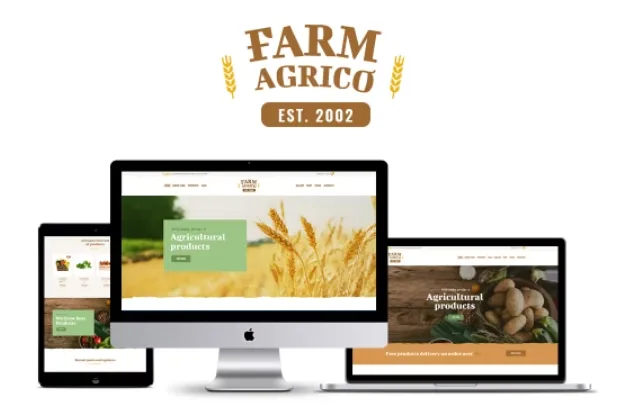
About Farm Agrico – Agricultural Business WP Theme
Farm Agrico: a farm that sells online without looking like a multinational
Anyone who grows crops or raises animals tends to run into the same thing when publishing a website: the product is good, but the page looks like a big company with stock photos, or a cold shop where nobody knows who is behind it. Farm Agrico brings history, values, products and shop together on the same homepage, and it is designed for farms, dairies, poultry producers and natural food businesses.
Keep one thing in mind: people who buy from a farm usually come back every week, so your website works less as a shop window and more as the place they visit out of routine. A theme is worth it if it makes the farm easy to recognise and the order easy to repeat.
From the first scroll to the box of potatoes: your customer's journey
Step 1: a homepage that says where the food comes from
The header opens with a message about produce straight to the table and a shop button. Below it, a category block (in the demo: dairy, meat, poultry and organic fertilizers) makes clear what you sell. You can choose between two homepage variants.
Step 2: telling people who is behind it
A company block with values, a timeline by year and customer testimonials. Here is your first pending job: the timeline texts in the demo are meaningless filler and must be rewritten with your real story. The testimonials, in turn, must come from real customers: publishing invented reviews can get you into trouble.
Step 3: showing specific services and products
There are service cards (grain marketing, feed, risk management) and a block dedicated to poultry with a link to the shop. Those services belong to a farm that works with other professionals; if you only sell to individuals, remove them or replace them with delivery, visits or seasonal produce.
Step 4: adding to the cart
The header shows the cart, and the product cards carry the original price crossed out, the sale price and an add button. The demo prices are examples. What you see is a one-off purchase with a cart: if you want weekly box subscriptions or a choice of delivery day, you will have to solve that with another tool. Check in the demo how shipping and payment behave before you decide.
Step 5: giving them reasons to come back
The blog supports posts in a classic format or in chess (alternating image and text), and there is a newsletter signup and a contact form with phone and address. It works for recipes, seasonal tips or harvest announcements.
Questions about Farm Agrico before setting up your farm
- Is it only for farms? The design and the demo texts revolve around agricultural produce and natural food, so it fits dairy, eggs, vegetables or bakery. If your sector is different, you will have to replace almost all the texts and images.
- Does it have a shop? The demo shows a cart, sale prices and an add to cart button. Check in the demo how the product page and the purchase process look.
- What do I do with the timeline and the testimonials? They are sample content on the homepage: replace them with your own or remove the block if you do not yet have a story to tell.
- And with the footer? It is very corporate: stores, coupons, investor relations, careers. A small farm should keep only what it really offers.
Pages and tools in Farm Agrico beyond the homepage
Besides the homepage and shop, the demo includes the page about the farm in two versions, services, a gallery, a portfolio, media pages in grid, masonry and cobbles layouts, and typography and shortcodes pages. The gallery is handy for showing the fields and the harvests. There is also a sample privacy policy page: write it with the real details of your business.
Topics
Version history
-
v
1.3.12 Current 1 Jun 2025
Customer reviews
Sign in to leave a review. Only people who have the product can review it.
No reviews for this product yet.
Frequently asked questions
-
GPL (General Public License) is the license under which WordPress and most premium plugins/themes are distributed. It grants you the right to use, modify and redistribute the software in as many projects as you want, with no domain restrictions.
-
Yes. With membership you get automatic updates via our GPLClub Updater plugin (installed on your WP, detects new versions and applies them). With individual purchase, you get one year of manual updates from your account.
-
Depends on the plan. Monthly: 3 domains. Semi-annual: 7. Annual and Lifetime: 15. Individual purchase: 1 domain.
-
GPLClub offers its own support for installation, configuration and compatibility. For direct support from the original author (feature requests, product-specific bugs), a license purchased from the author is required.