Foodica Theme
Antivirus scan
Powered by ClamAV
✅ Verified clean
This product file has passed our security filters.
Want to run a fresh ClamAV scan right now? Takes a few seconds and shows scanner version, signature DB and live result.
This can take 5 to 30 seconds.
Clean file Threat detected
No threats detected in this file.
- File
- Size
- Scanned
- ClamAV
- Signature database
⚡ Powered by ClamAV
Scan could not be completed
Report product
If you detected an issue (broken file, malware, inappropriate content, etc.) let us know and we'll review it ASAP.
Sign in to report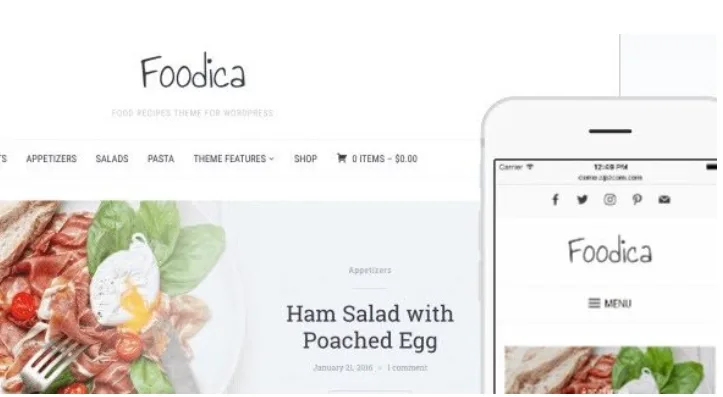
About Foodica Theme
For the blogger with a hundred recipes published and nobody finding them
A food blog grows in chronological order, and that is where the trouble starts: the recipe from two years ago gets buried and the reader who arrives from Google leaves after seeing a single dish. Foodica Theme is built for that kind of site: food blogs and recipe websites.
It suits you if:
- You publish recipes regularly and want them to be browsable by category or by date.
- You prefer to build your homepage and posts with the WordPress block editor.
- You want to open a small shop with WooCommerce next to the blog.
It is not for you if:
- You run a restaurant that needs bookings or orders: it is a theme for publishing recipes, not a reservation system.
- You want to build every page with Elementor: only one of the demos is designed for it.
The searchable recipe index turns your archive into a catalog
The most useful feature of Foodica Theme for a large blog is its Recipe Index templates. With them you create a separate page holding a collection of recipes, with a built-in search, so visitors find what they want to cook without scrolling through years of posts. You can organize them by category, by date and other criteria.
It is the kind of page you link from the menu, and it keeps the reader who would otherwise read one recipe and leave.
Recipes with ingredients, steps and nutrition data in blocks
The theme integrates with Recipe Card Blocks, so each post can carry a structured recipe: ingredients, instructions and nutritional details. You edit it all with blocks, just like images, videos and galleries, without depending on a page builder.
If you publish nutritional information, keep in mind that you enter the data yourself and are responsible for it: the theme provides the format, it does not calculate anything for you.
Four starter demos and ten color schemes
Foodica Theme comes with four demos that import with one click, so you don't start with a blank page:
- Modern Blocks and Minimal: designs built with the block editor, the second one with a clean, editorial style.
- Blocks Demo: a structured homepage with ready-to-use patterns.
- Classic Demo: a classic layout with a Featured Slider, featured categories and recent posts.
The ten color schemes are palettes with fonts and styles that apply with one click, and you can adjust typography and colors to your brand. Headers and footers are configured from the WordPress Customizer.
Elementor only comes in through the classic demo
The theme includes Elementor templates and widgets, but the demo that uses them is the Classic one. The block demos are built with the WordPress editor. If your plan is to design everything with Elementor from scratch, decide whether you prefer that route before choosing. Check in the classic demo whether the result looks like what you want.
It is also a lightweight theme, with tidy code that works with the usual SEO plugins, and a responsive design for desktop, tablet and mobile. That last point matters on a food blog, where many people read the recipe on a phone propped up on the kitchen counter.
Questions before choosing Foodica Theme
Do I need to know how to code?
No. You import a demo, change colors and fonts from the Customizer and edit with blocks. Anyone who knows CSS or WordPress templates can go further.
Can I sell products with it?
Yes, it is compatible with WooCommerce, so you can set up a shop next to the blog. It is still a theme designed for recipes, not an e-commerce template.
Can visitors search for recipes on the site?
Yes: the Recipe Index templates include a search and organization by category or date.
Does it work with Elementor and the block editor?
With both, although the Classic demo is the one that carries the Elementor templates and the others are built with blocks.
Topics
Version history
-
v
3.1.1 Current 17 Jun 2024
Customer reviews
Sign in to leave a review. Only people who have the product can review it.
No reviews for this product yet.
Frequently asked questions
-
GPL (General Public License) is the license under which WordPress and most premium plugins/themes are distributed. It grants you the right to use, modify and redistribute the software in as many projects as you want, with no domain restrictions.
-
Yes. With membership you get automatic updates via our GPLClub Updater plugin (installed on your WP, detects new versions and applies them). With individual purchase, you get one year of manual updates from your account.
-
Depends on the plan. Monthly: 3 domains. Semi-annual: 7. Annual and Lifetime: 15. Individual purchase: 1 domain.
-
GPLClub offers its own support for installation, configuration and compatibility. For direct support from the original author (feature requests, product-specific bugs), a license purchased from the author is required.