Fortuna – Responsive Multi-Purpose WordPress Theme
Antivirus scan
Powered by ClamAV
✅ Verified clean
This product file has passed our security filters.
Want to run a fresh ClamAV scan right now? Takes a few seconds and shows scanner version, signature DB and live result.
This can take 5 to 30 seconds.
Clean file Threat detected
No threats detected in this file.
- File
- Size
- Scanned
- ClamAV
- Signature database
⚡ Powered by ClamAV
Scan could not be completed
Report product
If you detected an issue (broken file, malware, inappropriate content, etc.) let us know and we'll review it ASAP.
Sign in to report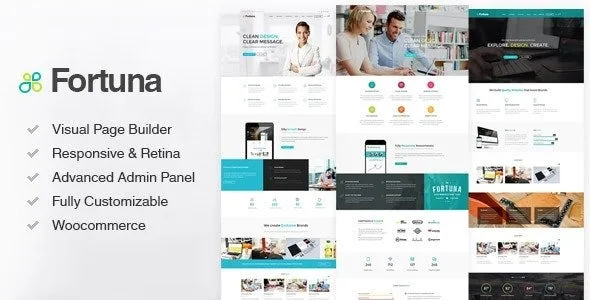
About Fortuna – Responsive Multi-Purpose WordPress Theme
With Fortuna, the big decision is the page builder
A multipurpose theme is chosen once and edited every day. Demos show how a freshly imported site looks, and they leave out which tool you will use to change every page once the project is running.
Fortuna needs two plugins to work: Fortuna Portfolio CPT and WPBakery Visual Composer. Its elements are placed in rows and columns from that builder, so whoever picks Fortuna is also picking WPBakery as a way of working. For a team that already knows this builder it is an advantage, because everything arrives ready to hand. For someone who edits in another tool every day, it means changing method before publishing the first page.
Fortuna's elements, portfolios and headers
- More than 30 elements you can customize to build pages, plus predesigned page templates.
- Filterable portfolios with standard, gallery and video formats, and four project templates.
- Headers that can be custom, transparent or sticky, mega menus and a menu for single-page sites.
- Slider Revolution included, along with video and parallax backgrounds for rows.
- More than 1,200 icons ready for retina screens.
- WooCommerce shop, with settings for layout, products per page and a header cart.
- Several languages: translation ready, with WPML and right-to-left writing.
- Child theme in the package, and compatibility with Contact Form 7 and Yoast SEO.
Maintenance with bundled plugins and the Fortuna Options panel
The builder and the slider come packaged with Fortuna, and that has a maintenance consequence. When moving to a new version, the procedure is to deactivate and delete those plugins so the theme asks to install them again. It is best not to try this for the first time on the live site.
That is why a staging copy pays off from the start, and the child theme from the first change: your own CSS and templates stay apart and survive each theme update.
The Fortuna Options panel gathers the rest: Google Fonts typography, a footer with up to four widget columns, global or per-page sidebars, a map for the contact page and a field for your own CSS.
Where it stops helping you
Fortuna covers the presentation of a company, a studio or a simple shop. Its features include no bookings, client area or quoting system: anything that needs business logic comes through separate plugins.
The portfolio depends on the Fortuna Portfolio CPT plugin, one of the two essentials.
Importing the Fortuna demo and getting it ready
The import is done in parts and by hand. If the server cuts the process off, raise the execution time to 180 seconds and memory to 256 MB. To save long menus, set max_input_vars to 3000.
- Install and activate the theme, then the plugins it asks for: Fortuna Portfolio CPT and WPBakery Visual Composer.
- Import the XML from the DemoData folder through Tools, with attachments checked. Do it only once.
- Load the theme options in Fortuna Options, under Import Options.
- Import the widgets with the Widget Importer & Exporter plugin.
- Activate the child theme and replace the sample content with your own.
Hub, Salient and the pieces on their own
Anyone who wants to stay with a multipurpose theme but build in Elementor has Hub, with more than one hundred prebuilt websites. If Fortuna's model appeals to you and you want a different creative approach, Salient brings its own version of WPBakery, with shortcodes that depend on the theme.
If what you need is the tools on their own for another theme, WPBakery Page Builder and Slider Revolution are in the catalog.
WPBakery, shop and demo in Fortuna
Does it work without WPBakery?
No. WPBakery Visual Composer is one of the two plugins the theme needs to work, along with Fortuna Portfolio CPT.
Can I build a shop?
Yes, it is compatible with WooCommerce and has its own settings for the shop layout, products per page and the header cart.
Can I import the demo twice?
The importer should be run only once. If something goes wrong, check the server's PHP limits first.
Does it work for a site in several languages?
Yes, it is translation ready, compatible with WPML and supports right-to-left writing.
Topics
Version history
-
v
3.30 Current 24 Oct 2026
-
v
3.2.0 19 Jun 2024
Customer reviews
Sign in to leave a review. Only people who have the product can review it.
No reviews for this product yet.
Frequently asked questions
-
GPL (General Public License) is the license under which WordPress and most premium plugins/themes are distributed. It grants you the right to use, modify and redistribute the software in as many projects as you want, with no domain restrictions.
-
Yes. With membership you get automatic updates via our GPLClub Updater plugin (installed on your WP, detects new versions and applies them). With individual purchase, you get one year of manual updates from your account.
-
Depends on the plan. Monthly: 3 domains. Semi-annual: 7. Annual and Lifetime: 15. Individual purchase: 1 domain.
-
GPLClub offers its own support for installation, configuration and compatibility. For direct support from the original author (feature requests, product-specific bugs), a license purchased from the author is required.