GeoDirectory ReCaptcha
Antivirus scan
Powered by ClamAV
✅ Verified clean
This product file has passed our security filters.
Want to run a fresh ClamAV scan right now? Takes a few seconds and shows scanner version, signature DB and live result.
This can take 5 to 30 seconds.
Clean file Threat detected
No threats detected in this file.
- File
- Size
- Scanned
- ClamAV
- Signature database
⚡ Powered by ClamAV
Scan could not be completed
Report product
If you detected an issue (broken file, malware, inappropriate content, etc.) let us know and we'll review it ASAP.
Sign in to report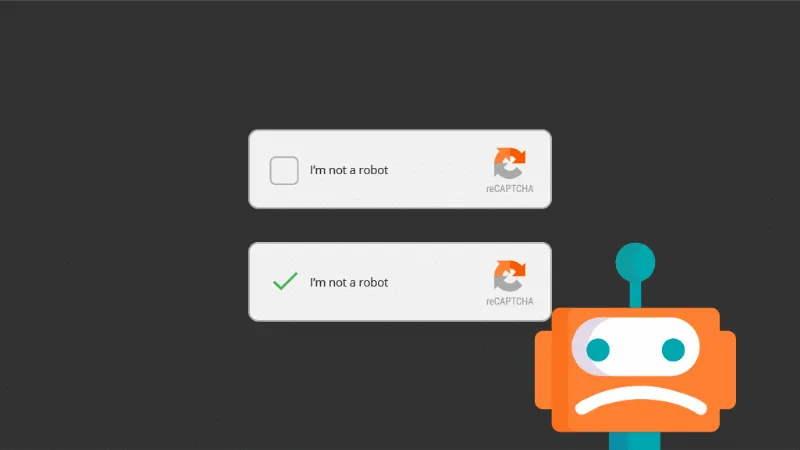
About GeoDirectory ReCaptcha
An open directory is an open door for spam
As soon as a directory starts ranking, the bots arrive: fake listings stuffed with links, invented reviews, attempts to claim other people's businesses and mass sign-ups that pollute your user base. And this kind of site has a particular trait: the content is written by others. Every public form is a place where text from people you don't know comes in, and whatever slips through ends up published under your brand.
GeoDirectory ReCaptcha is an add-on for GeoDirectory that adds Google reCAPTCHA to those entry points. Google is the one that analyzes whether the visitor is human, so you don't load your server with filters of your own.
The six forms GeoDirectory ReCaptcha protects
You can enable verification on these forms:
- Add listing (GeoDirectory)
- Reviews (GeoDirectory)
- Claim listing (GeoDirectory)
- Login (WordPress)
- Registration (WordPress)
- Comments (WordPress)
The last three are the usual WordPress ones, so they also help with everyday comment spam and fake sign-ups, not just directory spam.
Three reCAPTCHA modes so you don't scare off people who submit listings
The plugin supports reCAPTCHA v2 with the "I'm not a robot" checkbox, invisible v2 (with its badge) and v3. The difference matters in a directory: someone adding their business has already put effort into filling in details, and an extra obstacle at the last step can make them give up.
Setup is short: you paste the site key and the secret key from Google, choose a title and color theme to match your design, and decide whether to hide it from logged-in users by role. For example, you can skip verification for your editorial team and keep it for the public.
Forms that aren't on the list remain unprotected
It's worth knowing what's covered and what you'll have to handle yourself:
- Already solved: Google verification on the six forms above, with three modes and exclusion by role.
- With another plugin: contact, newsletter or order forms that don't belong to GeoDirectory or WordPress. If you use a form plugin, you'll need its own protection.
- On your own: creating the keys at Google.
- By hand or with editorial judgment: listings and reviews written by real people with bad intentions. A reCAPTCHA stops bots, not someone who decides to publish junk.
It is also an add-on: it needs GeoDirectory installed and doesn't work on its own.
Frequently asked questions about GeoDirectory ReCaptcha
Does it work if I don't use GeoDirectory?
That isn't its purpose: it's an add-on for GeoDirectory. Although it covers WordPress login, registration and comments, it needs the base plugin.
Do I need a Google account?
You need the reCAPTCHA site key and secret key, which you get from Google. You enter them in the plugin settings.
Can I keep my team from seeing it?
Yes. You can disable it for logged-in users based on their role.
Topics
Version history
-
v
2.3.5 Current 8 Jan 2025
Customer reviews
Sign in to leave a review. Only people who have the product can review it.
No reviews for this product yet.
Frequently asked questions
-
GPL (General Public License) is the license under which WordPress and most premium plugins/themes are distributed. It grants you the right to use, modify and redistribute the software in as many projects as you want, with no domain restrictions.
-
Yes. With membership you get automatic updates via our GPLClub Updater plugin (installed on your WP, detects new versions and applies them). With individual purchase, you get one year of manual updates from your account.
-
Depends on the plan. Monthly: 3 domains. Semi-annual: 7. Annual and Lifetime: 15. Individual purchase: 1 domain.
-
GPLClub offers its own support for installation, configuration and compatibility. For direct support from the original author (feature requests, product-specific bugs), a license purchased from the author is required.