GiveWP – Donation Plugin and Fundraising Platform
Antivirus scan
Powered by ClamAV
✅ Verified clean
This product file has passed our security filters.
Want to run a fresh ClamAV scan right now? Takes a few seconds and shows scanner version, signature DB and live result.
This can take 5 to 30 seconds.
Clean file Threat detected
No threats detected in this file.
- File
- Size
- Scanned
- ClamAV
- Signature database
⚡ Powered by ClamAV
Scan could not be completed
Report product
If you detected an issue (broken file, malware, inappropriate content, etc.) let us know and we'll review it ASAP.
Sign in to report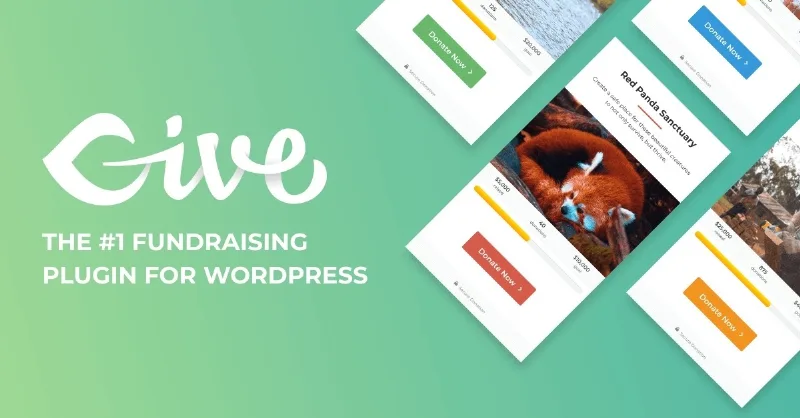
About GiveWP – Donation Plugin and Fundraising Platform
Your organization lives off the second donation, not the first
Adding a donate button is easy. The hard part is getting someone who gave once to give again, and that rarely happens if the donor's data lives on someone else's platform and all you get is an isolated payment. GiveWP keeps the form, the payment and the donor record inside your own WordPress, so you can look after the relationship and not just collect money.
It works just as well for an association with a single form as for an organization that already runs campaigns with several forms and fundraisers.
A winter campaign with GiveWP, from the page to the thank-you
Imagine an animal shelter that wants to raise money for the winter. Here is how the journey would go, with what the plugin solves and what is up to you at each step.
1. Build the form with just what you need
The builder is drag and drop and supports custom fields, so you ask for the data your organization needs (for example, what the donation is for). The more fields you add, the harder it is to finish the donation: ask only for what you will actually use.
2. Choose how people pay
Stripe, PayPal and Square are included, and there are more than 13 international gateways for donors in other countries, who can give in their own currency. On mobile the forms adapt and support Apple Pay, Google Pay and text-to-give. You can also offer donors the option to cover the processing fees. Note: you need your own account with each processor you enable, so decide which ones you will use before building anything.
3. Set a goal and show the progress
You define the campaign target and show progress in real time, so anyone who lands on the page sees how much is left. It is a useful nudge, but it only works if the goal is realistic: a bar that stays nearly empty for weeks works against you.
4. Send the receipt without lifting a finger
Each donor gets a branded PDF, with tributes and dedications included if they entered them. Whether that document is valid for tax deductions depends on your country's rules, so confirm with your accountant that the content fits before launching the campaign.
Common questions before building your first form
Can I collect recurring donations? Yes. The donor chooses daily, weekly, monthly, quarterly or annual giving, or you preset the frequency yourself.
Do I need to know how to code? Not for the basics: the form is built by dragging and dropping.
Does it accept donors from other countries? Yes, through the international gateways and donations in the donor's currency. Check in the demo what each gateway requires.
Are donors recorded? Each donor has a profile with all their gifts, forms and channels, and you can add tags, notes and segments.
From one-time donor to monthly donor without anyone writing to you to change a card
An organization can turn a one-time donor into a recurring one. With GiveWP, donors manage their own subscription: they update the payment method, and pause or resume it whenever they want. Renewal receipts, confirmations and payment notices go out on their own.
You can also see what works: subscription performance, recurring revenue and each donor's value over time. With that you decide which campaign to push and which to drop.
Let your supporters fundraise for you
Peer-to-peer fundraising gives your most committed followers their own page, a personal goal and buttons to share it by email and social media.
- Each fundraiser customizes their page, sets their target and starts asking.
- You see the progress, the total raised and the reach of each one.
- Public leaderboards and team campaigns encourage friendly competition.
This only pays off if you already have a community willing to act: the plugin gives it the tools, but it does not create it.
Topics
Version history
-
v
3.13.0 Current 2 Jul 2024
Customer reviews
Sign in to leave a review. Only people who have the product can review it.
No reviews for this product yet.
Frequently asked questions
-
GPL (General Public License) is the license under which WordPress and most premium plugins/themes are distributed. It grants you the right to use, modify and redistribute the software in as many projects as you want, with no domain restrictions.
-
Yes. With membership you get automatic updates via our GPLClub Updater plugin (installed on your WP, detects new versions and applies them). With individual purchase, you get one year of manual updates from your account.
-
Depends on the plan. Monthly: 3 domains. Semi-annual: 7. Annual and Lifetime: 15. Individual purchase: 1 domain.
-
GPLClub offers its own support for installation, configuration and compatibility. For direct support from the original author (feature requests, product-specific bugs), a license purchased from the author is required.