Gravity Forms Signature
Antivirus scan
Powered by ClamAV
✅ Verified clean
This product file has passed our security filters.
Want to run a fresh ClamAV scan right now? Takes a few seconds and shows scanner version, signature DB and live result.
This can take 5 to 30 seconds.
Clean file Threat detected
No threats detected in this file.
- File
- Size
- Scanned
- ClamAV
- Signature database
⚡ Powered by ClamAV
Scan could not be completed
Report product
If you detected an issue (broken file, malware, inappropriate content, etc.) let us know and we'll review it ASAP.
Sign in to report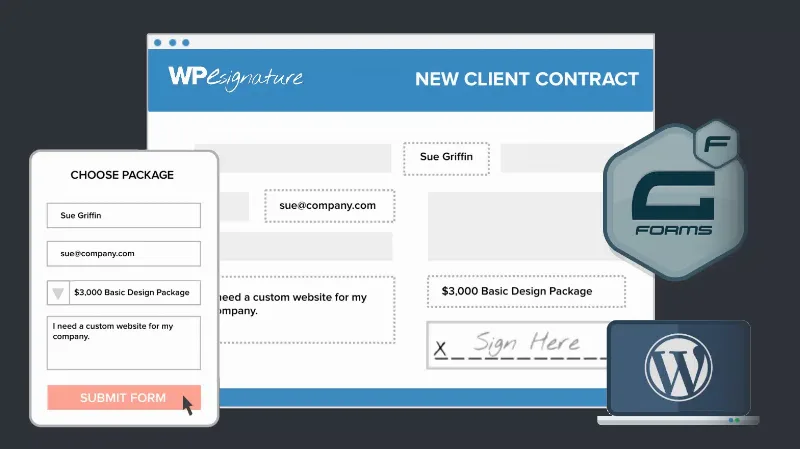
About Gravity Forms Signature
For those who need a signature inside the form, not a signing platform
Asking for a signature usually means printing, signing, scanning or photographing with a phone, and emailing a crooked file. Gravity Forms Signature removes that step: the signature field goes inside the form you already use.
It works for you if:
- you already use Gravity Forms and want consent, agreements or applications signed in the same form;
- you collect liability waivers, consents or simple contracts and want to keep them alongside each entry.
It does not work for you if:
- you do not use Gravity Forms: it is an add-on and does not work on its own;
- you need to verify the signer's identity or run a certificate-based process: what you get is a PNG image of the signature attached to the entry, nothing more.
How your client signs with Gravity Forms Signature
The field works with a touchscreen, a laptop touchpad or a mouse, on desktop, tablet or phone, and nothing needs to be installed in the browser. The person draws their signature with a finger, a stylus or the mouse.
When the form is submitted, the signature is automatically converted into a PNG file and attached to the entry. You see it in the WordPress dashboard and, if you generate PDFs from entries, you can include it in them.
So the pad does not clash
You can choose the background color, border style, pen color and pad size, so the field fits the design of the rest of the form.
Contracts, waivers and applications: where the change shows
It makes the most difference with documents that used to go through paper:
- Contracts and agreements: NDAs, service or employment contracts, with the signed consent stored.
- Waivers and consents: event liability, medical consent or photo releases. If you collect health data, handle those entries with the care its regulations require.
- Applications: loans, grants or registrations, with the signature included in the same submission.
The field can be added to any Gravity Forms form where you need an agreement or an acknowledgment, not only these cases.
What legal weight that signature has
An electronic signature can be valid in many jurisdictions, depending on local electronic signature law (for example ESIGN in the United States or eIDAS in the European Union). Whether it is enough for your case depends on the type of document and the country, so check with a lawyer before building an important contract on it. The plugin does not guarantee legal compliance on its own.
Questions before adding it
Can I put it on any form?
Yes, on any Gravity Forms form: contracts, NDAs, waivers, consents or applications.
Can people sign from a phone?
Yes. It works on desktop, tablet and phone, with a finger, a stylus, a mouse or a touchpad, with no browser plugins.
Where are signatures stored?
As PNG files attached to the matching entry. You see them in the WordPress dashboard and can include them in generated PDFs.
Does it work without Gravity Forms?
No. It is an add-on that adds the signature field to Gravity Forms forms, so you need it installed.
Topics
Version history
-
v
4.10.1 Current 29 Oct 2026
-
v
4.10.0 12 Sep 2026
-
v
4.9.1.2 1 Jul 2026
-
v
4.9.1 6 Nov 2025
Customer reviews
Sign in to leave a review. Only people who have the product can review it.
No reviews for this product yet.
Frequently asked questions
-
GPL (General Public License) is the license under which WordPress and most premium plugins/themes are distributed. It grants you the right to use, modify and redistribute the software in as many projects as you want, with no domain restrictions.
-
Yes. With membership you get automatic updates via our GPLClub Updater plugin (installed on your WP, detects new versions and applies them). With individual purchase, you get one year of manual updates from your account.
-
Depends on the plan. Monthly: 3 domains. Semi-annual: 7. Annual and Lifetime: 15. Individual purchase: 1 domain.
-
GPLClub offers its own support for installation, configuration and compatibility. For direct support from the original author (feature requests, product-specific bugs), a license purchased from the author is required.