GT3 Photo & Video Gallery - Pro
Antivirus scan
Powered by ClamAV
✅ Verified clean
This product file has passed our security filters.
Want to run a fresh ClamAV scan right now? Takes a few seconds and shows scanner version, signature DB and live result.
This can take 5 to 30 seconds.
Clean file Threat detected
No threats detected in this file.
- File
- Size
- Scanned
- ClamAV
- Signature database
⚡ Powered by ClamAV
Scan could not be completed
Report product
If you detected an issue (broken file, malware, inappropriate content, etc.) let us know and we'll review it ASAP.
Sign in to report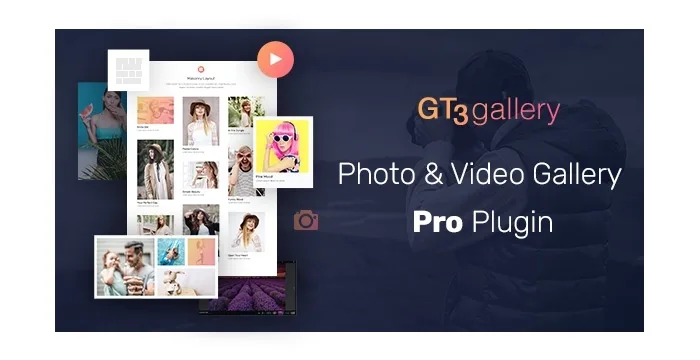
About GT3 Photo & Video Gallery - Pro
A gallery with videos spreads your content across three servers
You build a gallery for an event with photos and three videos. The photos come from your hosting, one video is on YouTube, another on Vimeo and the third you uploaded yourself. For the visitor it is a single page; for you it is three separate origins.
In a mixed gallery, each item depends on the server where you put it, and the gallery only decides how it looks, not where it lives.
GT3 Photo & Video Gallery Pro is a gallery plugin for WordPress that supports photos and videos in the same gallery, with any of its layouts. Videos can come from YouTube, from Vimeo or be hosted on your own site.
Six layouts and a viewer with per-gallery protection
- Six layouts: grid, masonry, Packery, slider, thumbnails and carousel.
- Photos and videos mixed in one gallery, whatever layout you choose.
- Enlarged viewer with full controls for images and video, autoplay, loop, animations, fullscreen and deep linking.
- Right-click and download control, enabled or disabled in each gallery.
- Social sharing from the gallery.
- Galleries as their own content type, to manage them as independent entries.
The right-click and download control covers those two gestures. It is a per-gallery setting, so you can protect one and leave another open.
Where it is inserted
It works with Gutenberg, Elementor and WPBakery, and with Divi through shortcodes. That lets you place the gallery from the editor you already use, without switching builders for this content.
The vendor sells an image optimizer separately. It reduces high-resolution images from the media library and converts them to WebP, and afterwards you choose the optimized format in the gallery settings. It is not included in the gallery plugin.
An event gallery with videos from three origins
Imagine a photo gallery with a YouTube video, a Vimeo video and one hosted on your site, in the masonry layout. Each item opens in the viewer, with fullscreen, and right-click and download are controlled in that gallery. This is just one way of setting it up; change it to suit your event.
Where the server still rules
YouTube and Vimeo videos play from those platforms, and the ones hosted on your site come from your server, so you feel their weight. The right-click and download control is a barrier for those two gestures, and not a guarantee against copying an image that was already sent to the visitor's browser.
The image optimizer is an independent addon.
To get started:
- Install the plugin with the WordPress installer and activate it.
- Create a new gallery and upload the images or add the videos with their source.
- Choose the layout and adjust the viewer, sharing and download control.
- Insert the gallery with its block or shortcode in the editor you use.
Galleries to compare with
To compare with other galleries look at Envira Gallery, Modula Pro and FooGallery Premium.
The Envira family has separate addons, such as Watermarking and Proofing.
Answers about GT3 Photo & Video Gallery Pro
Can I mix photos and videos?
Yes, in the same gallery and with any of the layouts.
Where can the videos come from?
From YouTube, from Vimeo or from your own site.
Can right-click be disabled?
Yes. The right-click and download control is enabled or disabled per gallery.
Does it work with Divi?
Yes, through shortcodes.
Topics
Version history
-
v
1.7.2.21 Current 6 Nov 2025
Customer reviews
Sign in to leave a review. Only people who have the product can review it.
No reviews for this product yet.
Frequently asked questions
-
GPL (General Public License) is the license under which WordPress and most premium plugins/themes are distributed. It grants you the right to use, modify and redistribute the software in as many projects as you want, with no domain restrictions.
-
Yes. With membership you get automatic updates via our GPLClub Updater plugin (installed on your WP, detects new versions and applies them). With individual purchase, you get one year of manual updates from your account.
-
Depends on the plan. Monthly: 3 domains. Semi-annual: 7. Annual and Lifetime: 15. Individual purchase: 1 domain.
-
GPLClub offers its own support for installation, configuration and compatibility. For direct support from the original author (feature requests, product-specific bugs), a license purchased from the author is required.