Holdy – Placeholder Image Generator & Widgets For Elementor
Antivirus scan
Powered by ClamAV
✅ Verified clean
This product file has passed our security filters.
Want to run a fresh ClamAV scan right now? Takes a few seconds and shows scanner version, signature DB and live result.
This can take 5 to 30 seconds.
Clean file Threat detected
No threats detected in this file.
- File
- Size
- Scanned
- ClamAV
- Signature database
⚡ Powered by ClamAV
Scan could not be completed
Report product
If you detected an issue (broken file, malware, inappropriate content, etc.) let us know and we'll review it ASAP.
Sign in to report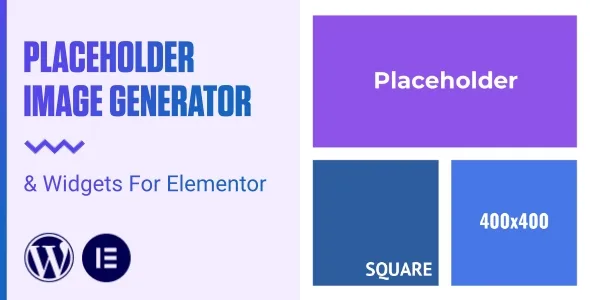
About Holdy – Placeholder Image Generator & Widgets For Elementor
Building a website before the photos exist almost always ends the same way: improvised grey boxes, stock images that get forgotten in production, or hours lost in an editor making rectangles with exact dimensions. Holdy generates placeholder images from a URL, with the size, color and text you choose.
The real problem with a mockup: the client hasn't sent the photos yet
Anyone who builds client sites with Elementor knows the scene: the design has to be ready to show, but the visual material arrives late or never. What you do know from day one are the dimensions: the hero banner, the thumbnails in a listing, a team portrait. Holdy takes advantage of exactly that: the measurements alone are enough to see how the layout breathes.
A walkthrough with Holdy, from mockup to delivery
- Step 1, define the image: from the WordPress dashboard you set width, height, color and text.
- Step 2, choose what to do with it: you can copy the URL, download the image or save it straight to the media library.
- Step 3, bring it to the page: with the Placeholder Image widget for Elementor you create the placeholder inside the page itself, without leaving the editor.
- Step 4, adjust the defaults: the settings panel lets you set your usual values and customize the placeholder API URL, so you don't repeat the same thing on every image.
One limit to keep in mind: Holdy fills the gaps, it doesn't replace the final images. If you save placeholders to the media library, remember to replace them before publishing, because nobody wants to see a grey rectangle with text on a live website.
Server requirements worth checking beforehand
Holdy needs the GD extension enabled. Most hosts include it by default, but if it isn't enabled, you'll have to ask your provider for it. It's the first thing to check if you work on an unusual server.
The Placeholder Generator widget: taking the tool to the front end
Besides the widget that creates placeholders in your pages, Holdy includes a Placeholder Generator widget to show the generator on the public side of your website. It's useful if you want to offer the tool to your visitors. Think about whether it makes sense for your site: if your website isn't about design or development, it probably won't add anything for your audience. Check in the demo how it looks and what options it offers.
Frequently asked questions about Holdy
Do I need Elementor to use Holdy?
To generate images from the dashboard and copy the URL or download them, you don't need to use them in Elementor. The widgets, however, are for Elementor, and without it you won't be able to use them.
Can I save the images to my media library?
Yes. You can copy the URL, download the image or save it to the media library.
What can I customize on each image?
The size, the color and the text.
Does it work on any hosting?
It needs the PHP GD extension enabled. If you don't have it, your provider can enable it.
Is it suitable for live sites?
It's designed for mockups and wireframes. For the published site, it's best to replace the placeholders with the real images.
Version history
-
v
1.0 Current 26 Aug 2024
Customer reviews
Sign in to leave a review. Only people who have the product can review it.
No reviews for this product yet.
Frequently asked questions
-
GPL (General Public License) is the license under which WordPress and most premium plugins/themes are distributed. It grants you the right to use, modify and redistribute the software in as many projects as you want, with no domain restrictions.
-
Yes. With membership you get automatic updates via our GPLClub Updater plugin (installed on your WP, detects new versions and applies them). With individual purchase, you get one year of manual updates from your account.
-
Depends on the plan. Monthly: 3 domains. Semi-annual: 7. Annual and Lifetime: 15. Individual purchase: 1 domain.
-
GPLClub offers its own support for installation, configuration and compatibility. For direct support from the original author (feature requests, product-specific bugs), a license purchased from the author is required.