Image Attributes Pro Plugin
Antivirus scan
Powered by ClamAV
✅ Verified clean
This product file has passed our security filters.
Want to run a fresh ClamAV scan right now? Takes a few seconds and shows scanner version, signature DB and live result.
This can take 5 to 30 seconds.
Clean file Threat detected
No threats detected in this file.
- File
- Size
- Scanned
- ClamAV
- Signature database
⚡ Powered by ClamAV
Scan could not be completed
Report product
If you detected an issue (broken file, malware, inappropriate content, etc.) let us know and we'll review it ASAP.
Sign in to report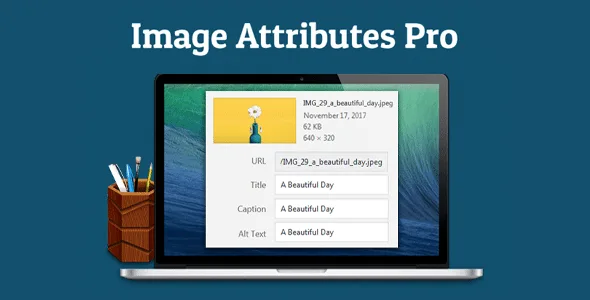
About Image Attributes Pro Plugin
Hundreds of images without alt text and nobody with time to fill them in
Filling in the title, alt text, caption and description of every image by hand is a task almost nobody keeps up with. Over the years the media library fills with files named like IMG_4032 and empty fields. Image Attributes Pro automates that work: it generates those attributes from data you already have on the site.
If your site has many photos (a shop, a portfolio, a blog with galleries), the problem is not missing content, but that the visual content does not explain what it is about. There is room there that does not require writing one more article.
From file name to keyword: where Image Attributes Pro gets each text
The plugin fills in title, alt text, caption and description from the source you choose:
- The image file name.
- The title of the post or page where it appears.
- The WooCommerce product title.
- The Yoast, Rank Math or SEOPress keyword.
You can combine them with tags such as %filename%, %posttitle%, %category% or %rankmathfocuskw%, in any order you like, and set whether the text comes out in lowercase, uppercase, title case or sentence case. If an image is not attached to any post, it uses the file name.
The file name filters help keep the result readable: they remove hyphens, underscores, numbers, brackets and other symbols, and support regular expressions for particular cases. It can also clean the actual file name after upload.
New images and old library: two different moments
When you upload an image, the plugin completes the attributes right then. For what is already published, there is the bulk updater, which goes through the whole site or only the posts, pages or products you choose. You can also run it from the media library on selected images.
For each attribute you decide whether it overwrites everything or only adds what is missing, so you do not overwrite texts you wrote carefully. It can also insert the title into the post HTML and update on publish or edit. For developers there are dedicated filters that modify the generated attributes or the content types included.
Decide whether an automatic rule is enough or your images need hand-written descriptions
The plugin builds texts from rules, it does not look at the image. If your page title is "Running shoes", all the photos on that page will get variants of that text. For an image where the real description matters (accessibility of a chart or an editorial photo), it is better to write the alt text by hand. If you put the keyword on every image, the result can feel repetitive.
Does it work on images that already exist?
Yes, with the bulk updater, and you can choose between overwriting or keeping existing texts.
Do I need Yoast or Rank Math?
No. You can use only the file name or the page title. The Yoast, Rank Math or SEOPress keywords are an additional option.
Does it work with WooCommerce?
Yes, it can use the product title and update products in bulk.
Can it be used on several sites?
Yes, it supports unlimited domains, including client sites.
Topics
Version history
-
v
4.9 Current 7 Sep 2026
-
v
4.5 8 May 2024
Customer reviews
Sign in to leave a review. Only people who have the product can review it.
No reviews for this product yet.
Frequently asked questions
-
GPL (General Public License) is the license under which WordPress and most premium plugins/themes are distributed. It grants you the right to use, modify and redistribute the software in as many projects as you want, with no domain restrictions.
-
Yes. With membership you get automatic updates via our GPLClub Updater plugin (installed on your WP, detects new versions and applies them). With individual purchase, you get one year of manual updates from your account.
-
Depends on the plan. Monthly: 3 domains. Semi-annual: 7. Annual and Lifetime: 15. Individual purchase: 1 domain.
-
GPLClub offers its own support for installation, configuration and compatibility. For direct support from the original author (feature requests, product-specific bugs), a license purchased from the author is required.