Import Export for WooCommerce Wrapper
Antivirus scan
Powered by ClamAV
✅ Verified clean
This product file has passed our security filters.
Want to run a fresh ClamAV scan right now? Takes a few seconds and shows scanner version, signature DB and live result.
This can take 5 to 30 seconds.
Clean file Threat detected
No threats detected in this file.
- File
- Size
- Scanned
- ClamAV
- Signature database
⚡ Powered by ClamAV
Scan could not be completed
Report product
If you detected an issue (broken file, malware, inappropriate content, etc.) let us know and we'll review it ASAP.
Sign in to report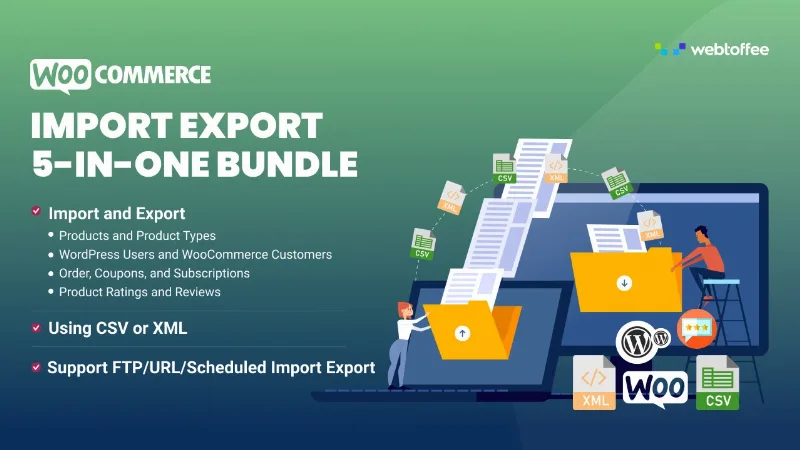
About Import Export for WooCommerce Wrapper
Migrating a store without losing customers along the way
Switching hosting, setting up a new store or updating hundreds of prices by hand ends in messy spreadsheets, products that arrive without images and customers who get a "reset your password" email that many never open. Import Export for WooCommerce Wrapper brings importing and exporting store data into a single plugin, so you don't depend on a different tool for each type of data.
The most delicate data in a migration isn't the products but the users. Moving names, emails and addresses is easy; what usually breaks is access. This plugin migrates WordPress users and WooCommerce customers with their hashed passwords intact, so they log in to the new store just as they did in the old one. You can also send them a registration email during the import, which is useful if you are onboarding them to a brand-new store.
Products, orders, coupons and subscriptions in CSV, XML or Excel
It works with products, orders, coupons, subscriptions, customers, reviews, categories and also WordPress posts and pages. Files can be CSV, XML, TSV, XLS and XLSX, so it works for moving data to a spreadsheet, an inventory system or an ERP and bringing it back. The file can come from your computer, a remote URL or an FTP or SFTP location.
For products it covers simple, variable, grouped, external, subscription and custom types, with images, categories, tags and custom fields, including those generated by third-party plugins such as Yoast SEO, ACF or WooCommerce Bookings.
- Quick import: you choose the data type, upload the file and that's it. Good for a first full migration.
- Advanced import: column mapping, filters and field-level control, to import only part of the data or update existing records.
- Saved templates: they keep filters, column order, file source and scheduling so you can repeat the job with one click.
Raising prices by 10% or scheduling the job without touching product after product
Exports accept filters depending on the data: for example category, date, stock status, product type, order status, coupon type, customer email or the next payment date of a subscription. You can also limit the number of items, skip the first ones, choose the metadata and sort the columns.
During import you can apply mathematical rules to update in bulk: raise the price by 10%, subtract 5 from stock or change a status. The typical sale-season flow is to export the products, import them again with the rule applied and save yourself the manual editing.
If the job repeats, you can schedule imports and exports over FTP or SFTP with a daily, weekly, monthly or custom frequency, with several saved profiles depending on where the data comes from.
ChatGPT descriptions and other questions before you decide
When importing a large catalog, the plugin can generate descriptions for products that don't have one. You need your own ChatGPT API key, and you choose the tone: formal, casual, flowery or convincing. Always review the generated texts before publishing them, especially if you sell products with technical or regulatory requirements.
Does it work for stores without subscriptions?
Yes. Subscriptions are just one more data type. If you don't use them, you simply don't touch them.
Do I need another plugin for each data type?
No, products, orders, coupons, customers and reviews are all managed from the same plugin.
Does it migrate customer passwords?
Yes, with the hashed passwords intact, so there is no need to force a reset.
Is it only for migrating?
No. It is also useful for updating data in bulk, keeping it in sync with other systems and automating recurring tasks.
What should I keep in mind?
Description generation depends on an external API key that you provide. Fields from other plugins, such as Yoast SEO or ACF, are exported as metadata, so it's wise to test with a few records before launching a large import.
Topics
Version history
-
v
1.5.0 Current 7 Sep 2026
-
v
1.2.8 17 May 2024
Customer reviews
Sign in to leave a review. Only people who have the product can review it.
No reviews for this product yet.
Frequently asked questions
-
GPL (General Public License) is the license under which WordPress and most premium plugins/themes are distributed. It grants you the right to use, modify and redistribute the software in as many projects as you want, with no domain restrictions.
-
Yes. With membership you get automatic updates via our GPLClub Updater plugin (installed on your WP, detects new versions and applies them). With individual purchase, you get one year of manual updates from your account.
-
Depends on the plan. Monthly: 3 domains. Semi-annual: 7. Annual and Lifetime: 15. Individual purchase: 1 domain.
-
GPLClub offers its own support for installation, configuration and compatibility. For direct support from the original author (feature requests, product-specific bugs), a license purchased from the author is required.