JetThemeCore Builder for Elementor
Antivirus scan
Powered by ClamAV
✅ Verified clean
This product file has passed our security filters.
Want to run a fresh ClamAV scan right now? Takes a few seconds and shows scanner version, signature DB and live result.
This can take 5 to 30 seconds.
Clean file Threat detected
No threats detected in this file.
- File
- Size
- Scanned
- ClamAV
- Signature database
⚡ Powered by ClamAV
Scan could not be completed
Report product
If you detected an issue (broken file, malware, inappropriate content, etc.) let us know and we'll review it ASAP.
Sign in to report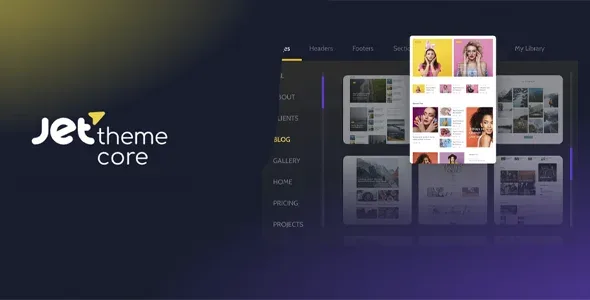
About JetThemeCore Builder for Elementor
When nobody knows where that page's header comes from
Building a site with Elementor or the block editor is quick. The expensive part comes later: someone changes the footer and the blog falls apart, the 404 page still uses the theme's design and, six months on, not even you remember which template rules where. JetThemeCore Builder for Elementor gathers headers, footers, single post templates, archives and special pages in one dashboard with a tree view.
The idea behind it: on a site with several content types, the real work is not designing templates but knowing which one applies to each URL. Whoever maintains other people's sites feels this more than whoever built them.
A walkthrough with JetThemeCore Builder, from header to shop
Imagine a site with a blog, service pages and an online shop. This is how you would work:
Step 1: choose your editor
Templates are designed with Elementor or with the WordPress block editor, so you don't learn a new tool. The plugin decides where each template is shown; the design is still up to you.
Step 2: replace the header and footer across the site
You create a header and a footer and apply them to every page. You can show, hide or replace parts of the original theme. It works with Astra, OceanWP, GeneratePress, Kadence, Blocksy, Hello Elementor and any theme from the WordPress.org directory. One limit: the plugin places the template, but a mega menu or cart icons depend on other Crocoblock plugins (JetMenu, JetBlocks) that are not included here.
Step 3: one template for each type of page
- Single page: a different header, footer and layout depending on the page.
- Archives: dedicated layouts for categories, tags and date archives.
- Special cases: the 404 page and search results.
- WooCommerce: templates for Checkout, Cart and My Account.
Mind what comes from where: JetThemeCore assigns the template to those shop pages, but the specific cart or account widgets come from JetWooBuilder. Dynamic grids and category cards in archives and posts need JetEngine.
Step 4: fine-tune with conditions
Each template accepts rules by device (desktop, tablet and mobile), by user role (administrators, editors, customers) and by URL parameter. You can include or exclude, and combine several conditions in a single rule. For example, a different top bar for registered customers that anonymous visitors don't see.
Step 5: check the tree
This is where the value for maintenance lies: a tree view shows where each template applies, detects missing ones and pages with too many, and takes you to the template in one click. Before handing a site over, it's the check that saves you phone calls.
Common questions before installing JetThemeCore Builder
Do I need Elementor?
No. You can build templates with the WordPress block editor or with Elementor, whichever you prefer.
Does it replace my theme?
No. It builds on your theme and lets you show, hide or replace its parts (header, footer, body). The theme stays in place for everything you don't touch.
Does it slow the site down?
Template lookup and output happen without compromising speed. Even so, the final weight depends on what you design inside each template and on your hosting.
Does it come with menus, carts or grids ready-made?
No. It manages where and when each template appears. Those elements come from other plugins in the same family or from what you already use in your builder.
If you run several sites with different template criteria
The more varied your set of sites, the more sense it makes to have one dashboard where you can see the structure. If your site is a home page and little else, a theme with its own header is enough and this plugin is unnecessary.
Version history
-
v
2.3.3 Current 7 Oct 2026
-
v
2.3.1.2 22 Apr 2026
Customer reviews
Sign in to leave a review. Only people who have the product can review it.
No reviews for this product yet.
Frequently asked questions
-
GPL (General Public License) is the license under which WordPress and most premium plugins/themes are distributed. It grants you the right to use, modify and redistribute the software in as many projects as you want, with no domain restrictions.
-
Yes. With membership you get automatic updates via our GPLClub Updater plugin (installed on your WP, detects new versions and applies them). With individual purchase, you get one year of manual updates from your account.
-
Depends on the plan. Monthly: 3 domains. Semi-annual: 7. Annual and Lifetime: 15. Individual purchase: 1 domain.
-
GPLClub offers its own support for installation, configuration and compatibility. For direct support from the original author (feature requests, product-specific bugs), a license purchased from the author is required.