Kirki Pro
Antivirus scan
Powered by ClamAV
✅ Verified clean
This product file has passed our security filters.
Want to run a fresh ClamAV scan right now? Takes a few seconds and shows scanner version, signature DB and live result.
This can take 5 to 30 seconds.
Clean file Threat detected
No threats detected in this file.
- File
- Size
- Scanned
- ClamAV
- Signature database
⚡ Powered by ClamAV
Scan could not be completed
Report product
If you detected an issue (broken file, malware, inappropriate content, etc.) let us know and we'll review it ASAP.
Sign in to report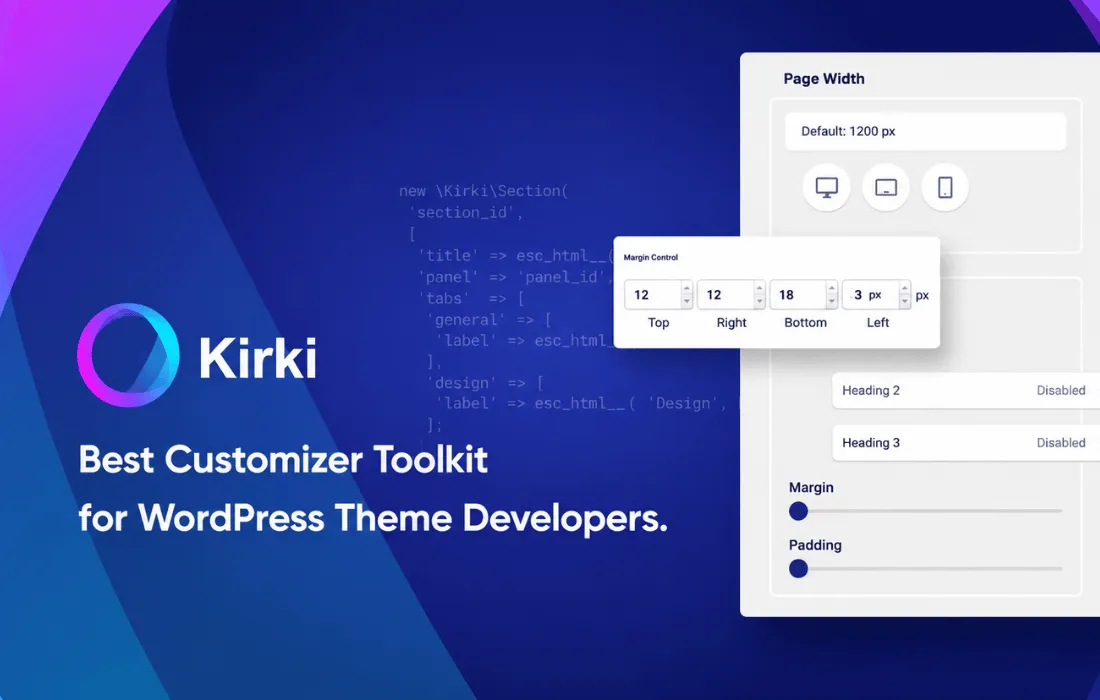
About Kirki Pro
Free-form WordPress design without the limits of traditional builders
Kirki Pro is a visual site builder for WordPress that breaks away from the rigid section/row/column/element structure imposed by most page builders. Instead of fitting content into predefined boxes, you work on a freeform canvas where you can place any element in any position, with full control over the design at every breakpoint.
An infinite canvas with built-in content management
Kirki Pro combines the visual canvas with its own content management system. This means you don't need to rely on external plugins to create custom post types: you can define your own structures, use relationships and multiple relationships between content items, build dynamic templates, schedule posts, and apply filters and pagination to collections directly from the editor.
Full control over typography, interactions and animations
The plugin offers detailed control over every typographic property and a CSS variable system to keep design consistent across the entire site. Interactions are managed through a keyframe-based timeline editor, letting you animate elements in response to scroll, clicks, hover or mouse movement. It also includes preset text animations and support for Lottie files, handy for anyone who wants to add motion without writing code.
Forms, popups and SEO without extra plugins
Kirki Pro integrates features that normally require third-party plugins: functional forms, popups, and title, meta description and Open Graph tag settings for SEO. Relying less on external plugins means faster sites with fewer points of failure or conflict between extensions.
Real-time collaboration and team workflow
The editor lets multiple users work simultaneously on the same canvas, with comments directly on the design, a staging mode, publication history, and read-only links to share with clients. For developers, Kirki Pro offers a development mode with full CSS visibility and clean, structured HTML markup, designed to make project handoff between designers and developers easier.
Figma import and migration from other builders
One of Kirki Pro's standout features is the ability to import designs directly from Figma, preserving styles, spacing and layout structures exactly as designed. It also supports migration from HTML or from other page builders, making it easier to move existing projects over without starting from scratch.
Use cases
Designers who need to bring a Figma design into a functional WordPress site without losing visual accuracy.
Agencies managing multiple clients that need real-time collaboration with version control and read-only views for approval.
Developers looking to cut down on the number of installed plugins by consolidating forms, popups, SEO and integrations into one tool.
Teams wanting to build custom content structures (CMS) without relying on additional custom fields plugins.
Included template kits
Kirki Pro includes over 100 template kits, each fully customizable on the freeform canvas, with light and dark mode versions available as a starting point for different types of projects.
Frequently asked questions
Does Kirki Pro replace other forms, popup or SEO plugins?
Yes, it includes these features natively, allowing you to reduce the number of plugins installed on your site.
Can I import a design made in Figma?
Yes, Kirki Pro lets you import Figma files while preserving the original styles, spacing and layout structure.
Do I need coding knowledge to use it?
No, you don't. The visual freeform canvas editor lets you build, animate and structure content without writing CSS, although development mode is available for those who want to work directly with the code.
Does it support teams working on the same project?
Yes, it includes real-time collaboration with multiple simultaneous editors, comments on the design, and read-only links to share with clients.
Does it include pre-designed templates?
Yes, it comes with over 100 customizable template kits, each available in light and dark mode versions.
Version history
-
v
6.4.0 Current 14 Oct 2026
-
v
6.3.1 2 Oct 2026
Customer reviews
Sign in to leave a review. Only people who have the product can review it.
No reviews for this product yet.
Frequently asked questions
-
GPL (General Public License) is the license under which WordPress and most premium plugins/themes are distributed. It grants you the right to use, modify and redistribute the software in as many projects as you want, with no domain restrictions.
-
Yes. With membership you get automatic updates via our GPLClub Updater plugin (installed on your WP, detects new versions and applies them). With individual purchase, you get one year of manual updates from your account.
-
Depends on the plan. Monthly: 3 domains. Semi-annual: 7. Annual and Lifetime: 15. Individual purchase: 1 domain.
-
GPLClub offers its own support for installation, configuration and compatibility. For direct support from the original author (feature requests, product-specific bugs), a license purchased from the author is required.