Lean – One Page Portfolio WordPress Theme
Antivirus scan
Powered by ClamAV
✅ Verified clean
This product file has passed our security filters.
Want to run a fresh ClamAV scan right now? Takes a few seconds and shows scanner version, signature DB and live result.
This can take 5 to 30 seconds.
Clean file Threat detected
No threats detected in this file.
- File
- Size
- Scanned
- ClamAV
- Signature database
⚡ Powered by ClamAV
Scan could not be completed
Report product
If you detected an issue (broken file, malware, inappropriate content, etc.) let us know and we'll review it ASAP.
Sign in to report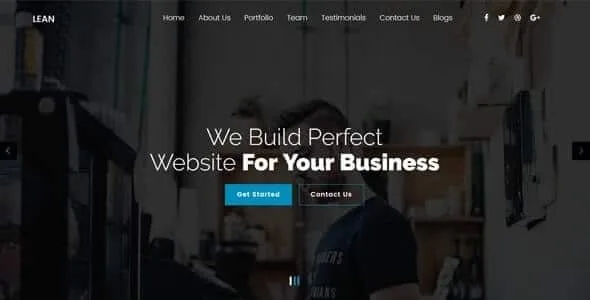
About Lean – One Page Portfolio WordPress Theme
Lean is for the studio that fits on one long page, not for the one that needs twenty sections
Presenting a portfolio often ends up as a huge website with menus nobody explores, or a pretty template where the work is buried three clicks down. Lean bets on the opposite: the whole journey on a single page with a clean design, made for creative agencies and businesses that want to show themselves with no detours.
- It suits you if you are a studio, a freelancer or a small agency with few services and a short selection of projects.
- It does not suit you if you need a shop, bookings, private areas or a structure with many pages: Lean is a one page portfolio with a blog, not a large corporate website.
- Mind the editor: it is built with a drag and drop page builder, so you should be comfortable with that kind of tool.
A single page forces you to decide what you show first
In creative work, whoever evaluates you remembers the weakest piece they saw, not the best one. On a multi-page site you can hide the uneven work; on a single page, everything is one scroll away and the order is everything. That is the real demand of a theme like Lean: it does not ask for more content, it asks for less and better chosen.
Before building it, think about three things: which project opens the page, how many fit without tiring people, and which sentence explains what you do without resorting to adjectives.
Animations, retina and color: how Lean looks with your work
The design is clean and responsive, and it adapts to major browsers, tablets and phones. For a visual portfolio this matters more than it seems: a good share of visits come from a link shared on a phone.
- Retina ready: designed for high density screens, where blurry images are noticed right away. Always upload high resolution files.
- Animate any element: you can give entrance motion to the blocks on the page. Use it with restraint: too much animation distracts from the work you want to show.
- Unlimited color styles: you adjust the palette to your studio's identity instead of sticking with the demo one.
Contact, blog and project: what Lean adds to the single page
Besides the main journey, Lean includes a blog template and an individual project view, so you can tell the story of a piece of work in more detail without breaking the main page. It is useful if you want to explain the process behind a specific case.
The contact form relies on Contact Form 7, a separate plugin. Check in the demo whether it comes set up out of the box and, if not, install it yourself before publishing. Without a clear way to get in touch, a beautiful portfolio is just a shop window.
Building Lean from the demo content
The theme offers demo content so you can start from an already composed page and replace it block by block with your own texts and images. It is the easiest way to understand how it is organized before touching anything. It also comes with step by step documentation, handy if it is your first time with a page builder.
A practical tip: change the project images and texts first, and leave color and animations for last. That way you quickly see whether your material holds up in this format.
Questions before choosing Lean
Can I have several pages besides the main one?
Yes, WordPress lets you create pages and posts, and Lean includes a blog and a project view. But its reason for being is the single page; if your site will have many sections, another theme fits better.
Is it good for anything besides a portfolio?
It is designed for creative agencies and simple corporate or business sites. It is not a theme for online shops or booking systems.
Do I need to know how to code?
No. The design is put together with a drag and drop editor and you start from demo content.
Does it look good on mobile?
It is responsive and ready for retina screens. Even so, check the demo on your own phone before deciding.
Topics
Version history
-
v
1 Current 19 Jun 2024
Customer reviews
Sign in to leave a review. Only people who have the product can review it.
No reviews for this product yet.
Frequently asked questions
-
GPL (General Public License) is the license under which WordPress and most premium plugins/themes are distributed. It grants you the right to use, modify and redistribute the software in as many projects as you want, with no domain restrictions.
-
Yes. With membership you get automatic updates via our GPLClub Updater plugin (installed on your WP, detects new versions and applies them). With individual purchase, you get one year of manual updates from your account.
-
Depends on the plan. Monthly: 3 domains. Semi-annual: 7. Annual and Lifetime: 15. Individual purchase: 1 domain.
-
GPLClub offers its own support for installation, configuration and compatibility. For direct support from the original author (feature requests, product-specific bugs), a license purchased from the author is required.