Learndash Dashboard
Antivirus scan
Powered by ClamAV
✅ Verified clean
This product file has passed our security filters.
Want to run a fresh ClamAV scan right now? Takes a few seconds and shows scanner version, signature DB and live result.
This can take 5 to 30 seconds.
Clean file Threat detected
No threats detected in this file.
- File
- Size
- Scanned
- ClamAV
- Signature database
⚡ Powered by ClamAV
Scan could not be completed
Report product
If you detected an issue (broken file, malware, inappropriate content, etc.) let us know and we'll review it ASAP.
Sign in to report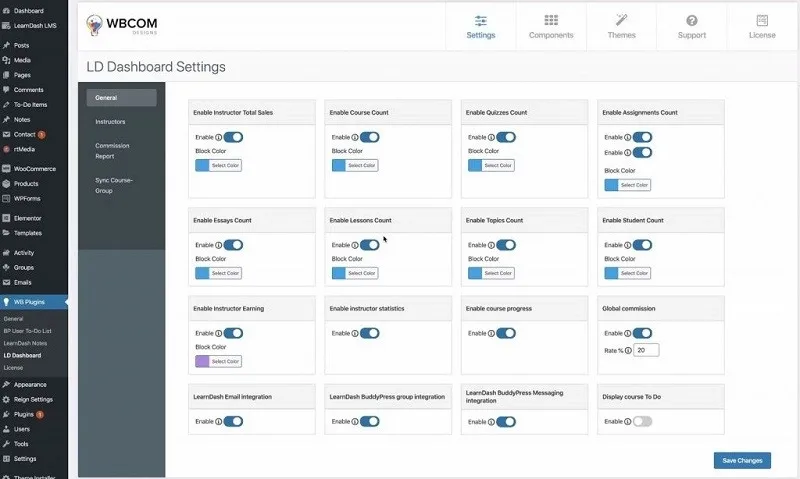
About Learndash Dashboard
The tutor should not have access to the WordPress admin
And yet, in LearnDash, creating a course means going in there. With two tutors it holds up. With twenty, you have twenty people inside the site's administration, seeing things that are none of their business and able to break what they should not by accident.
This plugin moves all of it to the front end: tutors and students work from the same place they log into the site, without setting foot in the admin.
What the tutor sees
- Creating courses, lessons, topics, quizzes and certificates, from the front end.
- Marking essay submissions with feedback, and grading quiz attempts from the lesson view itself.
- Cloning courses in one action, which saves the afternoon when the next intake has to be built.
- Zoom meetings scheduled inside the lesson.
- Their own figures: enrolments, revenue and average completion rate.
What the student sees
Their courses with progress, quiz scores, the tutor's feedback, downloadable certificates, course announcements and a direct message thread with whoever teaches them. All on one screen, which is the difference between a student who knows where they are and one who drops out.
The reports
Twelve, with file export: completion, enrolments by period, where people drop off, best-performing courses, time spent, quiz attempts, the pending marking queue and commission history.
The drop-off one is what makes the plugin pay for itself. Knowing that sixty per cent of students leave the course at lesson four is not a curiosity: it is the lesson that needs rebuilding, and without the report nobody finds out.
What to know beforehand
It needs LearnDash. It is a layer on top, not a course system in its own right.
And one concrete advantage: it replaces three products normally bought separately, the official reporting panel, the instructor role and group management. If you already have any of them installed, worth reviewing overlaps before adding this.
Frequently asked questions
Does it work without LearnDash?
No. It is an add-on for it and needs LearnDash installed.
Can the tutor create courses without entering the admin?
Yes, that is its main purpose: everything happens from the front end.
Do I have to migrate the courses I already have?
No. It works on the LearnDash data that already exists.
Can the reports be exported?
Yes, all twelve reports export to a file.
Topics
Version history
-
v
7.2.1 Current 4 Oct 2025
Customer reviews
Sign in to leave a review. Only people who have the product can review it.
No reviews for this product yet.
Frequently asked questions
-
GPL (General Public License) is the license under which WordPress and most premium plugins/themes are distributed. It grants you the right to use, modify and redistribute the software in as many projects as you want, with no domain restrictions.
-
Yes. With membership you get automatic updates via our GPLClub Updater plugin (installed on your WP, detects new versions and applies them). With individual purchase, you get one year of manual updates from your account.
-
Depends on the plan. Monthly: 3 domains. Semi-annual: 7. Annual and Lifetime: 15. Individual purchase: 1 domain.
-
GPLClub offers its own support for installation, configuration and compatibility. For direct support from the original author (feature requests, product-specific bugs), a license purchased from the author is required.