LearnDash Quiz Import Export
Antivirus scan
Powered by ClamAV
✅ Verified clean
This product file has passed our security filters.
Want to run a fresh ClamAV scan right now? Takes a few seconds and shows scanner version, signature DB and live result.
This can take 5 to 30 seconds.
Clean file Threat detected
No threats detected in this file.
- File
- Size
- Scanned
- ClamAV
- Signature database
⚡ Powered by ClamAV
Scan could not be completed
Report product
If you detected an issue (broken file, malware, inappropriate content, etc.) let us know and we'll review it ASAP.
Sign in to report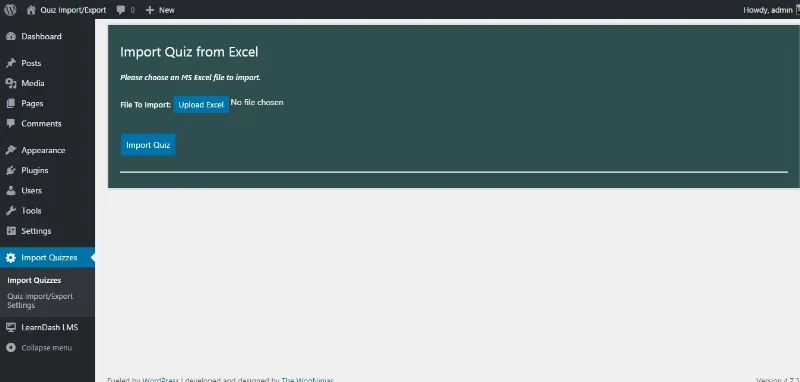
About LearnDash Quiz Import Export
Building quizzes in a spreadsheet instead of one at a time
Anyone who has built a course in LearnDash knows where it bogs down: the quizzes. Creating one question in the interface is several clicks, and when the exam has fifty questions and the course has ten exams, the work is measured in days. Worse still when the content already exists in a Word file the instructor sent over.
This plugin flips the flow. You fill in a template in Excel or Google Sheets, upload it, and the quizzes build themselves. And the other way round: export everything you already have with one click, edit it comfortably in the sheet, and import it back.
Formats it accepts
- Excel, as XLS and XLSX.
- CSV
- JSON
- Word, as DOCX, which is the format an instructor's material usually arrives in.
- Google Sheets, with automated syncing, so the instructor edits in the sheet and the course updates without anybody exporting anything.
Which question types
All the ones LearnDash supports by default, meaning multiple choice, single choice, true or false and fill in the blank. Plus the types added by the Advanced Quizzes add-on, image-based questions, and multi-question categories.
What it actually gets used for
- Bulk exam creation from a template, which is its reason for existing.
- Migrating between sites: export quizzes from one LearnDash installation and import them into another.
- Backups of the question bank, which on a live course is a significant asset and usually goes unbacked-up separately.
- Applying default settings for access, progression and display across everything imported, rather than repeating them quiz by quiz.
Updates are selective: thanks to ID mapping, reimporting corrects what exists instead of duplicating it, which is the classic failure of repeated imports.
Requirements
WordPress 6.8 or higher, LearnDash 4.20.0 or higher and PHP 7.4 or higher.
Frequently asked questions
Can I start from a Word file?
Yes, it accepts DOCX, alongside Excel, CSV, JSON and Google Sheets.
Do quizzes duplicate when reimporting?
No. ID mapping lets it update what exists without creating copies.
Is it any good for moving a course to another site?
Yes, that is one of its main uses: exporting from one LearnDash installation and importing into another.
Does it support image questions?
Yes, as well as the Advanced Quizzes add-on types and multi-question categories.
Topics
Version history
-
v
4.0.0 Current 28 Oct 2025
Customer reviews
Sign in to leave a review. Only people who have the product can review it.
No reviews for this product yet.
Frequently asked questions
-
GPL (General Public License) is the license under which WordPress and most premium plugins/themes are distributed. It grants you the right to use, modify and redistribute the software in as many projects as you want, with no domain restrictions.
-
Yes. With membership you get automatic updates via our GPLClub Updater plugin (installed on your WP, detects new versions and applies them). With individual purchase, you get one year of manual updates from your account.
-
Depends on the plan. Monthly: 3 domains. Semi-annual: 7. Annual and Lifetime: 15. Individual purchase: 1 domain.
-
GPLClub offers its own support for installation, configuration and compatibility. For direct support from the original author (feature requests, product-specific bugs), a license purchased from the author is required.