Masker for Elementor
Antivirus scan
Powered by ClamAV
✅ Verified clean
This product file has passed our security filters.
Want to run a fresh ClamAV scan right now? Takes a few seconds and shows scanner version, signature DB and live result.
This can take 5 to 30 seconds.
Clean file Threat detected
No threats detected in this file.
- File
- Size
- Scanned
- ClamAV
- Signature database
⚡ Powered by ClamAV
Scan could not be completed
Report product
If you detected an issue (broken file, malware, inappropriate content, etc.) let us know and we'll review it ASAP.
Sign in to report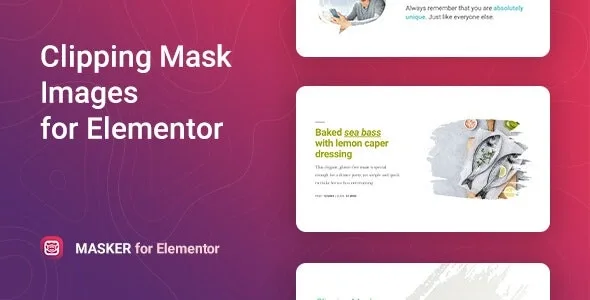
About Masker for Elementor
Every image is a rectangle and your page looks like a thousand others
Anyone building pages with Elementor runs into the same thing: templates, fonts and blocks look alike, and the only thing that changes is the photo inside its rectangular box. Cutting shapes by hand takes CSS, PNGs with transparent backgrounds or a graphics editor, and every photo swap repeats the work.
Masker for Elementor is a widget that applies a clipping mask to the image straight from the editor panel. That said, the mask is decoration: it does not improve a weak photo.
A walkthrough with Masker: from image to clipped shape
Imagine you are building a studio's home page and you want the team photo to have a shape of its own. The process would look like this:
- Drag the widget and choose the image. You can take it from the media library or enter its URL. You skip preparing a separately cropped PNG.
- Open the Clipping Mask tab. It comes with more than 30 preset masks. If none fits, you can load your own shape in SVG format, but you have to prepare that file yourself.
- Adjust position and size. Width, height and position are set per device, and you can also apply the mask to just one part of the image. Check the mobile view so the shape does not cut anyone's face.
- Style it. Colors, fonts, background, gradient, margins and paddings are changed from the Elementor interface, with no code.
- If you do not know where to start, begin with a template. It includes 5 example templates. They are there for inspiration, not as a complete site.
Everything depends on Elementor: without it, the widget has nowhere to work, and it is not meant for other builders.
Common questions before installing Masker for Elementor
Do I need to know CSS or SVG?
Not to use the included masks or to adjust them. SVG is only needed if you want a shape that is not among the presets.
Does it work with any theme?
It works well with themes built on Elementor. What matters is that the page is edited with Elementor, because that is where the widget appears.
Does it look the same in every browser?
It is designed for Chrome, Firefox, Safari, Opera and Edge, on different devices. Even so, check your page in a couple of them before publishing.
Does it work for a site in another language or with right-to-left writing?
It includes a pot file to translate the widget's texts and it is suitable for RTL direction.
A mask will not fix a badly framed photo
Clipping with a shape hides part of the image. If the subject is pressed against the edge or the photo has embedded text, the result can be worse than the original rectangle. Choose photos with the subject centered and test the image position inside the mask.
Masker is not an image editor and it does not retouch anything: it gives shape to an image inside the widget. If you need filters or corrections, do them first with another tool.
Install it, activate it, and the widget is already in Elementor
Masker is a lightweight plugin and needs no prior settings: you activate it and the widget appears in the editor. It is still an image on the page, so take care of the alt text and the file size as with any other.
Version history
-
v
1.1.3 Current 16 May 2024
Customer reviews
Sign in to leave a review. Only people who have the product can review it.
No reviews for this product yet.
Frequently asked questions
-
GPL (General Public License) is the license under which WordPress and most premium plugins/themes are distributed. It grants you the right to use, modify and redistribute the software in as many projects as you want, with no domain restrictions.
-
Yes. With membership you get automatic updates via our GPLClub Updater plugin (installed on your WP, detects new versions and applies them). With individual purchase, you get one year of manual updates from your account.
-
Depends on the plan. Monthly: 3 domains. Semi-annual: 7. Annual and Lifetime: 15. Individual purchase: 1 domain.
-
GPLClub offers its own support for installation, configuration and compatibility. For direct support from the original author (feature requests, product-specific bugs), a license purchased from the author is required.