MaxGadget – Computer Maintenance & Electronics Repair WordPress Theme
Antivirus scan
Powered by ClamAV
✅ Verified clean
This product file has passed our security filters.
Want to run a fresh ClamAV scan right now? Takes a few seconds and shows scanner version, signature DB and live result.
This can take 5 to 30 seconds.
Clean file Threat detected
No threats detected in this file.
- File
- Size
- Scanned
- ClamAV
- Signature database
⚡ Powered by ClamAV
Scan could not be completed
Report product
If you detected an issue (broken file, malware, inappropriate content, etc.) let us know and we'll review it ASAP.
Sign in to report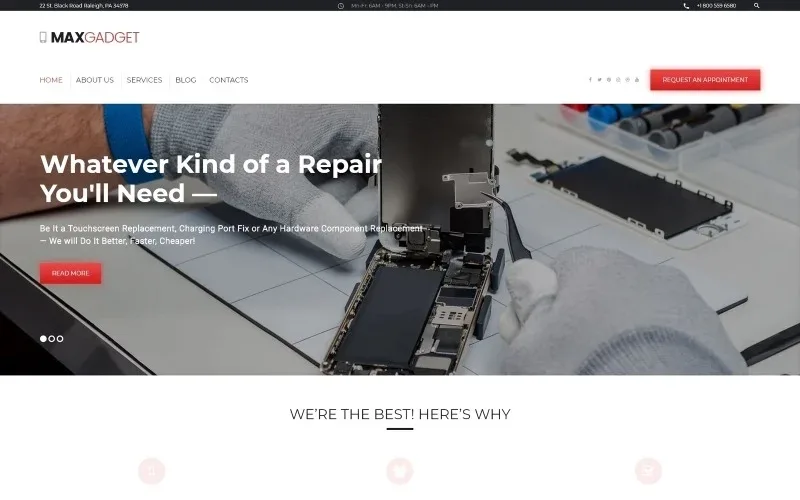
About MaxGadget – Computer Maintenance & Electronics Repair WordPress Theme
For the repair shop that takes calls and wants to be messaged, not for the store with a shopping cart
Anyone who repairs phones and laptops often has a website that doesn't explain what they fix, or a page with ten mixed services and no clear way to book. MaxGadget is built for that case: an electronics repair and computer maintenance business that needs to show which devices it accepts, who repairs them and how to get in touch.
It fits if you run a repair shop, a home tech service or a small IT support business. It is not the right choice if you sell accessories or devices online: the demo shows a service business, with no sales catalog or shopping cart. Don't assume it includes a booking system with a calendar either: the demo has a Request an Appointment button, so check there whether it leads to a form that covers what you need.
One page for each device you repair
Someone arriving with a broken device isn't searching for "technical services", they're searching for their device: their iPhone, their MacBook, their fitness band. The demo splits services into separate pages for these categories:
- Smartphones and tablets
- PCs, Macs and laptops
- Fitness trackers
- Smart home
- Other gadgets
That split lets you explain each repair in its own words and show up in more specific searches. If you only repair two types of device, delete the rest instead of leaving empty pages.
The MaxGadget homepage: parts, team and a coupon
A customer with a broken phone has two doubts: whether you can fix it and whether they can trust you. The demo homepage answers with a main message about repair types, three arguments (brand-name parts, an experienced team, special treatment for returning customers), a coupon block and a link to the latest news. At the top it shows address, opening hours and phone number, exactly what someone in a hurry looks for.
It's a good starting template, but every claim in those blocks is sample text. Keep only the ones you can honor.
Headers, footers and blog: what you can change
- Header and footer: three styles of each.
- Blog: listing, masonry and grid layouts (also in three columns).
- Sidebar: left, right or none.
- Post formats: gallery, image, link, quote, status and video.
- Supporting pages: pricing, 404, coming soon, about us, typography and static elements.
A blog with maintenance tips (when to replace a battery, how to look after a laptop) works in your favor in search engines, and this range of layouts makes it easier.
Sample texts you will have to rewrite
The demo includes a 25% discount on PC repairs, a 10% coupon, an address and tech news. If you publish the theme as is, you promise offers that don't exist and look like an abandoned business. Replace those blocks before launch, and don't leave news unrelated to your shop.
Frequently asked questions about MaxGadget
Can I use it to sell parts or phones?
That isn't its focus. It's designed to present repair services; for a store you'll need another theme or an e-commerce plugin, and you should check how it fits the design.
Can I use it if I only repair computers?
Yes. Keep the PCs, Macs and laptops pages and remove the ones for smartphones, wearables or smart home.
Does it include an appointment form?
The demo offers a button to request an appointment. Before deciding, check there what happens when you click it and whether it covers what you need (times, device type, fault).
Can I change the header and footer?
Yes, there are three styles of each, and you can also choose the blog layout and the sidebar position.
Topics
Version history
-
v
1.0.0 Current 14 Jun 2024
Customer reviews
Sign in to leave a review. Only people who have the product can review it.
No reviews for this product yet.
Frequently asked questions
-
GPL (General Public License) is the license under which WordPress and most premium plugins/themes are distributed. It grants you the right to use, modify and redistribute the software in as many projects as you want, with no domain restrictions.
-
Yes. With membership you get automatic updates via our GPLClub Updater plugin (installed on your WP, detects new versions and applies them). With individual purchase, you get one year of manual updates from your account.
-
Depends on the plan. Monthly: 3 domains. Semi-annual: 7. Annual and Lifetime: 15. Individual purchase: 1 domain.
-
GPLClub offers its own support for installation, configuration and compatibility. For direct support from the original author (feature requests, product-specific bugs), a license purchased from the author is required.
Related products
RedMag – AdSense Optimized & Entertainment News Theme
Archee – Creative Agency & Portfolio WordPress Theme
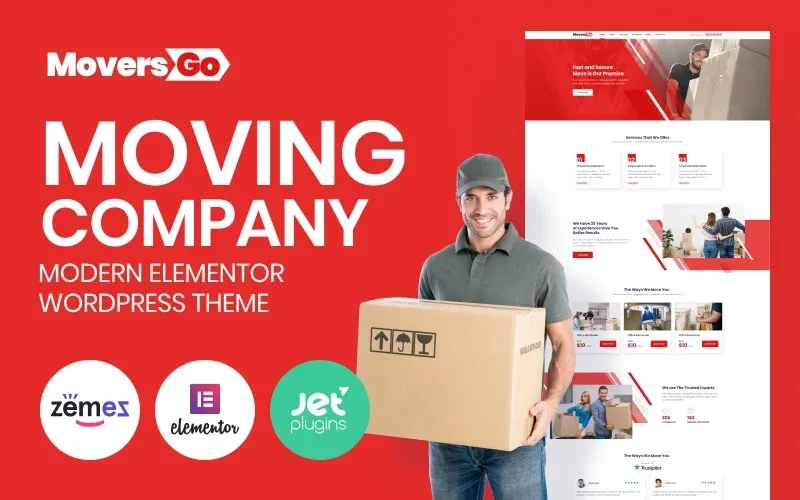
MoversGo – Moving Company Modern WordPress Elementor Theme WordPress Theme