Meta Box AIO Plugin
Antivirus scan
Powered by ClamAV
✅ Verified clean
This product file has passed our security filters.
Want to run a fresh ClamAV scan right now? Takes a few seconds and shows scanner version, signature DB and live result.
This can take 5 to 30 seconds.
Clean file Threat detected
No threats detected in this file.
- File
- Size
- Scanned
- ClamAV
- Signature database
⚡ Powered by ClamAV
Scan could not be completed
Report product
If you detected an issue (broken file, malware, inappropriate content, etc.) let us know and we'll review it ASAP.
Sign in to report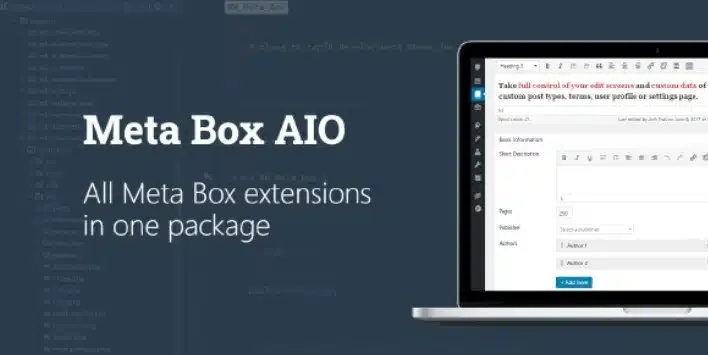
About Meta Box AIO Plugin
When custom fields pile up and nobody cleans them
A site with custom fields starts with three fields and one content type, and ends up with several loose plugins, metadata keys with names that no longer make sense and orphaned data in the database. Meta Box AIO tackles that mess: it is a single plugin that gathers all the Meta Box extensions and includes the framework itself, so you don't have to install it separately.
A step-by-step case: a real estate catalog that changes its mind
Imagine you build a real estate catalog and, months later, the client decides to rename everything. Here is how Meta Box AIO handles it:
- You enable only what you need. Under Meta Box → Extensions you tick the extensions you will use and click Save Changes. The ones you leave unticked stay disabled, and your plugin list stays short.
- You rename the type. Now the client prefers "inmueble". The Change post type tool changes the slug of a post type, a page or a media item, and the existing entries move to the new type.
- You rename a field without losing data. The "precio" field becomes "precio_venta". With Change custom field key you pick the key from a suggestion list and the data already saved is kept; afterwards you can check the new key in the database.
- You clean up what's left. Remove custom fields deletes specific fields by their ID (you enter the key and choose whether it applies to posts, terms, users or all of them). Remove orphan fields deletes fields that don't belong to a valid post, term or user and tells you how many it removed per object type.
The limit comes in the last step: these tools can't be undone, so back up your database before using them. Also, this set of tools only exists in Meta Box AIO.
Questions before installing Meta Box AIO
Do I need to install Meta Box as well?
No. Meta Box AIO already includes the Meta Box framework.
Can I hide the settings from a client?
Yes. The mb_aio_show_settings filter hides the settings page if its function returns false, for example with add_filter( 'mb_aio_show_settings', '__return_false' );.
Can I choose the extensions by code instead of with checkboxes?
Yes. The mb_aio_extensions filter receives the list of enabled extensions (their slugs) and returns the filtered list. If you return only meta-box-builder, only MB Builder stays enabled.
Is it useful if I don't code?
Yes, the settings page and the tools are used from the admin area. The filters are optional and meant for developers.
If you already have a standalone extension installed
When an extension is enabled in Meta Box AIO and also active as an individual plugin, the individual plugin takes priority and the version bundled in AIO is not used. This is expected behavior, and it lets you test one specific extension on your site without touching the rest of the package.
So AIO does not replace Meta Box in projects where you want to keep some extension separate: it coexists with them, but the standalone one wins.
Version history
-
v
3.13.1 Current 21 Oct 2026
-
v
3.13.0 14 Oct 2026
-
v
3.12.0 18 Sep 2026
-
v
3.11.0 5 Sep 2026
-
v
3.10.0 31 Jul 2026
-
v
3.7.0 22 Apr 2026
Customer reviews
Sign in to leave a review. Only people who have the product can review it.
No reviews for this product yet.
Frequently asked questions
-
GPL (General Public License) is the license under which WordPress and most premium plugins/themes are distributed. It grants you the right to use, modify and redistribute the software in as many projects as you want, with no domain restrictions.
-
Yes. With membership you get automatic updates via our GPLClub Updater plugin (installed on your WP, detects new versions and applies them). With individual purchase, you get one year of manual updates from your account.
-
Depends on the plan. Monthly: 3 domains. Semi-annual: 7. Annual and Lifetime: 15. Individual purchase: 1 domain.
-
GPLClub offers its own support for installation, configuration and compatibility. For direct support from the original author (feature requests, product-specific bugs), a license purchased from the author is required.