Next3 Offload
Antivirus scan
Powered by ClamAV
✅ Verified clean
This product file has passed our security filters.
Want to run a fresh ClamAV scan right now? Takes a few seconds and shows scanner version, signature DB and live result.
This can take 5 to 30 seconds.
Clean file Threat detected
No threats detected in this file.
- File
- Size
- Scanned
- ClamAV
- Signature database
⚡ Powered by ClamAV
Scan could not be completed
Report product
If you detected an issue (broken file, malware, inappropriate content, etc.) let us know and we'll review it ASAP.
Sign in to report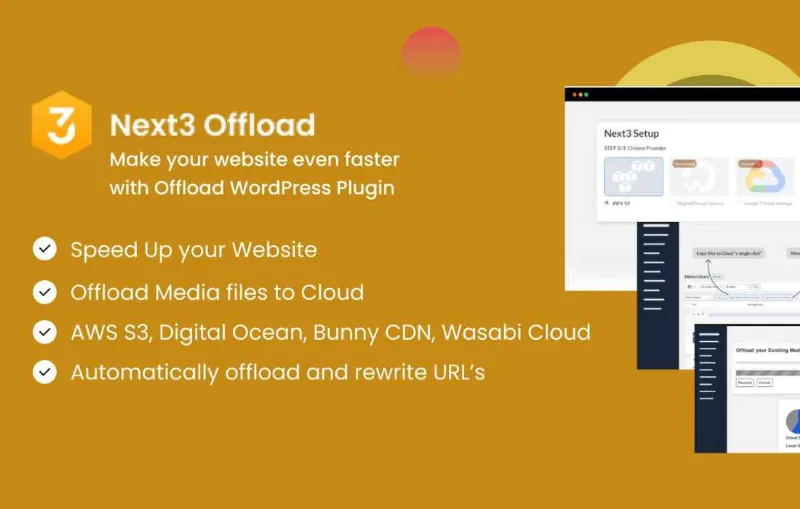
About Next3 Offload
Moving images off your server is not freeing space: it is changing landlord
Offloading files to the cloud is always sold on the saving. Your uploads folder takes forty gigabytes, hosting runs short, and moving that to external storage costs far less than upgrading the plan. All true.
What gets said less is that you have split your site in two. The database and the code stay where they were; the images, videos and documents now live with another provider, with another account, another bill and another point of failure.
That is not a reason not to do it, because the benefits are real. It is a reason to do it knowing your backup no longer covers everything, which is exactly the detail people discover on the worst possible day.
What it does
- Over twenty destinations compatible with the Amazon S3 protocol: S3 itself, Cloudflare R2, Wasabi, DigitalOcean Spaces, Bunny, Google Cloud, Backblaze B2, IDrive e2, MinIO, Vultr, UpCloud and others.
- Google Drive and Dropbox too, for anyone who prefers something they already use.
- Automatic URL updating: existing posts, pages and products keep working without being touched.
- Optional deletion of the local copy, which is the step that actually frees space.
- Presigned URLs with expiry, so the storage can stay private.
- Included extras: image optimisation, WebP conversion, lazy loading, database cleanup and duplicate detection.
- Migration from WP Offload Media if you are coming from that tool, and compatibility with whichever delivery network you use.
The irreversible step is deleting the local copy
The process has four steps and only one is frightening. Connecting the storage, uploading the files and rewriting the URLs are reversible operations: if something goes wrong, your files are still on the server.
Deleting the local copy is what shuts the door, and it is also the only thing that frees the space you started this for. The sensible way to do it is in stages: upload everything, check for a few days that the site looks right across several browsers, and only then delete. Not the other way round.
And before anything, a full backup including the uploads folder. It is the last time you will have it whole in one place.
The bill nobody looks at: data egress
Storage providers charge for three different things: what you store, the requests you make and the data that leaves. The first is cheap everywhere and it is the one people compare. The third is the one that delivers shocks.
If your site serves a lot of images, every visit pulls data out of that storage, and that is where the differences between providers become enormous. Some, like Cloudflare R2 or Bunny, do not charge for egress or charge little, which is why they come up so often in comparisons of this kind.
Putting a delivery network in front cuts the problem at the root, because images get served from cache and the storage is barely touched. If you are about to move a catalogue with thousands of photos, that decision is worth taking on day one rather than when the invoice arrives.
Requirements and what it does not do
It needs WordPress and an account with whichever storage you choose, along with its access keys. The account and its cost are yours: the plugin connects, it does not host.
It does not change your site content and does not rebuild it. It works on what you already have.
And it is not a backup. Your files being in the cloud does not mean they are backed up: if they get deleted there, they are gone. Your backup system has to include that storage from now on, and that gets configured separately.
Alternatives in the catalogue
If what you have too much of is not space but disorder, that is a different problem: Sigma Media Manager organises the library with virtual folders and also offers cloud offloading, and Media Library Organizer stays on the tidying side.
If the real aim was a faster site, the biggest lever is usually caching: WP Rocket is the reference tool and gets along fine with having your images elsewhere.
Frequently asked questions
Do links on my old pages break?
No. URLs are updated automatically and existing content keeps working.
Which provider suits best?
It depends how much data leaves your site. Look at egress cost, not only storage cost.
Can I keep a copy on my server?
Yes. Deleting the local copy is optional, and it is what genuinely frees space.
Do I need a delivery network?
Not mandatory, but with many images it lowers the bill and speeds up delivery.
Does this count as a backup?
No. If a file is deleted in the cloud, it is gone. Backups have to be set up separately.
I am coming from WP Offload Media, can I switch?
Yes, it brings migration assistance from that tool.
Version history
-
v
4.4.1 Current 23 Sep 2026
-
v
4.4.0 7 Aug 2026
Customer reviews
Sign in to leave a review. Only people who have the product can review it.
No reviews for this product yet.
Frequently asked questions
-
GPL (General Public License) is the license under which WordPress and most premium plugins/themes are distributed. It grants you the right to use, modify and redistribute the software in as many projects as you want, with no domain restrictions.
-
Yes. With membership you get automatic updates via our GPLClub Updater plugin (installed on your WP, detects new versions and applies them). With individual purchase, you get one year of manual updates from your account.
-
Depends on the plan. Monthly: 3 domains. Semi-annual: 7. Annual and Lifetime: 15. Individual purchase: 1 domain.
-
GPLClub offers its own support for installation, configuration and compatibility. For direct support from the original author (feature requests, product-specific bugs), a license purchased from the author is required.

![[GATEWAY V10] - cinetpay](https://gplstock.nyc3.cdn.digitaloceanspaces.com/productos/gateway-v10-cinetpay.webp)