OceanWP Side Panel Addon
Antivirus scan
Powered by ClamAV
✅ Verified clean
This product file has passed our security filters.
Want to run a fresh ClamAV scan right now? Takes a few seconds and shows scanner version, signature DB and live result.
This can take 5 to 30 seconds.
Clean file Threat detected
No threats detected in this file.
- File
- Size
- Scanned
- ClamAV
- Signature database
⚡ Powered by ClamAV
Scan could not be completed
Report product
If you detected an issue (broken file, malware, inappropriate content, etc.) let us know and we'll review it ASAP.
Sign in to report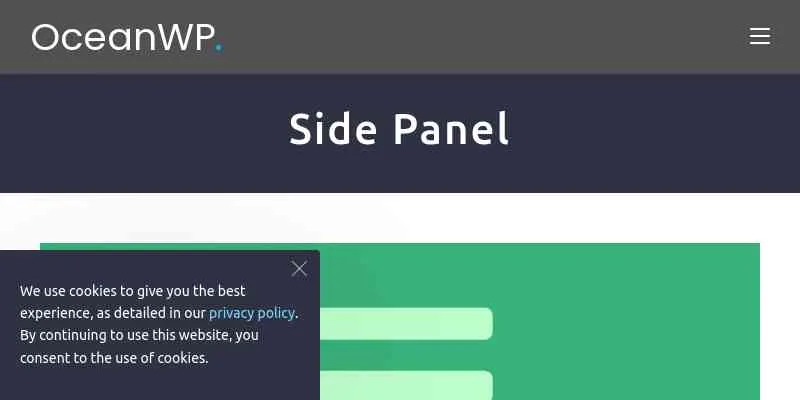
About OceanWP Side Panel Addon
When the menu can't take one more item
A site grows and the header fills up: search, social links, contact, opening hours, a notice, a short form. Either you stack everything in the header or you send it to the footer, where almost nobody gets to. OceanWP Side Panel Addon offers a third place: a responsive panel with the widgets you choose inside.
A bare icon doesn't say what is behind it. That's why it pays to add text to the button and to keep the panel for supporting content, not for what visitors must see no matter what.
Button, side, width and backdrop: what you can adjust in OceanWP Side Panel Addon
The settings cover both the panel and the button that opens it:
- Opening button: you pick the icon, can add text to it and give it your own color.
- Position: the panel appears on the left or on the right.
- Width: you set a custom width for the panel.
- Behavior: you decide whether the panel pushes the page content aside or not, and whether an overlay is added while it is open.
- Close button: you can show or hide it and change its text.
Widgets are added in the panel's own widget area, just like in any sidebar. If the content is long, the panel scrolls internally without a visible scrollbar.
Your own template, a shortcode and pages without the panel
If widgets fall short, you can pick a template built in the OceanWP library (My Library) to replace the panel content. It's the useful route if you already design with a page builder and want something more polished than a stack of widgets.
The opening button can sit inside the menu or next to the panel, and a shortcode lets you place it wherever you like, for example on a button within a page. You can also hide the panel from a breakpoint you define, so it doesn't show at screen sizes where it gets in the way.
And if there are pages where the panel is unnecessary (a landing page, a checkout page), you can turn it off on that page or post from the OceanWP settings. Child theme users also get a filter to enable or disable it through code.
Side panel or solve it with the menu? What to know before you decide
It's an extension designed for the OceanWP theme: without it, installing it makes no sense. It doesn't create content either: the panel starts empty and you prepare the widgets or the template. And it doesn't fix poorly planned navigation: if something important lives inside the panel, many people won't see it. Use it for secondary content and keep in plain view whatever brings in leads or sales.
Can I put the button outside the menu?
Yes. It can go in the menu, next to the panel or wherever you place its shortcode.
Can it open from the left?
Yes, the panel appears on the left or on the right.
Can I design the content with my page builder?
You can pick an OceanWP My Library template as the panel content instead of using widgets.
Can I remove it on some pages?
Yes, from the OceanWP settings of each page or post.
Version history
-
v
2.2.5 Current 15 Sep 2026
-
v
2.2.4 5 Sep 2026
-
v
2.2.3 21 May 2026
-
v
2.2.2 18 Sep 2025
Customer reviews
Sign in to leave a review. Only people who have the product can review it.
No reviews for this product yet.
Frequently asked questions
-
GPL (General Public License) is the license under which WordPress and most premium plugins/themes are distributed. It grants you the right to use, modify and redistribute the software in as many projects as you want, with no domain restrictions.
-
Yes. With membership you get automatic updates via our GPLClub Updater plugin (installed on your WP, detects new versions and applies them). With individual purchase, you get one year of manual updates from your account.
-
Depends on the plan. Monthly: 3 domains. Semi-annual: 7. Annual and Lifetime: 15. Individual purchase: 1 domain.
-
GPLClub offers its own support for installation, configuration and compatibility. For direct support from the original author (feature requests, product-specific bugs), a license purchased from the author is required.