PeepSo WP Job Manager Integration
Antivirus scan
Powered by ClamAV
✅ Verified clean
This product file has passed our security filters.
Want to run a fresh ClamAV scan right now? Takes a few seconds and shows scanner version, signature DB and live result.
This can take 5 to 30 seconds.
Clean file Threat detected
No threats detected in this file.
- File
- Size
- Scanned
- ClamAV
- Signature database
⚡ Powered by ClamAV
Scan could not be completed
Report product
If you detected an issue (broken file, malware, inappropriate content, etc.) let us know and we'll review it ASAP.
Sign in to report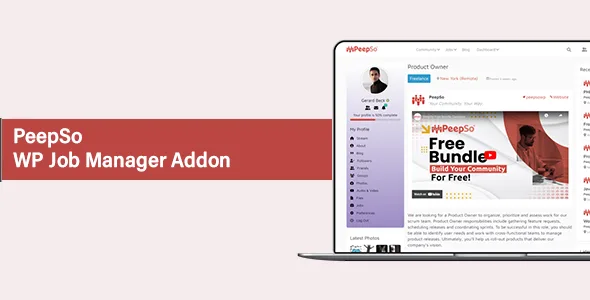
About PeepSo WP Job Manager Integration
Before doubting the job, a candidate doubts whoever posted it
Someone finds a role on your job board that suits them, at a company they do not know. The salary and duties are clear. What they lack is knowing who is behind it, and the page offers only one way forward: send the resume and wait. If the company is a name typed into a text field, all of their trust rests on that box.
This integration connects WP Job Manager with PeepSo so each listing is tied to a user profile, with its name, its activity and its past postings. Your board keeps working the same way; what changes is what a candidate can check before deciding. On a job board, a listing's credibility comes from the track record of whoever signs it.
A Jobs tab on the profile and a notice in the activity
- A Jobs tab on user profiles, with its own label, slug and icon. If you leave those fields empty, the defaults are used.
- Listings visible on the profile and creation of new listings from that same page.
- A notice in the activity stream each time a user posts a job.
- Editable notice text, with the option to append the job title as a link.
- Default privacy for those notices: public or site members only.
- Automatic cleanup: deleting a listing also deletes its activity entry.
What each side of the board gains from PeepSo and WP Job Manager together
Job seekers see an employer profile instead of a bare name, save listings to return to them, filter by location, category and remote work, and check from their own profile what they saved and applied to. They can also write to the employer if something is unclear, before spending time on an application.
Employers review candidates from a dashboard instead of an email inbox, can set role-based permissions and requirements for applying, and have the Recent Jobs and Featured Jobs widgets to show their listings to people already browsing the site. Their profile and past postings carry over, so each hire adds to the same track record.
Two more plugins and a track record to build
It needs two more plugins. On its own it creates neither a job board nor a community: listings, categories and fields stay with WP Job Manager, and profiles and activity with PeepSo.
Messaging comes separately. Asking before applying relies on PeepSo's messages, and these, like saved searches and fuller profiles, are added as the board gains the activity to justify them.
The track record has to be built. A newly registered employer has little to show. The integration provides the place where that record accumulates, and its value grows with the listings that get posted.
Activation order decides whether it starts
You need PeepSo and WP Job Manager installed. The order matters, because the add-on requires the plugin it integrates with.
- Install and activate PeepSo and WP Job Manager.
- Activate this integration afterward.
- Go to WP Admin, PeepSo, Configuration, WP Job Manager, and enable the Jobs tab on profiles.
- Turn on Post to Activity Stream, write the notice text in your language and choose the privacy.
- Post a test listing from a profile, review the notice and delete it to see the entry disappear.
The base, the chat and a path without a community
The base is PeepSo and WP Job Manager. So candidates can write by private message, PeepSo Core: Chat adds messages and real-time chat. PeepSo User Limits restricts what each user does based on their role or how complete their profile is, and can be extended to creating and managing jobs.
If you are really hiring for your own company, with no community around it, WP Job Openings Pro Pack sets up a recruiting system inside WordPress, with candidate tracking, ratings and notes.
How it lives alongside your current listings
Do I have to redo my listings?
No. WP Job Manager keeps managing listings, categories and fields as it does now.
Who sees the notice for a new listing?
It depends on the default privacy you choose: public or site members only.
What happens to the notice if I delete the listing?
It is deleted along with it, so no announcement for a removed role stays in the activity.
Topics
Version history
-
v
9.1.0.0 Current 26 Oct 2026
-
v
8.0.0.0 17 Dec 2025
Customer reviews
Sign in to leave a review. Only people who have the product can review it.
No reviews for this product yet.
Frequently asked questions
-
GPL (General Public License) is the license under which WordPress and most premium plugins/themes are distributed. It grants you the right to use, modify and redistribute the software in as many projects as you want, with no domain restrictions.
-
Yes. With membership you get automatic updates via our GPLClub Updater plugin (installed on your WP, detects new versions and applies them). With individual purchase, you get one year of manual updates from your account.
-
Depends on the plan. Monthly: 3 domains. Semi-annual: 7. Annual and Lifetime: 15. Individual purchase: 1 domain.
-
GPLClub offers its own support for installation, configuration and compatibility. For direct support from the original author (feature requests, product-specific bugs), a license purchased from the author is required.