Plumbing Spl – Plumber WordPress Theme
Antivirus scan
Powered by ClamAV
✅ Verified clean
This product file has passed our security filters.
Want to run a fresh ClamAV scan right now? Takes a few seconds and shows scanner version, signature DB and live result.
This can take 5 to 30 seconds.
Clean file Threat detected
No threats detected in this file.
- File
- Size
- Scanned
- ClamAV
- Signature database
⚡ Powered by ClamAV
Scan could not be completed
Report product
If you detected an issue (broken file, malware, inappropriate content, etc.) let us know and we'll review it ASAP.
Sign in to report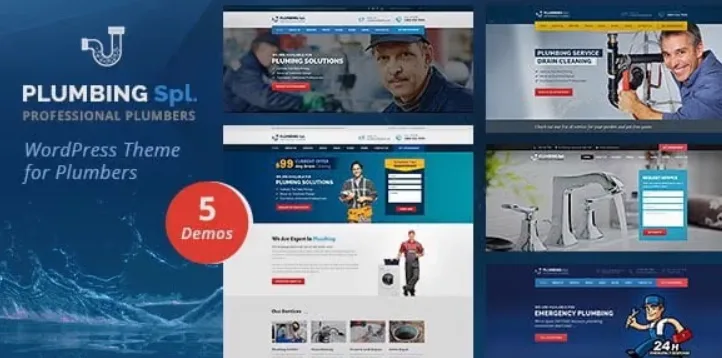
About Plumbing Spl – Plumber WordPress Theme
When a pipe bursts, the customer calls whoever seems trustworthy
A plumbing website often ends up as a single page with a phone number and three lines of text. Someone arriving with a leak or a bathroom renovation can't tell whether there's a serious company behind it or someone who only answers when it suits them.
There's something almost nobody in this trade considers: customers rarely get to watch a plumber work, so they can't judge the technique. They decide based on what they can see: jobs similar to their own problem and opinions from neighbors who already hired the company. Plumbing Spl is designed for plumbing and repair companies, and it brings exactly those pieces: projects with a detail page, a blog and testimonials.
Plumbing Spl step by step: from a demo with someone else's photos to a site with your own jobs
This is the realistic path you'll follow with the theme, and what it solves at each step.
1. Import the demo
The theme lets you install the demo with a single click and includes sample content, so you don't start with a blank screen. Note that the preview images are for display only and aren't in the download. Every photo will have to be yours.
2. Choose a header and a homepage
There are several headers and several homepages to try. With the WordPress Live Customizer you see changes as you make them, and you can adjust Google Fonts and Font Awesome icons until it looks like your company and not a template.
3. Upload your projects
This is the part that carries the most weight. The theme includes a projects section with its own detail page: one for each job, with your photos and an explanation of what the problem was and how you solved it. Without good photos, this section will look empty no matter how well designed the theme is.
4. Add testimonials and a blog
There's a testimonials page for gathering opinions from real customers (don't make them up: besides being risky, it shows). The blog helps you answer questions people search for, such as what to do about a leak or when it's worth replacing a water heater.
5. Edit and finish
Pages are built with Visual Composer, the page builder that comes with the theme; if you already work with another builder, you'll have to adapt to this one. You can export and import the theme settings as a backup. The download includes a child theme, step-by-step documentation and resource files. Check in the demo how the phone number and the contact form look, because for someone with an emergency they're the first thing they look for.
Common questions before choosing Plumbing Spl
Can it sell products online? It's compatible with WooCommerce, but its foundation is a corporate services website, not a store.
Can I have the site in several languages? It's compatible with WPML, which is a separate plugin you'll need to install to translate.
Is it mobile friendly? Yes, it has a responsive design, which is key because many people search for a plumber from their phone.
Does it have SEO? It's designed to be SEO friendly, but attracting customers in your area will depend on your copy, naming your city properly and your content.
Where Plumbing Spl may fall short
- It isn't a booking system or an automatic quoting tool: it's a website to showcase your company and let people contact you.
- It relies on Visual Composer for page building, so you should be comfortable with that editor.
- Without your own photos of real jobs, the projects sections lose their purpose.
Topics
Version history
-
v
2.3 Current 11 Jun 2024
Customer reviews
Sign in to leave a review. Only people who have the product can review it.
No reviews for this product yet.
Frequently asked questions
-
GPL (General Public License) is the license under which WordPress and most premium plugins/themes are distributed. It grants you the right to use, modify and redistribute the software in as many projects as you want, with no domain restrictions.
-
Yes. With membership you get automatic updates via our GPLClub Updater plugin (installed on your WP, detects new versions and applies them). With individual purchase, you get one year of manual updates from your account.
-
Depends on the plan. Monthly: 3 domains. Semi-annual: 7. Annual and Lifetime: 15. Individual purchase: 1 domain.
-
GPLClub offers its own support for installation, configuration and compatibility. For direct support from the original author (feature requests, product-specific bugs), a license purchased from the author is required.