PMPRO State Dropdowns
Antivirus scan
Powered by ClamAV
✅ Verified clean
This product file has passed our security filters.
Want to run a fresh ClamAV scan right now? Takes a few seconds and shows scanner version, signature DB and live result.
This can take 5 to 30 seconds.
Clean file Threat detected
No threats detected in this file.
- File
- Size
- Scanned
- ClamAV
- Signature database
⚡ Powered by ClamAV
Scan could not be completed
Report product
If you detected an issue (broken file, malware, inappropriate content, etc.) let us know and we'll review it ASAP.
Sign in to report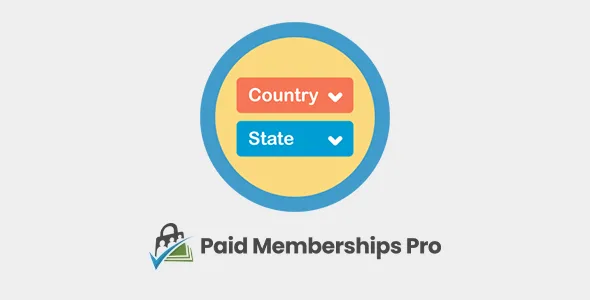
About PMPRO State Dropdowns
A checkout form with the billing address in free-text fields ends up filling your member database with "California", "CA", "Calif." and the odd typo. If you sell memberships to people in several countries, that mess shows up right when you need to sort, filter or export members by region.
The problem with leaving the state up to each member
Whoever runs a membership site tends to think about levels, gateways and restricted content, and treats the billing address as a minor formality. But it is the one location detail almost all your members give you, and if it goes in dirty, it stays dirty. PMPro State Dropdowns handles that small part: it replaces free typing with selection lists.
A checkout with PMPro State Dropdowns, step by step
1. You activate the plugin and touch nothing
It has no settings. As soon as you activate it, the Paid Memberships Pro checkout form shows two dropdowns, "Country" and "State", inside the billing address section. There is no settings screen to review and no option you could forget.
2. Your future member reaches the payment step
They see the billing address section with the two lists. They no longer decide how to abbreviate their province or state: they pick it from a list.
3. They choose the country and the state list changes
When a country is selected, the state dropdown offers the states that belong to that country. For example, choosing the United States shows the US states.
4. What the plugin does not solve at this point
- It does not calculate taxes or change the level price based on country or state.
- It does not check that the street, city or postal code exist.
- It does not let you limit the list to the countries where you sell: there are no settings.
- It only acts on the billing address at checkout, not on other screens of your site.
If you already know you need different prices or texts by location, you will have to solve that with something else; this plugin only tidies the incoming data.
Questions people ask before installing it
Does it work without Paid Memberships Pro?
No. It is an add-on for the Paid Memberships Pro checkout and needs that plugin installed and active.
Do I have to configure the countries?
No. There are no settings: once activated, the fields appear on their own in the payment form.
Can it be translated?
It is translation ready, so you can adapt the labels to your language. Do not assume the country and state names will appear in Spanish without checking it in the demo.
Does it work if my members only have one level?
Yes. It is designed for sites where members can hold one or more active levels, and the change only affects the payment address.
When it pays off and when it is unnecessary
It pays off if you sell to an international audience, if you care about the state being stored uniformly, or if your members make mistakes typing the address. It is unnecessary if all your members live in the same country and you do not use the state for anything, or if you have already customized the checkout form with your own fields that cover this.
What it gains you is cleanliness in a piece of data that, once saved wrong, nobody goes back to fix.
Topics
Version history
-
v
0.5.5 Current 30 Sep 2026
-
v
0.5.4 16 Sep 2026
-
v
0.5 8 May 2024
Customer reviews
Sign in to leave a review. Only people who have the product can review it.
No reviews for this product yet.
Frequently asked questions
-
GPL (General Public License) is the license under which WordPress and most premium plugins/themes are distributed. It grants you the right to use, modify and redistribute the software in as many projects as you want, with no domain restrictions.
-
Yes. With membership you get automatic updates via our GPLClub Updater plugin (installed on your WP, detects new versions and applies them). With individual purchase, you get one year of manual updates from your account.
-
Depends on the plan. Monthly: 3 domains. Semi-annual: 7. Annual and Lifetime: 15. Individual purchase: 1 domain.
-
GPLClub offers its own support for installation, configuration and compatibility. For direct support from the original author (feature requests, product-specific bugs), a license purchased from the author is required.