Post SMTP Pro
Antivirus scan
Powered by ClamAV
✅ Verified clean
This product file has passed our security filters.
Want to run a fresh ClamAV scan right now? Takes a few seconds and shows scanner version, signature DB and live result.
This can take 5 to 30 seconds.
Clean file Threat detected
No threats detected in this file.
- File
- Size
- Scanned
- ClamAV
- Signature database
⚡ Powered by ClamAV
Scan could not be completed
Report product
If you detected an issue (broken file, malware, inappropriate content, etc.) let us know and we'll review it ASAP.
Sign in to report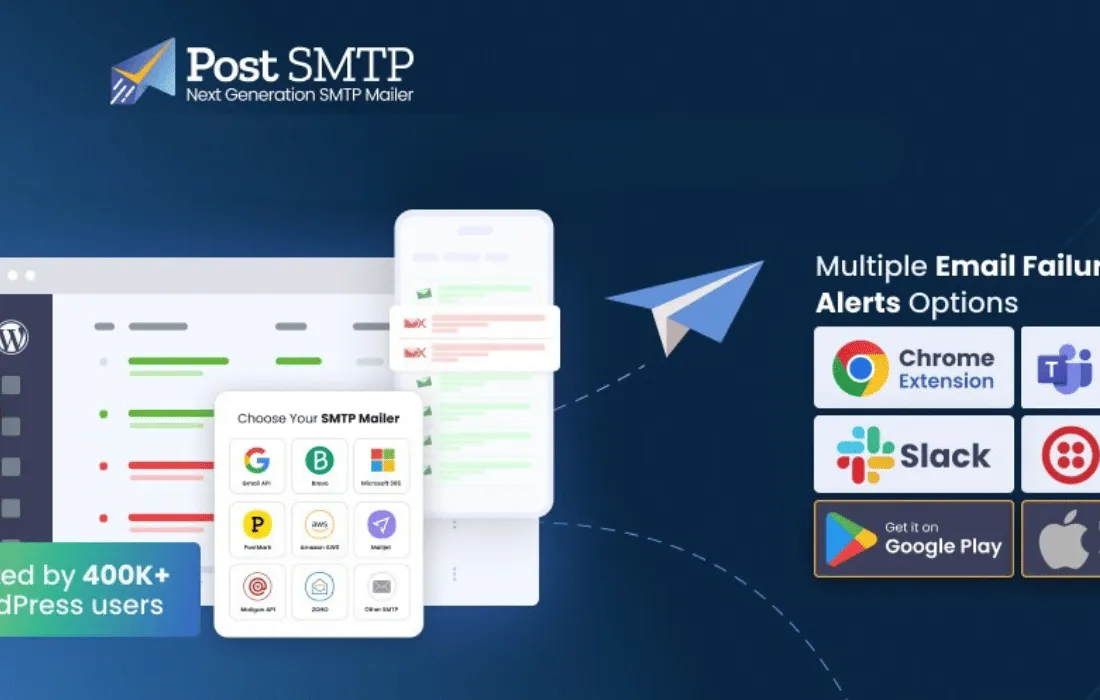
About Post SMTP Pro
What problem Post SMTP Pro solves
By default, WordPress sends emails through PHP's mail() function, a method that most hosting providers don't authenticate properly, causing order notifications, contact form submissions or password resets to end up in spam or simply never arrive. Post SMTP Pro fixes this by routing your site's outgoing email through trusted SMTP servers or APIs (Gmail, Microsoft 365, Amazon SES, SendGrid, Brevo, Mailgun, Zoho and more than twenty additional providers), significantly improving actual inbox delivery rates.
How setup works
The plugin includes a wizard that narrows the mail provider connection down to three steps: choosing the mailer, entering the sending details (credentials or API keys), and sending a test email to confirm everything works. For the most popular providers, Post SMTP Pro supports OAuth 2.0 authentication, letting you connect Gmail, Microsoft 365, Amazon SES or Zoho without storing SMTP passwords in the database, which reduces the security risk.
Logging and monitoring every email sent
One of the most useful features of Post SMTP Pro is its detailed email logs. Every message sent from the site is logged with its delivery status, subject, recipient, message body, attachments and error message if something goes wrong. From that same screen you can resend failed emails with one click, filter logs by status, date or recipient, and export them to CSV for further analysis.
Alerts and automatic recovery from failures
When a send fails, Post SMTP Pro doesn't just log it: it can notify the admin immediately by email, Slack, Microsoft Teams, SMS (via Twilio), webhooks to external services, or through its Chrome extension and mobile app. It also lets you configure automatic retries with a set limit, so the email keeps trying until it's delivered, and offers the option to set up a backup mailer (backup SMTP) that kicks in if the primary provider fails.
Performance reports and mobile app
The plugin generates periodic reports (daily, weekly or monthly) with charts showing emails sent, delivered, failed and opened, making it easier to spot deliverability problems before they affect customers or users. The dedicated mobile app complements this by letting you review logs, receive push notifications about errors, resend failed emails and manage multiple WordPress sites from a single dashboard, without needing to log into the WordPress backend.
What kind of projects Post SMTP Pro fits
- WooCommerce stores that depend on order confirmations, invoices and shipping notifications being delivered without failures.
- Agencies and developers managing multiple sites who need to monitor email from a single point, including compatibility with WordPress Multisite.
- Sites with contact forms, memberships or password recovery, where a lost email means a lost user.
- Businesses already using Microsoft 365, Google Workspace or another corporate provider that need secure API authentication instead of traditional SMTP credentials.
| Supported SMTP providers | More than 20, including Gmail, Microsoft 365, Amazon SES, SendGrid, Brevo, Mailgun, Postmark, Zoho Mail, SMTP2Go, Mailjet and custom SMTP |
| Authentication | OAuth 2.0 for Gmail, Microsoft 365, Amazon SES, Zoho, Brevo and SendGrid |
| Failure alert channels | Email, Slack, Microsoft Teams, SMS (Twilio), webhooks, Chrome extension and mobile app |
| Compatibility | WordPress Multisite and WooCommerce |
| Mobile app | Log monitoring, push notifications and resending failed emails |
Frequently asked questions
Do I need coding skills to set it up?
No. The setup wizard walks you step by step through connecting your WordPress site to the mail provider you choose, with no need to touch any code.
Does Post SMTP Pro slow down the site?
It shouldn't, since email sending is processed asynchronously in the background, without blocking page loading for visitors.
Does it work with WooCommerce?
Yes. It ensures that WooCommerce transactional emails, such as order confirmations, receipts and shipping updates, are delivered reliably.
Can I use my own SMTP server instead of a well-known provider?
Yes, the custom SMTP option lets you enter the details of any private or third-party SMTP server.
Is it compatible with Multisite installations?
Yes, it can be set up centrally for the whole network or individually on each site in the installation.
Version history
-
v
1.5.5 Current 1 Nov 2026
Customer reviews
Sign in to leave a review. Only people who have the product can review it.
No reviews for this product yet.
Frequently asked questions
-
GPL (General Public License) is the license under which WordPress and most premium plugins/themes are distributed. It grants you the right to use, modify and redistribute the software in as many projects as you want, with no domain restrictions.
-
Yes. With membership you get automatic updates via our GPLClub Updater plugin (installed on your WP, detects new versions and applies them). With individual purchase, you get one year of manual updates from your account.
-
Depends on the plan. Monthly: 3 domains. Semi-annual: 7. Annual and Lifetime: 15. Individual purchase: 1 domain.
-
GPLClub offers its own support for installation, configuration and compatibility. For direct support from the original author (feature requests, product-specific bugs), a license purchased from the author is required.