Publibox – Blog & Magazine Elementor Template
Antivirus scan
Powered by ClamAV
✅ Verified clean
This product file has passed our security filters.
Want to run a fresh ClamAV scan right now? Takes a few seconds and shows scanner version, signature DB and live result.
This can take 5 to 30 seconds.
Clean file Threat detected
No threats detected in this file.
- File
- Size
- Scanned
- ClamAV
- Signature database
⚡ Powered by ClamAV
Scan could not be completed
Report product
If you detected an issue (broken file, malware, inappropriate content, etc.) let us know and we'll review it ASAP.
Sign in to report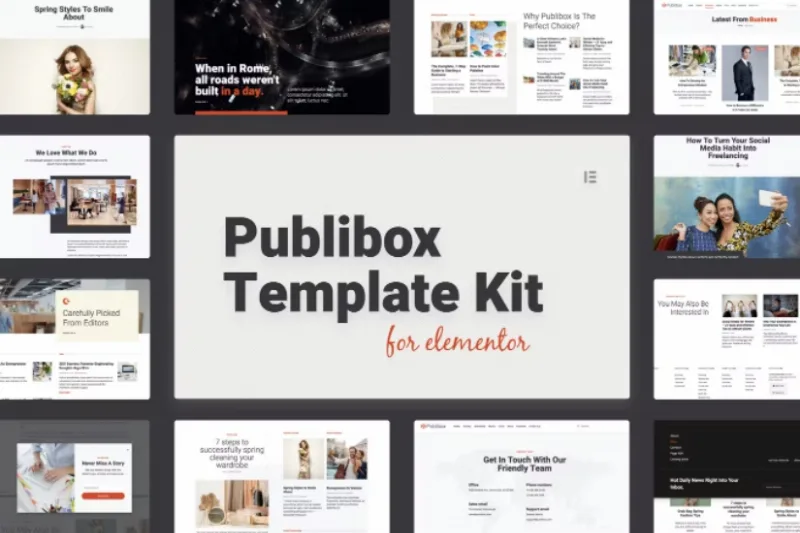
About Publibox – Blog & Magazine Elementor Template
Publibox and the eight sections you have to fill
Building a blog or a magazine with Elementor often ends in a front page that looks great on launch day and seems abandoned a month later, when one section has three articles and another has none. Publibox starts from a magazine structure: a menu with Home, Travel, Business, Media, Tech, Arts, Fashion and Lifestyle, a search box and a front page with a featured headline.
A design like this doesn't sustain a magazine, publishing rhythm does. Eight categories need content in all eight. If your topic is a single one, trim the menu and keep the three or four sections you can feed every week.
A front page designed so readers don't leave after the first article
The front page combines several blocks, each with a different role:
- Trending Stories: a list of current articles with their dates, so visitors immediately see what is being read.
- Blocks by section: each category shows a title, date, excerpt, comment indicator and a «Read More» link, ideal for getting readers to jump from one topic to another.
- Editors' picks: a block of hand-selected articles («Carefully picked from editors»), useful for pushing pieces that aren't the most recent.
- Three numbered arguments: a space to explain why to read your publication and not another.
- Newsletter signup: a call to never miss a story with a weekly recap.
The footer has several columns of links, contact details and App Store and Google Play buttons.
Beyond the home page: Publibox also covers the pages people forget
The kit includes About, Blog and Contact pages, plus a 404 page and a Coming Soon page. Coming Soon lets you announce the magazine while you finish loading articles, and the 404 stops a broken link from driving readers away. A cookie notice also appears in the demo: it is only the design of the notice, so real consent has to be set up with a separate tool.
All the demo content is sample material: English headlines, 2020 dates and lorem ipsum filler paragraphs. You will have to rewrite all of it, including the three numbered arguments, which currently say nothing.
Publibox fits a content magazine, not a store or an app
Check in the demo which blocks depend on widgets from the paid version of Elementor before you decide.
Other limits to keep in mind:
- The signup form is only the visual part: to send a newsletter you need to connect it to your email tool.
- The App Store and Google Play buttons are design only: they don't create any application.
- It is not an e-commerce design: the demo shows no store or cart.
Does it work for a single-topic magazine?
Yes. Remove the categories you won't use from the menu and keep the ones you can maintain; a front page with fewer, well-filled sections works better than eight half-empty ones.
Do the App Store and Google Play buttons create an app?
No. They are a footer design element. If you don't have an app, remove them.
Does the newsletter work right after installing?
Not by itself. You must connect the form to the service you use to send emails.
Does it come with real text?
No. The articles, dates and phrases in the demo are samples and must be replaced with your own content.
Topics
Version history
-
v
1.0.0 Current 24 Jun 2024
Customer reviews
Sign in to leave a review. Only people who have the product can review it.
No reviews for this product yet.
Frequently asked questions
-
GPL (General Public License) is the license under which WordPress and most premium plugins/themes are distributed. It grants you the right to use, modify and redistribute the software in as many projects as you want, with no domain restrictions.
-
Yes. With membership you get automatic updates via our GPLClub Updater plugin (installed on your WP, detects new versions and applies them). With individual purchase, you get one year of manual updates from your account.
-
Depends on the plan. Monthly: 3 domains. Semi-annual: 7. Annual and Lifetime: 15. Individual purchase: 1 domain.
-
GPLClub offers its own support for installation, configuration and compatibility. For direct support from the original author (feature requests, product-specific bugs), a license purchased from the author is required.