Puca – Optimized Mobile WooCommerce Theme
Antivirus scan
Powered by ClamAV
✅ Verified clean
This product file has passed our security filters.
Want to run a fresh ClamAV scan right now? Takes a few seconds and shows scanner version, signature DB and live result.
This can take 5 to 30 seconds.
Clean file Threat detected
No threats detected in this file.
- File
- Size
- Scanned
- ClamAV
- Signature database
⚡ Powered by ClamAV
Scan could not be completed
Report product
If you detected an issue (broken file, malware, inappropriate content, etc.) let us know and we'll review it ASAP.
Sign in to report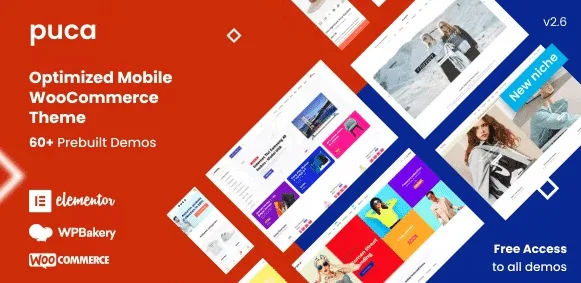
About Puca – Optimized Mobile WooCommerce Theme
A fashion or furniture store is judged on a phone
Building a WooCommerce store often ends with a theme that looks great on a computer and fails on a phone: a hidden cart, filters that are impossible to tap, photos that take time to appear. Puca starts from the opposite case: a minimalist design made for small screens, with a mobile version ready and an Ajax mini cart.
In fashion, furniture or electronics, the photo and the product page do the seller's job. What decides whether the purchase moves forward is not the homepage, but how the gallery looks, where the information tabs sit and how close the cart button is. That is why Puca offers many product page and shop variants, instead of a single formula for every catalog.
Puca depending on the type of store you are going to build
Fashion store
There are several fashion homepages in different styles. For clothing, a product page with a full-width gallery or a carousel works best, so the garment looks big from a phone.
Furniture and decor
There is a furniture demo with a large number of homepages. Furniture needs lifestyle and detail photos, so you will want the product pages with a vertical gallery or side tabs, where the description does not compete with the images.
Supermarket or long catalog
If you sell many items, you will find these useful: Ajax product search, search by SKU, grid or list view and catalog mode.
Marketplace with several vendors
The theme is compatible with Dokan, MultiVendorX, WCFM Marketplace and WC Vendors. That means you can turn it into a marketplace, but you will have to install and set up one of those plugins yourself.
Cart, shop and product page: what you change from the theme options
- Mini cart in five positions: top, bottom, left, right or in a popup, always with Ajax.
- More than eleven shop layouts: with a sidebar on either side, full width and filters in a bar.
- More than ten product page layouts: with a sidebar, vertical or horizontal gallery, carousel or full-width gallery.
- Product tabs in several styles, including the accordion version.
- Quick view, wishlist and compare.
- Mega menu and vertical menu, plus your own CSS and JS from the settings, and support for right-to-left languages.
- One-click demo import and options built on Redux, with customizable Google fonts.
So much variety carries a risk: losing time choosing. Start from your real catalog (type of photo, number of products, whether there are variations) and pick the product page and shop that show it best, not the flashiest demo.
Frequently asked questions about Puca
Does it work with Elementor or WPBakery? It is compatible with both page builders. Check in the demo you choose which one the homepage is built with.
Can I use it without knowing how to code? Yes for the usual tasks: layouts, cart and fonts are changed from the theme options. Custom CSS and JS are optional.
Is it suitable for a small store? Yes, although the many variants may be more than you need. Import the closest demo and remove what you do not use.
Does it include product filters? It is ready for the HUSKY filter plugin, in addition to the filter bar on the shop pages. Check in the demo which filters the homepage you choose uses.
It needs WooCommerce
Puca is a theme for look and structure: it does not handle payments, shipping or taxes, WooCommerce does that. For a marketplace you also need the multivendor plugin. And if you want it for a blog or a services site with no store, it makes little sense: everything revolves around the catalog.
Topics
Version history
-
v
2.6.46 Current 30 Sep 2026
-
v
2.6.45 5 Sep 2026
-
v
2.6.44 13 Aug 2026
-
v
2.6.41 10 Feb 2026
Customer reviews
Sign in to leave a review. Only people who have the product can review it.
No reviews for this product yet.
Frequently asked questions
-
GPL (General Public License) is the license under which WordPress and most premium plugins/themes are distributed. It grants you the right to use, modify and redistribute the software in as many projects as you want, with no domain restrictions.
-
Yes. With membership you get automatic updates via our GPLClub Updater plugin (installed on your WP, detects new versions and applies them). With individual purchase, you get one year of manual updates from your account.
-
Depends on the plan. Monthly: 3 domains. Semi-annual: 7. Annual and Lifetime: 15. Individual purchase: 1 domain.
-
GPLClub offers its own support for installation, configuration and compatibility. For direct support from the original author (feature requests, product-specific bugs), a license purchased from the author is required.