Quattro – Auto Booking & Automotive
Antivirus scan
Powered by ClamAV
✅ Verified clean
This product file has passed our security filters.
Want to run a fresh ClamAV scan right now? Takes a few seconds and shows scanner version, signature DB and live result.
This can take 5 to 30 seconds.
Clean file Threat detected
No threats detected in this file.
- File
- Size
- Scanned
- ClamAV
- Signature database
⚡ Powered by ClamAV
Scan could not be completed
Report product
If you detected an issue (broken file, malware, inappropriate content, etc.) let us know and we'll review it ASAP.
Sign in to report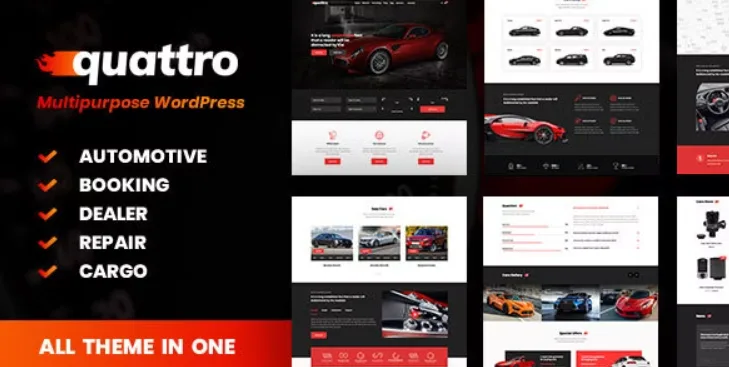
About Quattro – Auto Booking & Automotive
A booking request is not yet a car set aside
A customer picks a car on your site, says where to collect it and where to drop it off, and clicks book. They think they have it. You have just received a request that someone must review, confirm and answer, and until someone does, that customer keeps looking at other agencies.
On a car website, the booking is won in what happens after the button. Quattro works on that logic. After the form is sent, the demo shows this message: "Your booking request was successfully placed. Our managers will contact you as soon as possible". In other words, the request is made and your team handles the rest, so it pays to decide who answers and how before you publish.
Quattro is a WordPress theme for the automotive sector, with an integrated car booking system. It works with WPBakery Page Builder, Slider Revolution and WooCommerce, and it is not optimized for Gutenberg.
A car listing with twelve filters
In the demo, the listing page filters by make, model, restyle, condition, transmission, fuel, body type, price, year, engine volume, mileage and location, with a reset button.
- Eight sort criteria, plus the default: newest, oldest, price, brand and year.
- Results per page: 10, 20, 50 or all.
- Cards with a photo carousel, price and technical data, and a featured badge.
- Rental statuses: the cards on the rental home page distinguish Rent, Booking and Booked.
The car page sells and rents at once
Each car's page brings together a gallery with thumbnails, a long data list (year, mileage, engine, horsepower, doors, drivetrain, warranty, availability), a price block with a PDF link, and Overview, Features and Contacts tabs. Related cars appear below.
It also includes a rental table with a daily price in four brackets, according to length. The demo's popup form asks for pick-up and drop-off locations, with no date fields visible. If your rental depends on dates, you can create your own form with Contact Form 7 and assign it in the theme. Test that change before opening bookings to the public.
Fourteen home pages for dealers, repair, rental and transport
The home pages are split like this: seven for dealers, three for repair and mechanics, three for rental and one for cargo and transport. The first repair one shows services such as repair, paint work, diagnostics, tires and batteries, along with a three-tier rewards program.
Among the blocks of the first repair home page there is no appointment form: its booking buttons sit under each program tier. If you need an appointment calendar, test how to solve it before publishing.
The shop uses WooCommerce and in the demo sells parts and accessories, with a cart and sorting by popularity, rating, newest or price.
Setting it up without losing requests
To get started:
- Choose the home page of your main activity and import its demo content.
- Load two or three real cars with photos, data and status.
- Adapt the booking form to what you need to know about the customer.
- Send a test request and check who receives it and how it gets answered.
Four options for sales, transfers or repair
For a dealer focused on sales, Boxcar brings search by make, model and year, a vehicle comparison tool and a seller panel. Corify fills in technical sheets from a database of more than sixty-eight thousand vehicles.
If you sell transfers rather than rentals, Chauffeur Booking System calculates the price by distance, by the hour or at a flat rate, and includes payment and alerts. And for a repair-only business, Car Repair is a theme made for workshops.
Payment, fields and parts in Quattro
Does the customer pay when booking?
In the demo, the form sends a request and your team contacts the customer afterward. If you want to charge at that point, test it first on your install.
Can I add fields to the booking form?
Yes, you can create your own form with Contact Form 7 and assign it in the theme.
Does it work for selling and renting at once?
Yes, each car's page brings together the sale price and the rental table.
Can I edit it with Gutenberg?
It is not optimized for Gutenberg. It works with WPBakery Page Builder.
Can I sell parts?
Yes, it uses WooCommerce, and the demo includes a parts and accessories shop.
Topics
Version history
-
v
1.4.2 Current 13 Aug 2024
Customer reviews
Sign in to leave a review. Only people who have the product can review it.
No reviews for this product yet.
Frequently asked questions
-
GPL (General Public License) is the license under which WordPress and most premium plugins/themes are distributed. It grants you the right to use, modify and redistribute the software in as many projects as you want, with no domain restrictions.
-
Yes. With membership you get automatic updates via our GPLClub Updater plugin (installed on your WP, detects new versions and applies them). With individual purchase, you get one year of manual updates from your account.
-
Depends on the plan. Monthly: 3 domains. Semi-annual: 7. Annual and Lifetime: 15. Individual purchase: 1 domain.
-
GPLClub offers its own support for installation, configuration and compatibility. For direct support from the original author (feature requests, product-specific bugs), a license purchased from the author is required.