Shortcodes Ultimate
Antivirus scan
Powered by ClamAV
✅ Verified clean
This product file has passed our security filters.
Want to run a fresh ClamAV scan right now? Takes a few seconds and shows scanner version, signature DB and live result.
This can take 5 to 30 seconds.
Clean file Threat detected
No threats detected in this file.
- File
- Size
- Scanned
- ClamAV
- Signature database
⚡ Powered by ClamAV
Scan could not be completed
Report product
If you detected an issue (broken file, malware, inappropriate content, etc.) let us know and we'll review it ASAP.
Sign in to report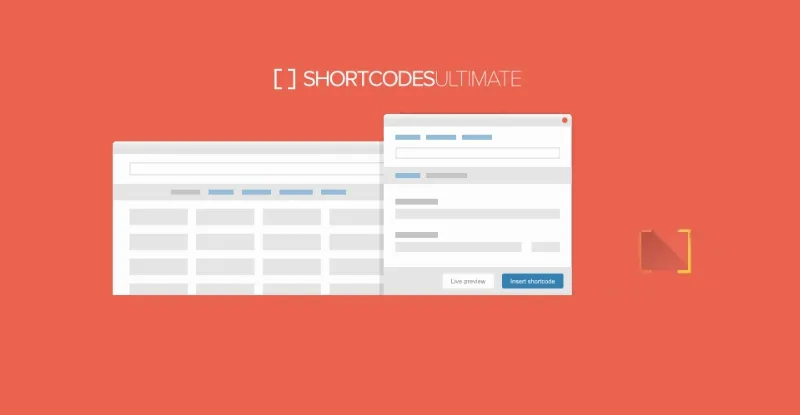
About Shortcodes Ultimate
Anyone writing in WordPress without coding skills often ends up with a patchwork of plugins: one for tabs, another for the slider, another for buttons, each with its own style and settings. After a year the site loads more things than anyone remembers installing.
One set of building blocks for everyday content
Shortcodes Ultimate brings together more than 50 shortcodes to format and structure content without writing HTML, CSS or PHP. A shortcode is a short tag in square brackets that you insert into a post, page, widget or template and adjust with attributes.
Walkthrough: turning an endless service page into something people actually read
Picture a page with the service description, terms, common questions and a contact button, all in one wall of text. Here is how it gets solved step by step:
- Step 1, split by topic: the tabs shortcode divides nested content into several tabs. It works for product details, pricing notes or documentation.
- Step 2, hide the long parts: the accordion groups several collapsible blocks, so the page can be scanned at a glance.
- Step 3, highlight what matters: boxes with a caption and buttons let you emphasize a notice or a call to action without touching CSS.
- Step 4, organize the layout: the column shortcodes spread the text across several columns.
- Step 5, show images: the image carousel and the content slider display photos or featured sections without another slider plugin. The lightbox opens images or your own HTML.
The limit is the method: each piece is inserted as a shortcode with its attributes, not laid out by dragging blocks. If you want to control every design detail, this is a content tool, not a full page builder.
Show posts wherever you need them
The posts grid shortcode displays posts in a responsive grid or list, and there are also options for recent posts, posts by category or custom lists.
Questions buyers ask before installing
Does it work with Elementor or Gutenberg?
You can use it in the Classic Editor, the block editor, Elementor, widgets and theme template files.
Do I need to know how to code?
Not to use the included shortcodes: you insert them and configure them with attributes. For theme templates you will need to paste the shortcode into the code.
Can I create my own?
Yes. You can turn a snippet you repeat often into a reusable shortcode and edit it from one place.
Does it replace a forms or store plugin?
No. It is designed for formatting, layout, media and content listings. Check in the demo that the pieces you need are in your version.
When Shortcodes Ultimate pays off and when it does not
It pays off if you publish a lot of long-form content (guides, documentation, service pages) and want tabs, accordions and boxes with a uniform look. It makes less sense if your site is already built entirely with a visual builder that covers those elements, because you would end up with two systems doing the same job.
Version history
-
v
5.11.1 Current 16 May 2024
Customer reviews
Sign in to leave a review. Only people who have the product can review it.
No reviews for this product yet.
Frequently asked questions
-
GPL (General Public License) is the license under which WordPress and most premium plugins/themes are distributed. It grants you the right to use, modify and redistribute the software in as many projects as you want, with no domain restrictions.
-
Yes. With membership you get automatic updates via our GPLClub Updater plugin (installed on your WP, detects new versions and applies them). With individual purchase, you get one year of manual updates from your account.
-
Depends on the plan. Monthly: 3 domains. Semi-annual: 7. Annual and Lifetime: 15. Individual purchase: 1 domain.
-
GPLClub offers its own support for installation, configuration and compatibility. For direct support from the original author (feature requests, product-specific bugs), a license purchased from the author is required.