Spectrum – Multi-Trade Construction Business Theme
Antivirus scan
Powered by ClamAV
✅ Verified clean
This product file has passed our security filters.
Want to run a fresh ClamAV scan right now? Takes a few seconds and shows scanner version, signature DB and live result.
This can take 5 to 30 seconds.
Clean file Threat detected
No threats detected in this file.
- File
- Size
- Scanned
- ClamAV
- Signature database
⚡ Powered by ClamAV
Scan could not be completed
Report product
If you detected an issue (broken file, malware, inappropriate content, etc.) let us know and we'll review it ASAP.
Sign in to report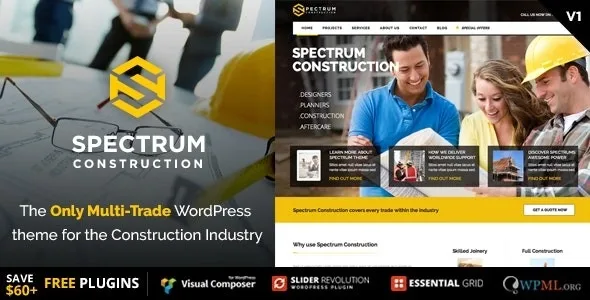
About Spectrum – Multi-Trade Construction Business Theme
Someone looking for a roofer does not type "builder"
A building company may do roofs, paint, fit kitchens and install windows. From the inside it is one company. From the outside, the person with a leak looks for a roofer, and the one who wants a new bathroom looks for someone who does bathrooms. A home page about construction in general makes that person guess whether their job is yours.
Your customer hires a trade, and your site has to introduce itself with that trade. Spectrum, by CMSSuperHeroes, is a WordPress theme built for the construction industry that packs the major trades into one install: with the one-click install you select the industry and start from a demo aimed at it.
Trades with their own demo
- Building and joinery: construction, joinery, windows and conservatories.
- Installations: electrician and plumber.
- Finishes: painting and decorating, flooring, interior design, kitchens and bathrooms.
- Outdoors: landscape gardening and roofing companies.
- Services: skip and plant hire.
- Online sales: a tools and supplies shop, and a building supplies shop.
What the pages are built with
- Included plugins: Slider Revolution, Visual Composer and Essential Grid.
- Own elements: CMS Heading, CMS Button, CMS Angle, client carousel, counters, progress bars, pie chart and Google Map.
- Content: posts, team, testimonials, clients and portfolio, with unlimited portfolio and blog layouts.
- Structure: boxed or full-width layout, global or per page, and unlimited sidebars on the left, on the right or hidden.
- Header: top bar, sticky header and header fixed to the left or right.
- Compatibility: Contact Form 7, WooCommerce, WPML and Polylang.
What the demo leaves in your hands
The photos. The sample images in the demos are for presentation only and are not included. Gather your own images before publishing.
The order of settings. Spectrum works on two levels: Theme Options for the whole site and Page Options for each page, with General, Body, Header, Page Title, Footer, Template and Angle groups. If you customize a page, that page uses its own setup and whatever Theme Options defines no longer applies to it. When a global change does not show on a page, check its Page Options first.
The business functions. Among its features there is no quote calculator or site-visit booking. Requests arrive through the forms you create with Contact Form 7.
If you offer several trades, per-page settings let you prepare a separate page for each one. That is your own combination: test it with your content.
Server ready and demo running
The server needs a memory_limit of 256 MB or more, a max_execution_time of 120 seconds or more, a max_input_vars of at least 4000 (6000 recommended) and upload limits of 64 MB or more. It also needs mod_rewrite, GD, cURL, OpenSSL and allow_url_fopen.
The one-click import follows this order:
- Upload the theme under Appearance, Themes, Add New, Upload Theme, and activate it.
- Click "Begin installing plugins", install the plugins in bulk and activate them.
- Go to Tool, Install Demo, click Install and, when it finishes, Save Changes.
- Import
ess_grid.json, found ininc/demo-data/construction, from Ess. Grid, Import/Export. - Open Tools, Force Regenerate Thumbnails and regenerate all thumbnails.
- Under Settings, Reading, choose a static page as the front page.
Three construction themes with a different starting point
If you are looking for staff as well as customers, Chade brings quote request and careers pages. If your business is renting out equipment with dates, rates and stock, Antek is built for that, with daily, weekly and monthly rates. For a builder focused on projects, services and track record, BildPress has that orientation.
Answers for choosing calmly
Can I build a multilingual site?
It is compatible with WPML and Polylang. You need to install one of those plugins separately.
Does it work for selling online?
Yes, with WooCommerce. Two demos are shop oriented: tools and supplies, and building supplies.
What are pages edited with?
Visual Composer, also called WPBakery Page Builder, which comes included along with the theme's own elements.
Is there help for learning to use it?
The theme includes documentation and video tutorials.
Topics
Version history
-
v
3.1.2 Current 17 Jun 2024
Customer reviews
Sign in to leave a review. Only people who have the product can review it.
No reviews for this product yet.
Frequently asked questions
-
GPL (General Public License) is the license under which WordPress and most premium plugins/themes are distributed. It grants you the right to use, modify and redistribute the software in as many projects as you want, with no domain restrictions.
-
Yes. With membership you get automatic updates via our GPLClub Updater plugin (installed on your WP, detects new versions and applies them). With individual purchase, you get one year of manual updates from your account.
-
Depends on the plan. Monthly: 3 domains. Semi-annual: 7. Annual and Lifetime: 15. Individual purchase: 1 domain.
-
GPLClub offers its own support for installation, configuration and compatibility. For direct support from the original author (feature requests, product-specific bugs), a license purchased from the author is required.