TaxoPress Pro
Antivirus scan
Powered by ClamAV
✅ Verified clean
This product file has passed our security filters.
Want to run a fresh ClamAV scan right now? Takes a few seconds and shows scanner version, signature DB and live result.
This can take 5 to 30 seconds.
Clean file Threat detected
No threats detected in this file.
- File
- Size
- Scanned
- ClamAV
- Signature database
⚡ Powered by ClamAV
Scan could not be completed
Report product
If you detected an issue (broken file, malware, inappropriate content, etc.) let us know and we'll review it ASAP.
Sign in to report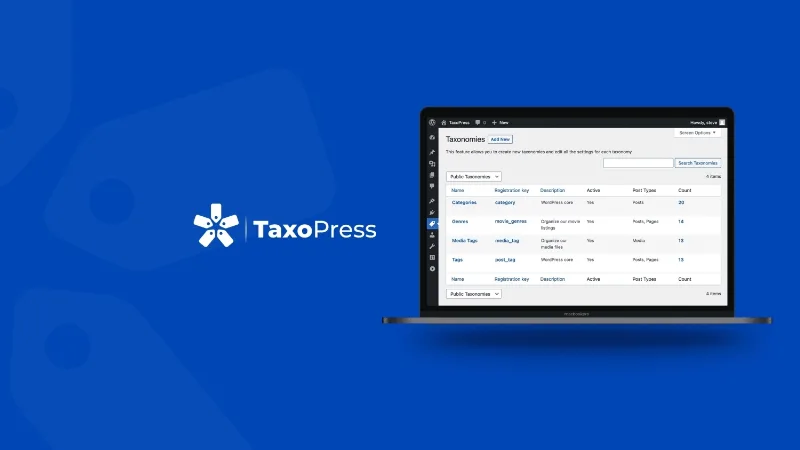
About TaxoPress Pro
Tags nobody planned that now organize your site
On a blog or content site that has been around for years, it is easy to find "Marketing", "marketing" and "Marketing digital" as three different tags, categories nobody remembers the reason for, and nearly empty archives that get published anyway. TaxoPress Pro helps you bring order to that taxonomy layer without editing every post by hand.
The underlying problem is rarely technical: each author uses tags as a personal notebook, not as the structure of the site. The more hands touch the content, the more loose terms pile up. That is why this plugin works more like an editorial maintenance tool than a decorative add-on.
Merging, renaming and deleting terms on a content-heavy site
TaxoPress Pro lets you add, rename, remove, delete and merge terms. It is the typical task after importing content from another site or inheriting a blog with years of improvised tagging.
Auto links: every mention of "WordPress" points to its archive
If you have a term called "WordPress", the auto links feature looks for that text in your content and links it to the tag's archive page.
Use it with judgment: if your terms are very common words, you will end up with texts full of links. It is best to start with a few important terms and check how a post looks before applying it widely.
Term suggestions with services like OpenAI
The plugin can rely on a service such as OpenAI to analyze a post's content and propose terms you can add. But these are suggestions: you decide which ones go in, and if you do not review them, you will repeat the problem of inconsistent tags at a greater speed.
Tag clouds and custom taxonomies
You can display all the terms of a taxonomy in dynamic tag clouds or in lists with many configuration options. They work with any taxonomy and any content type, not just post tags.
You can also create new taxonomies, edit each one's settings, assign them to different content types and change how they appear in the admin area. That is the part that matters if your site has catalogs, resources or projects that do not fit standard categories and tags.
Organizing terms does not rank you on its own
TaxoPress Pro organizes and links, but the strategy is still yours. Division of tasks:
- The plugin handles: creating and configuring taxonomies, linking terms automatically, displaying clouds and lists.
- You decide: which terms deserve to exist and which are too generic.
- You write: useful text on archive pages, if you want them to offer more than a listing.
- You review: every automatic suggestion before accepting it.
- You cover with another tool: titles and meta descriptions, if you need to manage them separately.
- You assess: whether an archive with few posts should be visible to search engines or not.
Frequently asked questions
Can I merge duplicate tags? Yes, you can merge terms.
Are AI suggestions applied automatically? They are presented as proposals you can add to the post, so you decide.
Topics
Version history
-
v
3.55.0 Current 17 Oct 2026
-
v
3.54.0 30 Sep 2026
-
v
3.53.0 5 Sep 2026
-
v
3.51.0 27 Jul 2026
-
v
3.45.0 21 Apr 2026
Customer reviews
Sign in to leave a review. Only people who have the product can review it.
No reviews for this product yet.
Frequently asked questions
-
GPL (General Public License) is the license under which WordPress and most premium plugins/themes are distributed. It grants you the right to use, modify and redistribute the software in as many projects as you want, with no domain restrictions.
-
Yes. With membership you get automatic updates via our GPLClub Updater plugin (installed on your WP, detects new versions and applies them). With individual purchase, you get one year of manual updates from your account.
-
Depends on the plan. Monthly: 3 domains. Semi-annual: 7. Annual and Lifetime: 15. Individual purchase: 1 domain.
-
GPLClub offers its own support for installation, configuration and compatibility. For direct support from the original author (feature requests, product-specific bugs), a license purchased from the author is required.