TF Woo Mini Cart Addon For Elementor
Antivirus scan
Powered by ClamAV
✅ Verified clean
This product file has passed our security filters.
Want to run a fresh ClamAV scan right now? Takes a few seconds and shows scanner version, signature DB and live result.
This can take 5 to 30 seconds.
Clean file Threat detected
No threats detected in this file.
- File
- Size
- Scanned
- ClamAV
- Signature database
⚡ Powered by ClamAV
Scan could not be completed
Report product
If you detected an issue (broken file, malware, inappropriate content, etc.) let us know and we'll review it ASAP.
Sign in to report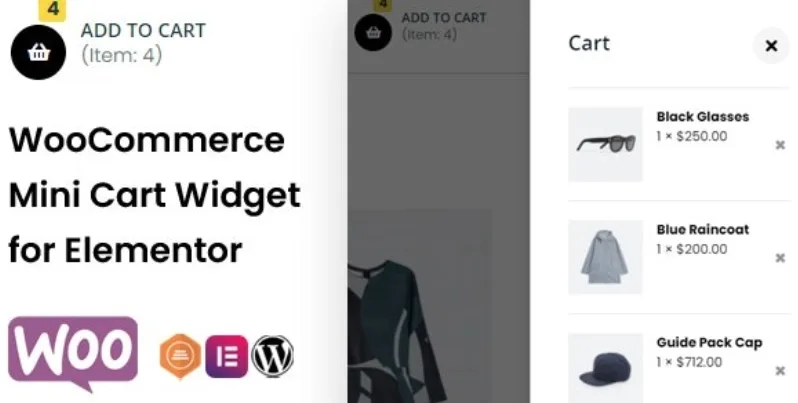
About TF Woo Mini Cart Addon For Elementor
If you sell with WooCommerce and Elementor and your header cart falls short
A customer adds a product and can't see what happened: the counter doesn't change, the cart is on another page, they hesitate and leave, or they click twice and order double. The header cart is the only part of the store that appears on every page, and it is usually the one that gets the least care.
This plugin is for you if you build your site with Elementor and want a compact cart styled to match your brand. It is not for you in these cases:
- You don't use Elementor: it is a widget for that page builder and does not work outside it.
- You don't have WooCommerce: the widget shows the store's cart, it does not replace the store.
- You want to redesign the checkout process: it offers buttons to the cart and to checkout, but it does not change those pages.
TF Woo Mini Cart Addon For Elementor: a cart that opens on hover or click
You place the widget in your header and, on click or hover, a compact summary opens with everything in the cart. The shopper reviews what they are carrying without leaving the page where they are browsing products.
On the icon itself you can adjust:
- The icon: replace it with the one you prefer and change its font size, border, background and color.
- The counter, with its own styling.
- The text that goes with the icon.
Adding and removing products shows up without reloading the page
The widget works with AJAX: when someone clicks Add to Cart, the product and the subtotal appear in the mini cart, and when they remove it, it disappears in real time too. For your customer it is instant confirmation that the action worked, which reduces repeated clicks and doubts.
If your store gets a lot of mobile traffic, check in the demo how the panel behaves on small screens before deciding.
View Cart and Checkout buttons in your brand palette
The dropdown panel is the last shop window before payment, and almost nobody designs it: it is left with the theme's default look and the buttons clash with the rest. Here you can define the width, padding, border, shadow, color, typography and background of the content, and style the View Cart and Checkout buttons your own way.
If your bottleneck is instead the product page or the checkout, this widget does not solve it; it only improves the step in between.
Questions before building it into your header
Does it work without Elementor?
No. It is an Elementor add-on and needs WooCommerce active so there is a cart to show.
Can I change the cart icon?
Yes, you can use any icon you like and adjust its size, border, background and color, as well as the counter and the text.
Does it open on hover or on click?
It supports both: the cart summary is shown on click or when the cursor hovers over it.
Does it update by itself when the customer adds products?
Yes, the product and subtotal are added to the mini cart when Add to Cart is clicked, and removed in real time when they are deleted.
Topics
Version history
-
v
1.0.4 Current 13 May 2024
Customer reviews
Sign in to leave a review. Only people who have the product can review it.
No reviews for this product yet.
Frequently asked questions
-
GPL (General Public License) is the license under which WordPress and most premium plugins/themes are distributed. It grants you the right to use, modify and redistribute the software in as many projects as you want, with no domain restrictions.
-
Yes. With membership you get automatic updates via our GPLClub Updater plugin (installed on your WP, detects new versions and applies them). With individual purchase, you get one year of manual updates from your account.
-
Depends on the plan. Monthly: 3 domains. Semi-annual: 7. Annual and Lifetime: 15. Individual purchase: 1 domain.
-
GPLClub offers its own support for installation, configuration and compatibility. For direct support from the original author (feature requests, product-specific bugs), a license purchased from the author is required.