The Events Calendar – Community Events
Antivirus scan
Powered by ClamAV
✅ Verified clean
This product file has passed our security filters.
Want to run a fresh ClamAV scan right now? Takes a few seconds and shows scanner version, signature DB and live result.
This can take 5 to 30 seconds.
Clean file Threat detected
No threats detected in this file.
- File
- Size
- Scanned
- ClamAV
- Signature database
⚡ Powered by ClamAV
Scan could not be completed
Report product
If you detected an issue (broken file, malware, inappropriate content, etc.) let us know and we'll review it ASAP.
Sign in to report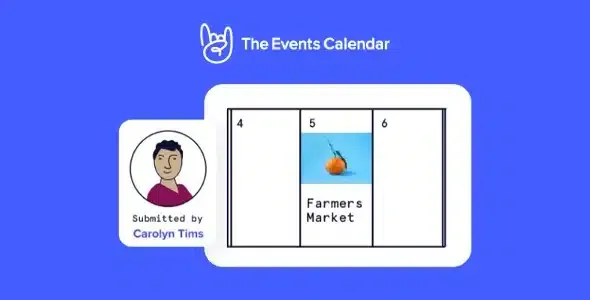
About The Events Calendar – Community Events
A calendar that depends on you typing every event
If you run the calendar for a city, a neighborhood, an association or a venue with many organizers, it falls out of date for a simple reason: everything goes through you. Every concert, workshop or talk reaches you by email or message and you end up copying it by hand. Community Events moves that work to the person organizing the event.
Community Events: many hands writing, one deciding
The plugin opens event submissions to your community. Organizers send their details and you approve each event before it appears on the calendar. That way the calendar grows without you having to write every entry.
The bottleneck of a community calendar is not receiving events but reviewing them. Submissions arrive just when you are busy, and a calendar is only as good as how fast you approve. If you take days, organizers stop submitting and go back to emailing you everything.
Approving before publishing is your filter, so give it a criterion
Since events go through your approval, you set the quality control. It pays to define some rules before you open the form:
- Which kinds of events you accept and which you don't (for example, in-person only or only from your area).
- Which minimum details a submission must include to be approved.
- Who reviews and how quickly you reply, so the organizer knows what to expect.
Once approved, events are shown with the views and filters of The Events Calendar (month, list, week, day, photo, map and summary, with filters by category or tag), so your audience finds them just like the ones you add yourself.
Without The Events Calendar as a base, the form has nowhere to publish
Community Events is an add-on: it installs on top of The Events Calendar and does not work as a standalone calendar. This is what it solves and what you will have to cover yourself:
- Already solved: organizers submit events from your site and you decide what gets published.
- Already solved: approved events go into the same calendar you already have.
- Up to you: the base calendar, which is what displays the events.
- Up to you: reviewing each submission, spotting duplicates and discarding what doesn't fit.
- Up to you: writing the publishing rules and explaining them to organizers.
- Up to you: ticket sales and payments, which are not a function of the submission form.
It is not for booking rooms, tables or appointments. It is for publishing events. Before relying on it for anything more, check in the demo exactly what an organizer can submit and which fields reach you.
Frequently asked questions about Community Events
Can I use it without The Events Calendar?
No. It is an add-on for the calendar and needs that plugin installed to display the events.
Do organizers publish without me seeing it?
The approach is that you approve events and only then do they appear on the calendar. Check the settings in the demo if you want a different flow, such as publishing immediately.
Can my customers book an appointment or a table with it?
No. It is designed so other people can add events to your calendar, not to manage bookings.
Is it useful if I'm the only one publishing events?
It makes little sense. Its value lies in sharing the workload among several organizers. If you load the events yourself, the base calendar already covers what you need.
Topics
Version history
-
v
5.1.0 Current 1 Oct 2026
-
v
5.0.15 30 Mar 2026
Customer reviews
Sign in to leave a review. Only people who have the product can review it.
No reviews for this product yet.
Frequently asked questions
-
GPL (General Public License) is the license under which WordPress and most premium plugins/themes are distributed. It grants you the right to use, modify and redistribute the software in as many projects as you want, with no domain restrictions.
-
Yes. With membership you get automatic updates via our GPLClub Updater plugin (installed on your WP, detects new versions and applies them). With individual purchase, you get one year of manual updates from your account.
-
Depends on the plan. Monthly: 3 domains. Semi-annual: 7. Annual and Lifetime: 15. Individual purchase: 1 domain.
-
GPLClub offers its own support for installation, configuration and compatibility. For direct support from the original author (feature requests, product-specific bugs), a license purchased from the author is required.