Ultimate Addons for WPBakery Page Builder
Antivirus scan
Powered by ClamAV
✅ Verified clean
This product file has passed our security filters.
Want to run a fresh ClamAV scan right now? Takes a few seconds and shows scanner version, signature DB and live result.
This can take 5 to 30 seconds.
Clean file Threat detected
No threats detected in this file.
- File
- Size
- Scanned
- ClamAV
- Signature database
⚡ Powered by ClamAV
Scan could not be completed
Report product
If you detected an issue (broken file, malware, inappropriate content, etc.) let us know and we'll review it ASAP.
Sign in to report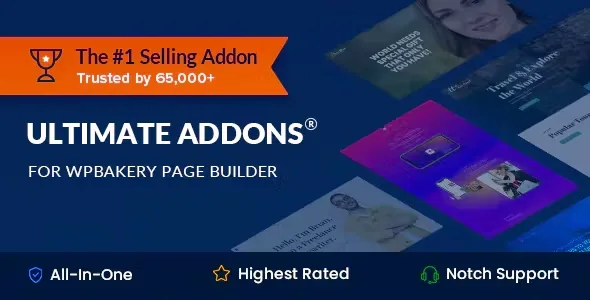
About Ultimate Addons for WPBakery Page Builder
Building a restaurant website with WPBakery usually ends the same way: a homepage with one nice photo, a menu in a dull list and a map that says nothing. The builder's basic elements cover the bare minimum, and what makes someone book a table (an image that catches the eye, a surprising figure, a featured dish) stays unsolved.
What catches the eye decides before the menu does
People looking for somewhere to eat look at the photos first and read afterwards. A hospitality business sells an experience the customer imagines from a phone, which is why the first screens weigh as much as the menu. Ultimate Addons for WPBakery Page Builder adds visual elements to the builder for exactly that.
Backgrounds, boxes and lists: what Ultimate Addons for WPBakery Page Builder adds
It is a package of extra elements for WPBakery. Here is what it brings:
- Row backgrounds: a fixed image while the content scrolls, vertical and horizontal parallax, parallax that follows the cursor, multilayer parallax with a 3D effect and video backgrounds (hosted or YouTube). A video of the kitchen behind the homepage headline is a good example.
- Info Box and Info List: information boxes and lists with their own design, useful for signature dishes, the venue's services or steps in a process.
- Flip Box: it looks like an info box and, when the cursor passes over it, it flips and shows a call to action, for example a button to book or see the daily menu.
- Counter: animated numbers for milestones and figures that you enter yourself.
- Interactive Banner: image banners with an interactive effect.
- Modal Popup Box: popup windows with a visual editor, where you can embed whatever you like, such as the wine list.
- Timeline: a timeline to tell the story of the venue or how a dish is made.
- Icons: font or image icons, and in a grid they work for showing supplier or partner logos.
- Extended Google Maps: lets you upload your own marker and write custom HTML in the map's info window.
The limits: it is an add-on and does not work on its own. It needs WPBakery Page Builder installed (if it comes inside your theme, the builder plugin must not be heavily modified). It also requires cURL enabled on the server. It includes no booking system, digital menu or online ordering: these are design elements, not management tools. And parallax effects and background videos should be tested on mobile, because they weigh more than a normal image.
Questions buyers ask when it is for a restaurant
Does it work without WPBakery?
No. It is an add-on for the builder and only adds elements inside its editor.
Can I take table bookings with it?
No. You can put a button in a Flip Box or a form inside a popup, but managing bookings needs another plugin.
Can I use my own icons?
Yes. It includes an icon font manager compatible with IcoMoon, where you pick the ones you want from over 2,500 or convert your SVG designs. It also has real-time search within your library.
Does the background video work if I film it myself?
Yes, it supports videos hosted on your site and YouTube videos.
Its own icon manager, so you don't load hundreds you never use
A menu usually needs few symbols: cutlery, leaves, a glass, a clock. Instead of dragging in whole libraries, you can create a font with only the ones you need. That saves you from searching through hundreds of irrelevant icons.
Test the video and parallax in the demo from your phone first
Before deciding, open the demo on your phone and check how animated backgrounds and the Flip Box behave with a finger, since there is no cursor hover there. For a restaurant, most visits come from mobile. Start with a single homepage with one background and a couple of elements, and add more as you see how it loads.
Topics
Version history
-
v
3.21.6 Current 7 Sep 2026
-
v
3.21.4 11 Mar 2026
Customer reviews
Sign in to leave a review. Only people who have the product can review it.
No reviews for this product yet.
Frequently asked questions
-
GPL (General Public License) is the license under which WordPress and most premium plugins/themes are distributed. It grants you the right to use, modify and redistribute the software in as many projects as you want, with no domain restrictions.
-
Yes. With membership you get automatic updates via our GPLClub Updater plugin (installed on your WP, detects new versions and applies them). With individual purchase, you get one year of manual updates from your account.
-
Depends on the plan. Monthly: 3 domains. Semi-annual: 7. Annual and Lifetime: 15. Individual purchase: 1 domain.
-
GPLClub offers its own support for installation, configuration and compatibility. For direct support from the original author (feature requests, product-specific bugs), a license purchased from the author is required.