Vakka – Addons for elementor
Antivirus scan
Powered by ClamAV
✅ Verified clean
This product file has passed our security filters.
Want to run a fresh ClamAV scan right now? Takes a few seconds and shows scanner version, signature DB and live result.
This can take 5 to 30 seconds.
Clean file Threat detected
No threats detected in this file.
- File
- Size
- Scanned
- ClamAV
- Signature database
⚡ Powered by ClamAV
Scan could not be completed
Report product
If you detected an issue (broken file, malware, inappropriate content, etc.) let us know and we'll review it ASAP.
Sign in to report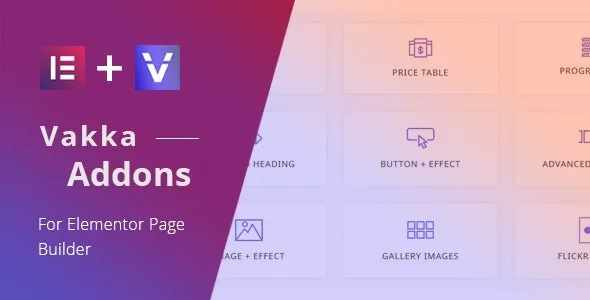
About Vakka – Addons for elementor
When stock Elementor falls short
You deliver a website built with Elementor and, halfway through the project, the client asks for a price table, a testimonial carousel or a box that flips when hovered. The usual route is to install a different plugin for each request, and a few months later the site loads assets from five add-ons of which it uses a tiny fraction.
Vakka Addons is an Elementor element library designed to avoid that pile-up: it lets you decide which ones are active.
Vakka's elements, grouped by what they solve
The list is long, so it helps to look at it by use:
- Presenting services and prices: Flip Box, Price Table, Icon Box, Progressbar and Testimonial.
- Bringing text, buttons and images to life: Animated Heading, Button with effects, Image with effects and Position Element.
- Showing moving content: Advanced Carousel, Tabs, Slider and Navigation Menu.
- Galleries: Gallery Images, Gallery Filter, Flickr Images and Instagram Images.
- Blog content: Posts, Post Filter, Single Post Elements, Comments Form and Social Share.
- Forms and shop: Login / Register Form, Contact Form 7, Mailchimp Form and WC – Products.
It also includes demo template data, useful to see how the elements combine before you build your own.
Vakka Addons lets you switch off what you don't use
Here is the most practical point for anyone building sites professionally: an element control panel lets you enable or disable each one. If a project only needs the price table and the carousel, turn off the rest and avoid loading code that will never be seen.
A good habit: at the start of each project, activate only the essentials and add more as you need them.
Forms, social feeds and shop: Vakka displays them, it does not replace them
An element pack is not a complete suite. It helps to separate what it already solves from what you will have to set up yourself:
- Already solved: the design and layout inside Elementor of price tables, cards, carousels, tabs, galleries, post filters and share buttons.
- Already solved: specific elements to insert a Contact Form 7 form, a Mailchimp form and WooCommerce products.
- You will cover with another plugin: creating the forms and configuring their fields and submissions (Contact Form 7), managing your lists (Mailchimp) and having the product catalog (WooCommerce).
- By hand: the content of the Instagram and Flickr accounts you want to show, and the visual adaptation to each client's identity.
- Out of its reach: it works as an Elementor add-on, and it is not optimized for the Gutenberg block editor.
Frequently asked questions about Vakka
Does it work without Elementor?
No. These are elements for Elementor and they are used from its editor.
Can I disable the elements I don't need?
Yes. It has an option to enable or disable specific elements in order to improve page loading.
Is it suitable for building a shop?
It includes an element to display WooCommerce products, but the shop itself (products, payments, cart) is handled by WooCommerce.
Does it come with demo templates?
Yes, it includes demo template data. Check the demo to see whether the style fits your project.
Version history
-
v
1.3 Current 8 Jan 2025
Customer reviews
Sign in to leave a review. Only people who have the product can review it.
No reviews for this product yet.
Frequently asked questions
-
GPL (General Public License) is the license under which WordPress and most premium plugins/themes are distributed. It grants you the right to use, modify and redistribute the software in as many projects as you want, with no domain restrictions.
-
Yes. With membership you get automatic updates via our GPLClub Updater plugin (installed on your WP, detects new versions and applies them). With individual purchase, you get one year of manual updates from your account.
-
Depends on the plan. Monthly: 3 domains. Semi-annual: 7. Annual and Lifetime: 15. Individual purchase: 1 domain.
-
GPLClub offers its own support for installation, configuration and compatibility. For direct support from the original author (feature requests, product-specific bugs), a license purchased from the author is required.