Walogin Membership Management with Blockchain
Antivirus scan
Powered by ClamAV
✅ Verified clean
This product file has passed our security filters.
Want to run a fresh ClamAV scan right now? Takes a few seconds and shows scanner version, signature DB and live result.
This can take 5 to 30 seconds.
Clean file Threat detected
No threats detected in this file.
- File
- Size
- Scanned
- ClamAV
- Signature database
⚡ Powered by ClamAV
Scan could not be completed
Report product
If you detected an issue (broken file, malware, inappropriate content, etc.) let us know and we'll review it ASAP.
Sign in to report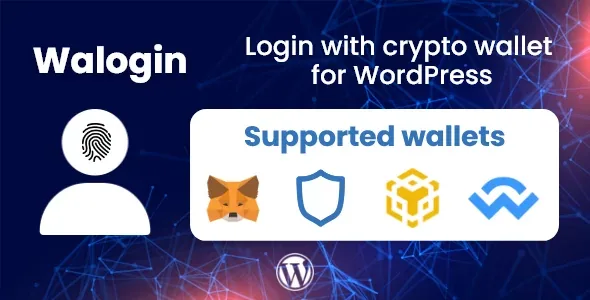
About Walogin Membership Management with Blockchain
Your members already have a wallet, but they can't remember your site's password
Someone who buys your project's token or NFT usually has their wallet close at hand and the password to your WordPress buried in an old email. Every sign-up form you put in front of them is a chance for them to drop out. Walogin starts from that friction: it lets people log in to WordPress with their crypto wallet instead of a username and password.
One thing should be clear from the start: a wallet identifies an address, not a person. Whoever runs a crypto community needs to join both pieces: the address that proves ownership and the WordPress account where the member's history lives. The plugin's value lies in that link, more than in the button.
How a member experiences Walogin, step by step
Picture a community with a members area on WordPress. This is the path, with what you do and what the plugin solves at each point.
1. You leave registration open
To accept new sign-ups, the option «Membership (Anyone can register)» must be active in the WordPress general settings. If it is off, anyone arriving with a new wallet won't be able to create an account. It is the first place to look if someone says they can't get in.
2. The member finds the button
The plugin adds a wallet login button to the WordPress login page and the WooCommerce one; if you don't want it there, you remove it in the settings. To place it on another page, such as a landing page for your community, you use a shortcode. It supports several different wallets.
3. First visit: they create their account
If the wallet doesn't match any account, Walogin asks and, with registration open, the member creates their account by choosing a username.
4. They already had an account: they link it
Registered users can link their wallet to the account they already have. That way you don't duplicate profiles or separate a person from their history.
5. You see who arrived by wallet
You get a page to follow the users registered with Walogin. That is where what the plugin does on its own ends: access and sign-ups. If you also want to charge for membership in cryptocurrency, you need another tool.
6. Content only for holders: with a separate add-on
Walogin does not lock content by itself based on what the member holds in their wallet. Two different add-ons exist for that: one to restrict by NFT and another to restrict by token. If your idea is «only those who hold X get in», plan on installing them in addition to the base plugin.
Common questions before setting up the members area
Can I limit a page to people who hold an NFT?
Yes, with the NFT restriction add-on. For tokens, the token restriction one. Neither comes inside the base plugin.
Do I lose the normal login?
The button is added to the WordPress login page and the WooCommerce one, and you can remove it from the settings if you don't want it.
Does it work with Ethereum or Binance Smart Chain?
It has login for both networks and with MetaMask among the wallets. Even so, check your specific wallet and network in the demo before committing.
What happens if someone has no account?
They can create one right then with their username, as long as open registration is active in WordPress.
Walogin fits if your membership revolves around the wallet, not the email
It is useful for projects with a crypto community, tokens or NFT collections that want people to log in without remembering passwords and want each wallet tied to a real WordPress account. It is less suitable if you are looking for a full system of plans and recurring payments: here the focus is identifying the member and, with the add-ons, deciding which content they see.
Topics
Version history
-
v
2.2.0 Current 5 Sep 2026
-
v
2.0.4 8 May 2024
Customer reviews
Sign in to leave a review. Only people who have the product can review it.
No reviews for this product yet.
Frequently asked questions
-
GPL (General Public License) is the license under which WordPress and most premium plugins/themes are distributed. It grants you the right to use, modify and redistribute the software in as many projects as you want, with no domain restrictions.
-
Yes. With membership you get automatic updates via our GPLClub Updater plugin (installed on your WP, detects new versions and applies them). With individual purchase, you get one year of manual updates from your account.
-
Depends on the plan. Monthly: 3 domains. Semi-annual: 7. Annual and Lifetime: 15. Individual purchase: 1 domain.
-
GPLClub offers its own support for installation, configuration and compatibility. For direct support from the original author (feature requests, product-specific bugs), a license purchased from the author is required.