WooCommerce Catalog Mode
Antivirus scan
Powered by ClamAV
✅ Verified clean
This product file has passed our security filters.
Want to run a fresh ClamAV scan right now? Takes a few seconds and shows scanner version, signature DB and live result.
This can take 5 to 30 seconds.
Clean file Threat detected
No threats detected in this file.
- File
- Size
- Scanned
- ClamAV
- Signature database
⚡ Powered by ClamAV
Scan could not be completed
Report product
If you detected an issue (broken file, malware, inappropriate content, etc.) let us know and we'll review it ASAP.
Sign in to report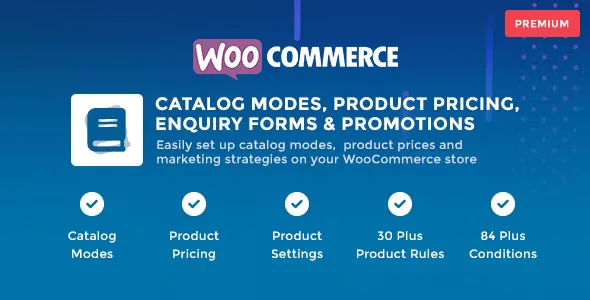
About WooCommerce Catalog Mode
When showing the price to everyone is the mistake
Some WooCommerce stores should not charge just anyone online: the distributor who negotiates rates, the manufacturer who prefers to send quotes, or the business that wants customers to ask before buying. With the cart open and the price in plain sight, those sales get complicated or lost.
WooCommerce Catalog Mode turns your store into a catalog, or does so only for certain visitors, and also adjusts prices and promotions through rules. It is organized into three modules: catalog modes, product pricing and product settings.
How to set up WooCommerce Catalog Mode for a distributor with closed prices
Picture an industrial supplies store with end customers and distributors. Here is the walkthrough:
- First, you hide what should not be seen. In the catalog modes module you remove the price, the add-to-cart button, or even the shop, cart and checkout functions. Anyone who does not meet your conditions sees a catalog.
- Second, you put an enquiry form in its place. The visitor no longer sees a buy button and can ask about the product. What happens with that enquiry afterwards (who receives it, how you handle it) is worth checking in the demo before deciding.
- Third, you define who does buy. Rules can be based on SKU, categories or tags, and conditions on specific customers, user roles or GeoIP location. There are more than 84 conditions and 30 product rules, so a distributor with their own role can see prices and buy while the general public can only enquire.
- Fourth, you adjust the price for each group. The pricing module changes the regular or sale price with a fixed price, a fixed discount or fee, or a percentage. It works for wholesale rates, membership pricing or flash sales.
Everything is done with rules. The trade-off: the more rules you create, the more combinations you have to test. Browse as a visitor, as a customer and as a distributor before going live.
Common questions before installing WooCommerce Catalog Mode
Does it work without WooCommerce?
No. It is a plugin for WooCommerce stores and works on their products, cart and checkout.
Can I use it with several currencies?
It is tested with WOOCS (WooCommerce Currency Switcher) and with WooCommerce Multi Currency, and it is also compatible with YayCurrency.
Does it come translated?
It includes .pot, .po and .mo files so you can translate it into your language. Check in the demo how the texts look before launching it to customers.
Is it only for hiding prices?
No. The product settings also cover stock, taxes, weight, price labels, badges and countdown timers.
Badges and countdowns for when you do want to push the sale
The product settings module also works for promotion: badges in different shapes (ribbon, star, hexagon, circle, flag and others), countdown timers in several styles, and promotional messages based on rules. A countdown on a flash sale makes sense if the price really changes with the pricing module.
Keep in mind that it is a set of rules on top of WooCommerce. If you need very specific form fields, check in the demo what the enquiry form offers.
Topics
Version history
-
v
1.3.4 Current 7 Sep 2026
-
v
1.1.6 8 Jan 2025
Customer reviews
Sign in to leave a review. Only people who have the product can review it.
No reviews for this product yet.
Frequently asked questions
-
GPL (General Public License) is the license under which WordPress and most premium plugins/themes are distributed. It grants you the right to use, modify and redistribute the software in as many projects as you want, with no domain restrictions.
-
Yes. With membership you get automatic updates via our GPLClub Updater plugin (installed on your WP, detects new versions and applies them). With individual purchase, you get one year of manual updates from your account.
-
Depends on the plan. Monthly: 3 domains. Semi-annual: 7. Annual and Lifetime: 15. Individual purchase: 1 domain.
-
GPLClub offers its own support for installation, configuration and compatibility. For direct support from the original author (feature requests, product-specific bugs), a license purchased from the author is required.