WooCommerce Custom My Account Pages
Antivirus scan
Powered by ClamAV
✅ Verified clean
This product file has passed our security filters.
Want to run a fresh ClamAV scan right now? Takes a few seconds and shows scanner version, signature DB and live result.
This can take 5 to 30 seconds.
Clean file Threat detected
No threats detected in this file.
- File
- Size
- Scanned
- ClamAV
- Signature database
⚡ Powered by ClamAV
Scan could not be completed
Report product
If you detected an issue (broken file, malware, inappropriate content, etc.) let us know and we'll review it ASAP.
Sign in to report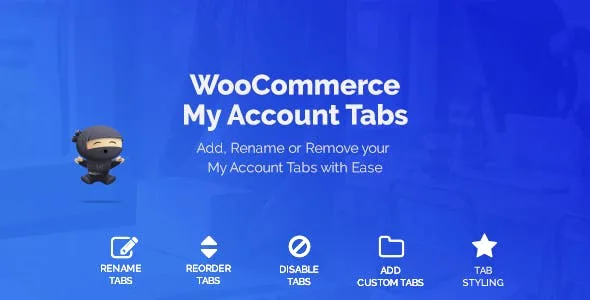
About WooCommerce Custom My Account Pages
Your customer already bought, and the page they reopen most is the one you work on least
A store spends almost all its effort on winning the first order: ads, product pages, offers. And the page the customer returns to afterwards, My Account, is left with the default menu: Dashboard, Orders, Downloads, Addresses. It is the only corner of your store where you already know who the visitor is, and you treat it as an administrative chore instead of using it to bring them back to buy again.
WooCommerce Custom My Account Pages lets you add your own tabs to that menu, reorder, disable or rename the existing ones, and decide what each type of user sees.
How to build a customer area with WooCommerce Custom My Account Pages
Say a coffee store wants its customers to have one tab for reordering and another for asking for help. Here is how that would go.
Step 1: create the tab and clean up the menu
You add a new tab with whatever name you like and it appears in My Account next to the WooCommerce ones. If a default one is surplus (for example Downloads, because you don't sell files), you disable it; if "Orders" sounds cold, you rename it; and you sort everything in the order that suits you.
Step 2: choose what it contains
Each tab takes a content type, and there are more than eleven: a free text editor, a link, a Contact Form 7 form, a function, single products, products by category, product categories, cart, order tracking, recent products, featured, on sale, best selling, top rated and related products. For reordering, best sellers or a specific category work well; for help, a form.
One important limit: the plugin displays the form but does not create it. It must already exist in Contact Form 7, which has to be installed.
Step 3: personalize the text with user data
In the content you can use shortcodes and user data, so the tab can greet customers by name or show information your store already keeps about each one. You can only show what is already stored.
Step 4: limit the tab by role
Each tab can be restricted to specific roles. A wholesale ordering tab just for your wholesalers, another for help open to everyone. The roles must be defined beforehand.
Step 5: adjust the look
There are three tab layouts, with customizable text and background colors. It is a style setting for the menu, not a page builder: if you want a completely different layout, you will need another tool.
Questions from people about to edit their My Account
Can I also change the default dashboard that WooCommerce shows? Yes, the plugin lets you modify that dashboard page.
Does it work for a store with several vendors? It is compatible with WCFM Multi Vendor. Also with FooEvents Tickets, if you sell tickets.
Can I hide a tab from certain customers? Yes, by user role.
Do I need anything else besides WooCommerce? Only if you want forms: in that case, Contact Form 7.
Before creating ten tabs, decide which ones earn a place
The plugin gives you the container, not the strategy. A tab deserves to exist if it makes an action easier that customers repeat: buying the same thing again, tracking a shipment, asking for help or seeing something reserved for their role. A menu with too many entries is just another way of leaving the account unused. Start with two or three, check which ones get opened and adjust the order from there.
Topics
Version history
-
v
1.1.13 Current 8 May 2024
Customer reviews
Sign in to leave a review. Only people who have the product can review it.
No reviews for this product yet.
Frequently asked questions
-
GPL (General Public License) is the license under which WordPress and most premium plugins/themes are distributed. It grants you the right to use, modify and redistribute the software in as many projects as you want, with no domain restrictions.
-
Yes. With membership you get automatic updates via our GPLClub Updater plugin (installed on your WP, detects new versions and applies them). With individual purchase, you get one year of manual updates from your account.
-
Depends on the plan. Monthly: 3 domains. Semi-annual: 7. Annual and Lifetime: 15. Individual purchase: 1 domain.
-
GPLClub offers its own support for installation, configuration and compatibility. For direct support from the original author (feature requests, product-specific bugs), a license purchased from the author is required.