WooCommerce Give Products
Antivirus scan
Powered by ClamAV
✅ Verified clean
This product file has passed our security filters.
Want to run a fresh ClamAV scan right now? Takes a few seconds and shows scanner version, signature DB and live result.
This can take 5 to 30 seconds.
Clean file Threat detected
No threats detected in this file.
- File
- Size
- Scanned
- ClamAV
- Signature database
⚡ Powered by ClamAV
Scan could not be completed
Report product
If you detected an issue (broken file, malware, inappropriate content, etc.) let us know and we'll review it ASAP.
Sign in to report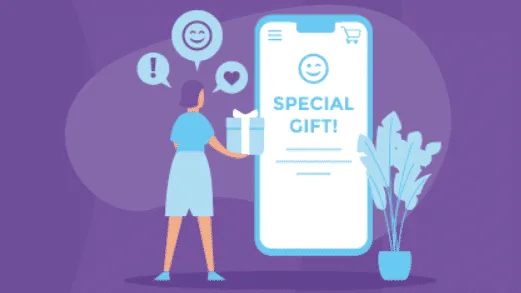
About WooCommerce Give Products
Giving a product away shouldn't require a 100% coupon or a manual order
Anyone who wants to give something away in a WooCommerce store usually ends up with workarounds: a full-discount coupon the customer has to redeem, an order created by hand with the price set to zero, or a download link sent by email. All of that leaves odd orders, a confused customer and no control over what was given and to whom.
WooCommerce Give Products solves exactly that: you choose the customer, choose the products and generate a free order in their name, without going through payment.
The gift is a real order, not a discount
A gift recorded as an order is business data. With a free order, you manage it like any other order.
It's useful in common situations such as:
- Rewarding a loyal customer with a product from your catalog.
How WooCommerce Give Products works and where its scope ends
The plugin adds an item to the admin menu. From there you select the customer, tick the items you want to give and click the «Give Product(s)» button. The extension creates a no-cost order that you handle like any other.
- No checkout: the order is generated on the customer's behalf, and they don't have to do anything.
- Downloadable products: if you give one, WooCommerce delivers the download links as in a normal purchase, with no extra steps.
- Product variations: you can give a specific variation, not just the base product.
- HPOS compatible: it works with WooCommerce's high-performance order storage.
What it doesn't do
It's a manual tool: you give gifts yourself, customer by customer, from the admin. It isn't a rule-based automation system (giving a gift when a customer reaches a certain spend, for example), it doesn't generate coupons or gift cards and it doesn't create a gift for someone else to receive. The recipient must already exist as a customer in your store. If you want to automate rewards by points or purchase amount, you'll need another solution.
Frequently asked questions
Does the customer have to go through payment?
No. The order is created for them, with no payment or forms.
Are digital products delivered automatically?
Yes. If the product is downloadable, WooCommerce sends the links as in a normal purchase and the files are available instantly.
Can I use it for promotions and rewards?
Yes, it works for loyalty campaigns, freebies or one-off surprises, as long as you do them manually.
Can I give several products at once?
Yes, you can choose the items you want to give and generate the order in a single step.
Gifts count in your orders: tell whoever handles the accounting
Before using it often, test with a test customer: give a physical product and a downloadable one, check which email they receive, what status the order ends up in and how your sales report shows it. If you manage stock, also check that inventory goes down as you expect.
Try it first in a test environment before installing it in production.
Topics
Version history
-
v
1.3.1 Current 18 May 2026
-
v
1.3.0 30 Oct 2025
Customer reviews
Sign in to leave a review. Only people who have the product can review it.
No reviews for this product yet.
Frequently asked questions
-
GPL (General Public License) is the license under which WordPress and most premium plugins/themes are distributed. It grants you the right to use, modify and redistribute the software in as many projects as you want, with no domain restrictions.
-
Yes. With membership you get automatic updates via our GPLClub Updater plugin (installed on your WP, detects new versions and applies them). With individual purchase, you get one year of manual updates from your account.
-
Depends on the plan. Monthly: 3 domains. Semi-annual: 7. Annual and Lifetime: 15. Individual purchase: 1 domain.
-
GPLClub offers its own support for installation, configuration and compatibility. For direct support from the original author (feature requests, product-specific bugs), a license purchased from the author is required.